What are differential and incremental backups?
Here you will find out:
- what a differential backup is
- what an incremental backup is
- how DiskInternals Partition Recovery can help you
Are you ready? Let's read!
Differential and incremental backups
Many times you've heard about backups, and each time you hear or read about backup, it merely refers to the act of saving important files, document, or data in alternative storage so that you can get back to get the document, file, or data when the primary/standard storage where it was saved gets damaged or corrupted.
Well, that’s literally what “backup” means. However, there are different types of backups, mainly “Differential Backup” and “Incremental Backup.” These types of backups come in handy when you deal with big data; thus, you need to know more about them.
What is a differential backup?
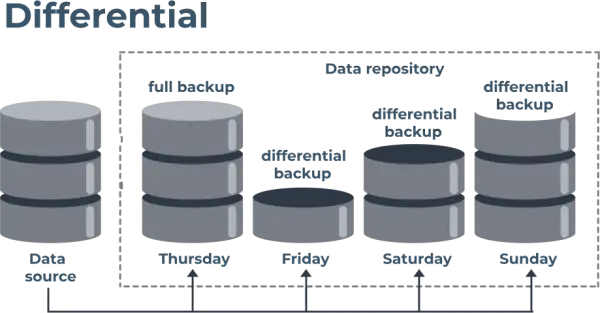
Simply put, differential backup is a type of backup where all changes made after a full backup are saved cumulatively until the next full backup. Here, "full backup" refers to the general backup, which is usually done after a while (weekly, monthly, yearly).
Here’s a practical example that explains how differential backup works.
![]()
Let's say a full backup is usually done on Sundays, at night. Differential backup is the method adopted to save changes to files/folders between Monday morning and the next Sunday night when another full backup would run. So, on Monday night, a differential backup would run to save all changes to your files/data since last Sunday night. Similarly, on Tuesday night, a differential backup would run again to save all changes to your files/data since last Sunday night. The cycle continues in this manner until the next Sunday night.
What is an incremental backup?
You can’t really say that incremental backup is the opposite of differential backup. However, to put it in the simplest term possible, incremental backup is a backup strategy where changes made on a system, in between the full backup dates, are saved categorically. What does this mean? It simply means that, while differential backups save changes in-between full backup dates, cumulatively, incremental backups save changes individually/categorically.
Here’s an example:
Assuming a full backup runs every Sunday night, an incremental backup is adopted to save only new changes daily, until the next full backup day (next Sunday night). So, on Monday night, an incremental backup would save the changes from Sunday night to that moment (Monday night). Then on Tuesday, an incremental backup would only save changes from Monday night to that moment (Tuesday night). The cycle continues in this manner until the next Sunday night. Incremental backup is best for some people because it makes it easier to recover data; if you lost data that was created on Wednesday, you could simply load the incremental backup of Wednesday and have the file back.
How you can recover deleted partitions
It happens to almost every human, people can make mistakes that could result in data loss; it could be accidental deletion or a careless act that exposes the system to malware attack, which in turn corrupts some important files on the system. Regardless, if you notice that some of your files are missing, or an entire partition is missing on your computer, DiskInternals Partition Recovery can help to get back those lost files and partitions.
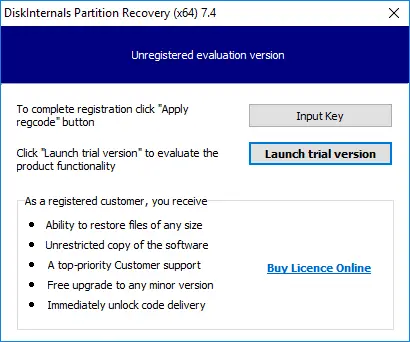
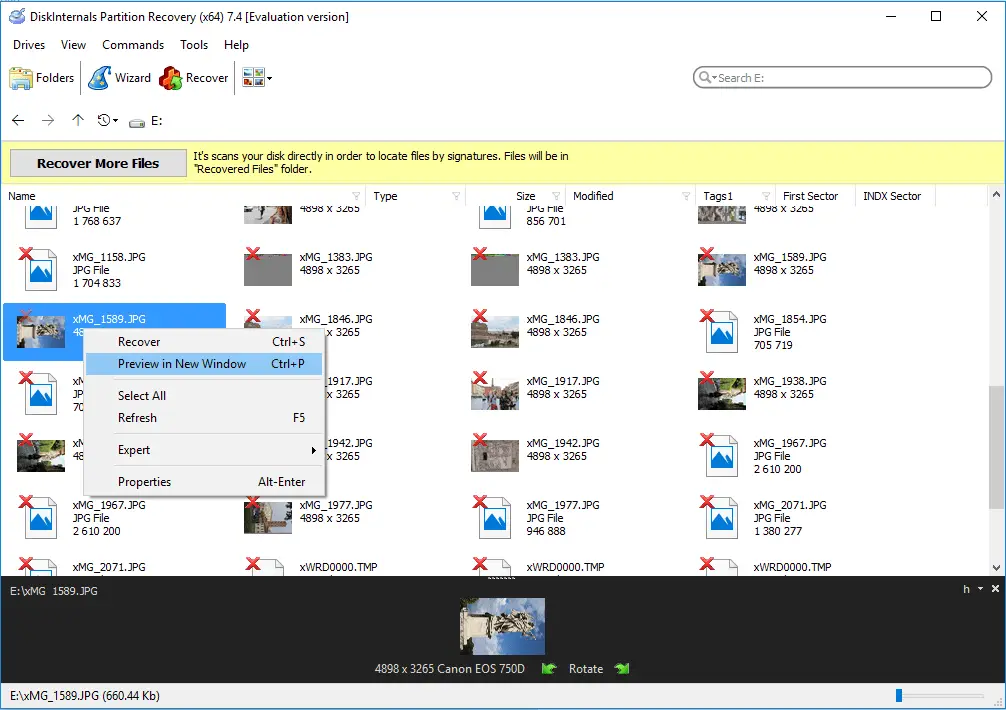
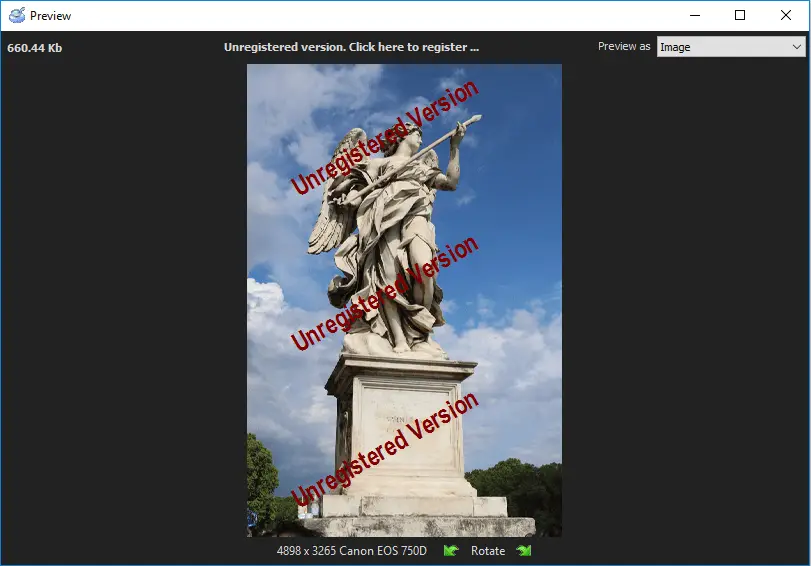
DiskInternals Partition Recovery is a professional data recovery solution for Windows PC users. It comes with a built-in Wizard and supports various file systems and file formats. The software has an interface that is very easy to understand and it allows previewing of files before actual recovery.
Related articles
- How to Delete Temporary Files on Windows 8
- How to Disable Secure Boot
- How to boot Last Known Good Configuration on Windows 10, 11
- How to fix if it looks like Windows didn't load correctly error
- What are System Recovery Options in Windows
- How to Recover Data from Dead Laptop SSD in 2025
- Top Data Recovery Software for Windows (2026)
- How to Recover Data from a Dead or Failed Hard Drive
- Make your computer faster! Windows 10, 11 refresh
- Western Digital Partition Repair & Partition Recovery Tool
- 9 Best Hard Drive Repair Software for Windows in 2026 (Free & Paid)
- FREE Hard Disk Repair Software for HDD Repair
- How to recover uninstalled programs
- Best Hard Drive Data Recovery Services in 2026
- How to Recover Deleted Files Without Backup in Windows 10/11
- How to Restore Hard Drive Partitions on Windows?
- How to Restore Partition on Windows 10
- Recover Lost or Deleted Partition
- How to Recover Files Deleted by McAfee
- Best Damaged Hard Drive Recovery Software in 2026
- Best Free Partition Recovery Software for Windows (2026)
- How to Recover Ransomware Encrypted or Deleted Files After Attack
- Western Digital External Hard Drive Repair Tool & WD External HDD Repair Guide
- Repair Lost Partition on HDD & Drives - Step-by-Step Partition Recovery Guide
- How to Recover Deleted Folder in Windows 11
- What Is a Lost Partition? Causes, Risks & How to Recover Lost Partitions
- Recover formatted partition free | How to Recover Files after Partition Formatting [2026]
- How to Recover Data from Crashed Hard Drive - FAST in 2026
- Best Free Partition Recovery Software for Windows 7 in 2025
- Windows Memory Diagnostic Tool Stuck? Fix it Now!
- Accidentally Formatted/Deleted Recovery Partition
- Resource Protection could not perform operation
- Here is What to Do if Windows Rollback is Not Working
- Windows Defender won't turn on
- Here are all windows.com/stopcodes and here is how to fix them
- Reset Windows 7 to factory settings
- What should you do if Windows 10, 11 backup is not working
- How secure is OneDrive
- How to restore Windows 10, 11 system: only workable solutions
- How to run Windows memory diagnostic?
- Here is how to create and use a restore point in Windows 10, 11
- Diskpart Commands Overview
- How to use dual boot on Windows 7 and 10 safely?
- How to Use Bootsect
- Clean up WinSXS folder on Windows 7, 8
- Partition Table Recover: How to Fix Lost Partition Table & Recover Lost Partition Data
- Free damaged partition recovery software
- System Restore failed with an error message
- If System Restore is not working
- Restoring your previous version of Windows error
- Windows 10 preparing automatic repair
- What are Win dump files
- Windows 10 defrag
- If you get “we can't create a recovery drive” issue
- About Windows 10, 11 recovery mode
- Merge partitions in Windows 10
- [Solved!] Offline startup repair cannot repair your PC
- How to edit boot.ini: step-by-step guide
- How to Recover a Hard Drive That Won't Boot
- Error 0x80070570
- Windows 7/8/10 Safe Mode when F8 is not working
- How to use the DIR command correctly?
- If you get the error “Could not find the recovery environment”
- Disable Driver Signature Enforcement in Windows 8, 10
- If you get the “Diskpart has encountered an error” issue
- Deleted Partition Data Recovery Software Free Download
- Change a boot drive in Windows 10
- SFC Commands Review
- Advanced Boot Options
- Bootable Partition Recovery Software
- Free Partition Recovery Tool
- What is a repairing disk errors message
- How to shutdown Windows without updating
- Need to flush DNS cache? Learn how to do it safely
- Change directory in cmd Windows 10, 11
- Create a Windows 10 recovery disk from another computer
- Best command prompt tricks to use in data recovery
- Recover Data from Dead Hard Drive: Methods, Tools, and Recovery Strategies
- How to Fix a Damaged Hard Disk or External Hard Drive Without Losing Data

