Here is How to Fix MOM.exe Issues
Here you will find out:
- about MOM.exe
- how Partition Recovery can help you
Are you ready? Let's read!
About this Process
When starting the operating system, any user may encounter an error in the MOM.exe file. Since this does not happen very often, many do not know anything at all about this problem. So let's fix this. This process is part of the Catalyst Control Center and is part of the AMD Catalyst driver. Therefore, the MOM.exe file supports various video and display options. In general, the MOM.exe process problem can happen on any version of Windows, but occurs more often on Windows 7, as AMD Radeon Software Crimson replaced CCC (Catalyst Control Center). Windows 10 has a new Crimson driver that offers tremendous speed improvements as well as better display quality settings.
Since the file MOM.exe is a system file, it can be found in the Program Files folder. If this file is located anywhere else, you should be wary, as it is most likely a malicious program. To prevent it from harming your system and personal files, you should get rid of it as soon as possible. A full system scan with third-party or built-in antivirus software should help you.
Let's Deal with the Issue
So, if you get the error MOM.exe, then some files have been damaged or deleted. The very first thing you can do to fix the problem is to check if your device drivers need to be updated. if they are outdated, then update in any way convenient for you. This can be looking for updates on the official website of the device manufacturer or using a third-party driver update application. If this solution fixes the MOM.exe file errors, you can remove it from the taskbar. This can be done without fear of system security, since the MOM.exe file is not a Windows kernel file.
Note: Newer CCC versions may appear as Catalyst Install Manager or ATI Catalyst Install Manager. Keep this in mind when deleting a file.
Didn't Help? Roll Back Your OS, but Make Sure Your Data is Safe!
If all else fails, you can roll back your system to the desired time frame when the MOM.exe error did not bother you yet. However, all saved data up to this time will be permanently deleted. Therefore, first back up your data or create a disk image using DiskInternals Partition Recovery.
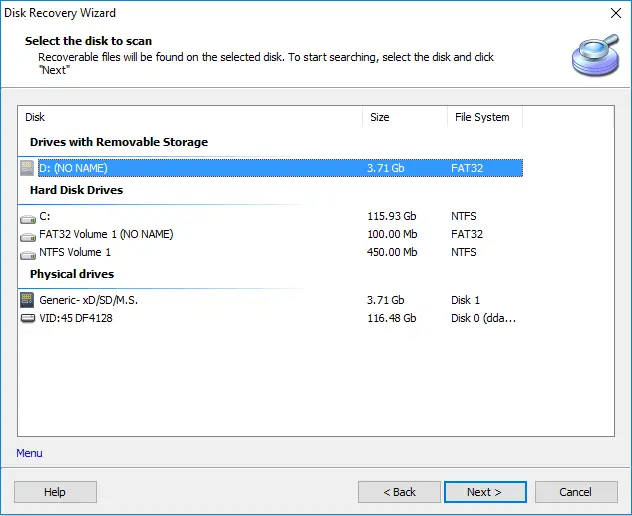
This innovative solution will help you save all your deleted or damaged data on another device connected to your computer. It does not take much time, effort, or knowledge, since the application is fully automated and intuitive. The program interface is familiar to all professionals, but beginners won’t be at all confused, since the Recovery Wizard will support you throughout the recovery process.
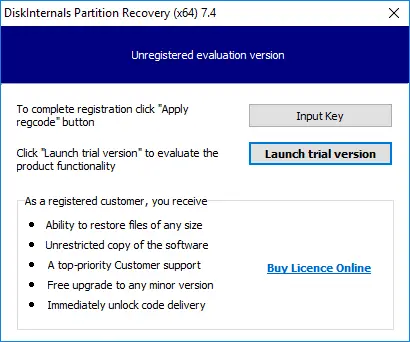
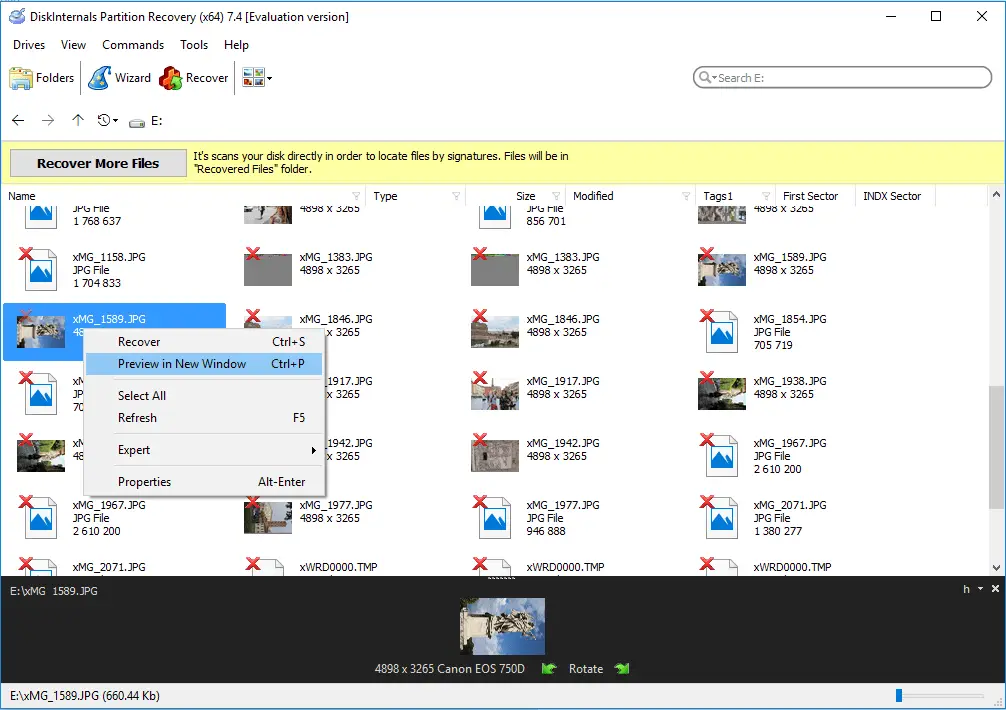
You can use the free version of the program to recover all kinds of files and view them in real time. Then, if you want to keep everything you find or just certain files, buy a license and continue the process without starting over.

You can also immediately use the fully functional version with export functionality by purchasing a license from the company's website and you will receive free technical support for a year. The program automatically creates virtual partitions; such partitions, in turn, can be viewed as regular disks. You can use any provided recovery mode:
Read mode to open data,
Recovery mode (full recovery) for more detailed data recovery,
Recovery mode (fast recovery).
All technical characteristics of the DiskInternals Partition Recovery application are standard, no additional hardware is required to work with the application:
OS: Windows of any version (preferably 7, 8, 8.1 or 10).
Any file system: Ext2 / 3/4, HFS, XFS, NTFS, ReiserFS, FAT12, ReFS or Reiser4, etc.
Sufficient disk for exporting recovered data.
As you can see, the app is reliable and has been verified by users for several decades, so it's worth a try!
Related articles
- Fix Issue when CPU at 100% all the time on Windows 10
- Fix 100% Disk Usage in Windows 10 in 2026
- Service Host Sysmain
- Pagefile.sys: what is Windows paging file?
- What is unsecapp.exe, and how should you interact with it?
- Here is everything you should know about Runtime Broker
- Here is how to deal with igfxem module high disk usage
- Sedlauncher.exe: What is it and How to Fix High CPU Issue?
- Win32: Bogent Threat
- Fix Tiworker.exe high CPU now!
- Here is everything you need to know about twinui in Windows 10
- Instup.exe leads to high CPU usage? Fix it now!
- Client Server Runtime processes high CPU usage issues
- Here is everything you need to know about AppVShNotify.exe
- What to do in case of Desktop Window Manager high memory usage?
- How do I interact with the crdownload file in 2026
- IAStorDataSvc in Windows 10
- What is CompatTelRunner.exe and How to Interact With It
- Mmc.exe: what is it and how to fix high CPU issue?
- Windows Modules Installer Worker high CPU issues
- Service Host Superfetch lead to High CPU Usage?
- [Task Scheduler] System and Compressed Memory
- Trustedinstaller.exe - how should you interact with this file?
- Searchui.exe still running even after you disable it
- Host Process for Windows Services
- Ntuser.dat - how should you interact with this file?
- How to disable UAC in Windows 10, 11?
- What is WaasMedic.exe?
- SVCHOST.EXE process: how to make it work properly