
SATA RAID Controller for ESXi: VMware ESXi Compatible SATA RAID Controllers
VMware ESXi is strict about hardware compatibility, and not every SATA RAID controller will work reliably. Many low‑cost or consumer‑grade options lack proper driver support, leading to datastore instability or failed installs. Only controllers listed on VMware’s Hardware Compatibility List (HCL) and backed by stable firmware should be considered.
This article reviews ESXi‑compatible SATA RAID controllers, outlining which models deliver dependable performance and which should be avoided in production environments.
Why SATA RAID Controllers Are a Special Case in VMware ESXi

ESXi Storage Architecture and Driver Model
VMware ESXi relies on a strict driver model tied to its kernel. Unlike general‑purpose operating systems, ESXi only supports controllers with certified drivers included in its Hardware Compatibility List (HCL). Many SATA RAID controllers lack native ESXi drivers, making them invisible or unstable when deployed.
Difference Between SATA RAID, SAS RAID, and HBA Pass‑Through
- SATA RAID: Often consumer‑grade, with limited firmware maturity and weaker error handling.
- SAS RAID: Enterprise‑grade controllers with robust firmware, cache protection, and long‑term driver support.
- HBA pass‑through: Host Bus Adapters expose disks directly to ESXi, allowing VMFS or vSAN to manage redundancy without relying on RAID firmware.
Why Many SATA RAID Cards Fail ESXi Compatibility Checks
Most SATA RAID cards are designed for desktops or entry‑level servers, not hypervisors. They often depend on BIOS‑level “fake RAID” or proprietary drivers that ESXi does not support. As a result, these controllers fail VMware’s compatibility checks, leading to installation errors, datastore instability, or unsupported configurations.
Tip: what is a RAID hard drive, and what is a RAId controllerVMware ESXi Storage Requirements and Compatibility Rules
VMware HCL (Hardware Compatibility List) Explained
The VMware Hardware Compatibility List (HCL) defines which storage controllers are officially supported by ESXi.
- Why HCL matters for RAID stability: Controllers on the HCL have certified drivers and firmware tested for stability, ensuring predictable datastore performance and reliable rebuilds.
- Common reasons SATA RAID controllers are excluded: Many SATA RAID cards are consumer‑grade, rely on BIOS‑level “fake RAID,” or lack vendor‑supplied ESXi drivers. As a result, they fail VMware’s certification process and are omitted from the HCL.
Native Driver vs. Legacy Driver Support
- Native ESXi drivers vs. VIB‑based drivers: Native drivers are built into ESXi and maintained across releases. Legacy VIB‑based drivers (installed manually) often lag behind kernel updates and can break after upgrades.
- Risks of unsupported or community drivers: Using non‑certified or community‑maintained drivers may allow ESXi to detect a controller, but stability is not guaranteed. Unsupported drivers can cause datastore corruption, unpredictable rebuilds, or complete array loss during updates.
ESXi Compatible SATA RAID Controller: What “Compatible” Really Means
Hardware RAID vs. Fake RAID in ESXi
- BIOS‑assisted RAID limitations: Many consumer SATA RAID cards rely on BIOS‑level “fake RAID,” which offloads parity and striping tasks to the host CPU. ESXi does not recognize these arrays natively, often treating them as individual disks.
- Why ESXi rejects most consumer SATA RAID: Without certified drivers and proper firmware integration, consumer SATA RAID controllers fail VMware’s compatibility checks. This leads to unsupported configurations, datastore instability, or outright installation failures.
RAID Levels Supported on SATA RAID Controllers
- RAID 0, RAID 1, RAID 10 realities: Entry‑level SATA RAID controllers typically support only basic levels. RAID 0 and RAID 1 may work, but RAID 10 requires stable firmware and is rarely optimized for ESXi workloads.
- RAID 5 limitations and write penalty issues: RAID 5 on consumer SATA controllers suffers from poor parity handling and high write penalties. In ESXi environments, this results in degraded performance and unpredictable rebuild behavior, making RAID 5 unsuitable for production use.
Best SATA RAID Controller for ESXi: What Actually Works
Entry‑Level SATA RAID Controllers Approved for ESXi
- Broadcom / LSI‑based SATA RAID chipsets: These are among the few SATA RAID solutions that consistently appear on VMware’s HCL. Their firmware and driver packages are maintained for ESXi, making them viable for small‑scale deployments.
- OEM rebadged controllers (Dell, HPE, Supermicro): Many vendors ship Broadcom/LSI controllers under their own branding. When purchased through OEM channels, these cards often come with validated firmware and official ESXi driver bundles, ensuring smoother integration.
SATA RAID vs. SAS RAID Controllers Using SATA Drives
- Why SAS RAID controllers are often the safer choice: Even when using SATA drives, SAS RAID controllers provide enterprise‑grade firmware, cache protection, and long‑term driver support. This makes them far more reliable in ESXi environments than consumer SATA RAID cards.
- SATA drives on SAS backplanes in ESXi: ESXi fully supports SATA disks connected through SAS RAID controllers. This hybrid approach allows administrators to use cost‑effective SATA media while benefiting from the stability and compatibility of SAS RAID hardware.
SATA RAID Controller VMware ESXi: Recommended Alternatives
Using HBA + ZFS or Software RAID
- Pass‑through mode (IT mode): Host Bus Adapters (HBAs) in IT mode expose disks directly to ESXi or to a VM, bypassing RAID firmware. This allows software‑defined storage solutions to manage redundancy and performance without proprietary drivers.
- ZFS inside a VM vs. hardware RAID: Running ZFS within a VM provides advanced features like snapshots, checksums, and self‑healing. Unlike hardware RAID, ZFS offers transparency and recovery control, but requires careful resource allocation to avoid bottlenecks.
When VMware vSAN or VMFS Makes More Sense
- ESXi‑native storage stacks: VMware vSAN and VMFS are designed to integrate tightly with ESXi, offering predictable performance and full support from VMware. These solutions eliminate the driver compatibility issues common with SATA RAID controllers.
- Cost and performance trade‑offs: While vSAN requires multiple hosts and licensing costs, it delivers enterprise‑grade resilience and scalability. VMFS on direct‑attached storage is simpler and cost‑effective for single‑host setups, making it a safer alternative to unsupported SATA RAID cards.
Comparison Table: SATA RAID Options for ESXi
| Controller Type | ESXi Support | RAID Levels | Performance | Risk Level |
|---|---|---|---|---|
| Consumer SATA RAID | No | Limited | Low | High |
| Enterprise SATA RAID | Partial | 0/1/10 | Medium | Medium |
| SAS RAID (SATA drives) | Full | 0/1/5/6/10 | High | Low |
| HBA + Software RAID | Full | Software-based | Variable | Medium |
Performance and Stability Risks of SATA RAID in ESXi
Write Cache, Power Loss, and Data Corruption
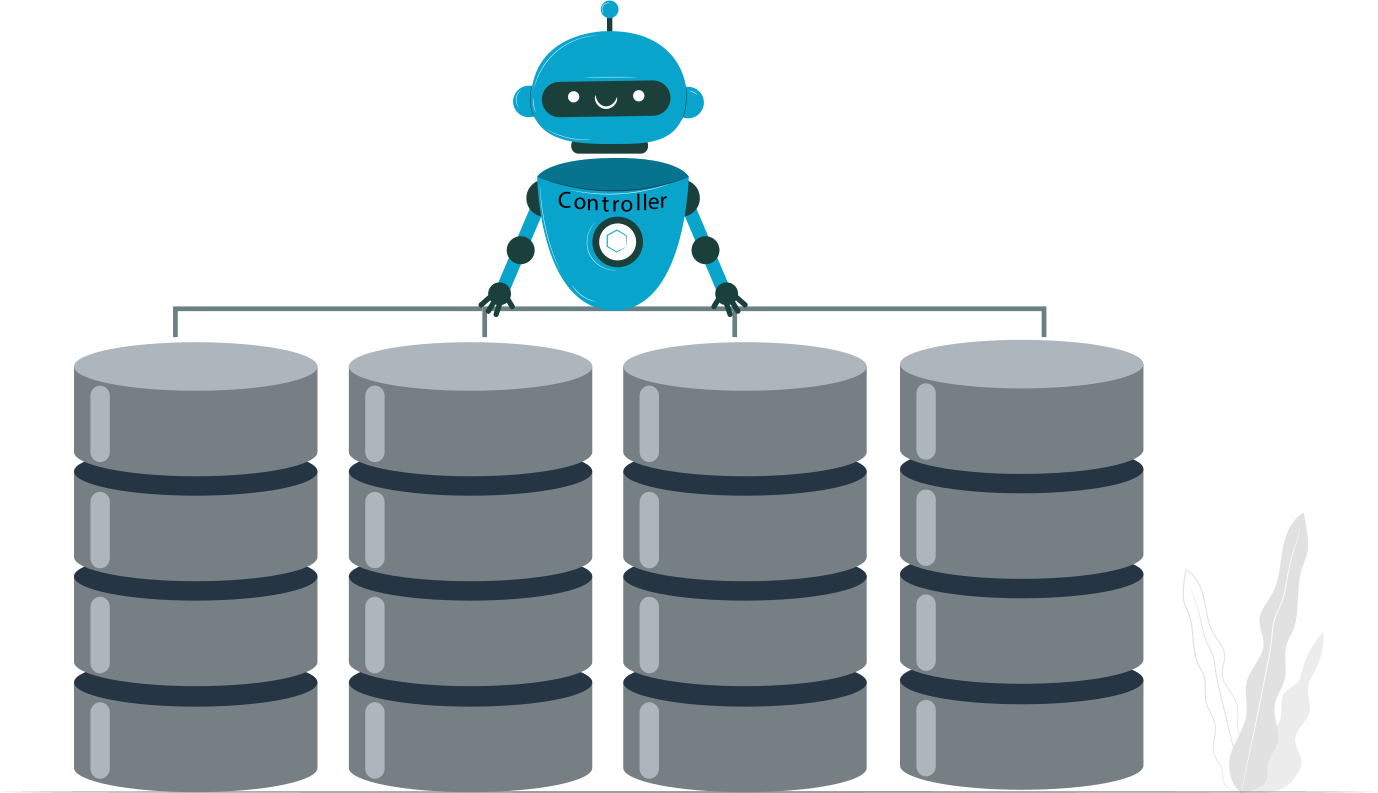
- No cache or no BBU risks: Many SATA RAID controllers lack proper write‑back cache protection or battery backup units (BBUs). Without these safeguards, a sudden power loss can corrupt pending writes and compromise VMFS datastores.
- ESXi write acknowledgment behavior: ESXi expects reliable write acknowledgments from the controller. If the controller signals completion before data is safely committed, the risk of silent corruption increases, especially under heavy I/O workloads.
Firmware and Driver Update Risks
- Silent failures after ESXi upgrades: SATA RAID controllers not on VMware’s HCL often break after ESXi kernel updates. Arrays may appear functional but silently fail under load, leading to datastore instability.
- Dependency on vendor support: Stability depends on timely firmware and driver updates from the vendor. Consumer‑grade SATA RAID controllers rarely receive long‑term support, leaving administrators exposed to compatibility regressions.
RAID Recovery Considerations for ESXi SATA RAID Arrays
Common Failure Scenarios
- Controller failure: A dead or unsupported controller can instantly make arrays inaccessible, especially if ESXi lacks fallback drivers.
- Metadata corruption: Faulty firmware or accidental reinitialization can overwrite RAID metadata, breaking VMFS volume recognition.
- Disk order loss: When drives are re‑added in the wrong sequence, ESXi cannot reconstruct the array correctly, leading to data misalignment.
Recovering ESXi RAID Volumes Without Rebuilding
- Why rebuilds often destroy remaining data: Automatic rebuilds overwrite existing parity and metadata, erasing usable data in the process.
- Importance of logical RAID reconstruction: Logical recovery tools analyze disk structures and metadata without destructive writes, preserving VMFS volumes for safe extraction.
Example: RAID Recovery with DiskInternals
- DiskInternals Free RAID Recovery tool: Provides logical RAID reconstruction, avoiding destructive rebuilds.
- Support for RAID metadata, VMFS, and damaged arrays: Capable of handling corrupted RAID headers and recovering ESXi VMFS volumes.
- Suitable for recovery before hardware replacement: Enables administrators to extract data from damaged arrays prior to swapping controllers or disks.
Ready to get your data back?
To recover data from a RAID disk (documents, databases, images, videos, and other files from your RAID 0, RAID 1, 0+1, 1+0, 1E, RAID 4, RAID 5, 50, 5EE, 5R, RAID 6, RAID 60, RAIDZ, RAIDZ2, and JBOD), press the FREE DOWNLOAD button to get the latest version of DiskInternals RAID Recovery® and begin the step-by-step recovery process. You can preview all recovered files absolutely for free. To check the current prices, please press the Get Prices button. If you need any assistance, please feel free to contact Technical Support. The team is here to help you get your data back!
Is a SATA RAID Controller Worth It for ESXi?
When SATA RAID Makes Sense
SATA RAID controllers can be viable in entry‑level or lab environments where cost is the primary driver and workloads are light. If the controller is on VMware’s HCL and backed by stable drivers, RAID 1 or RAID 10 may provide basic redundancy for small ESXi hosts.
When SAS RAID or HBA Is the Correct Choice
For production ESXi deployments, SAS RAID controllers or HBAs in IT mode are the safer path. SAS controllers deliver enterprise‑grade firmware, cache protection, and long‑term driver support, while HBAs allow ESXi or vSAN to manage redundancy directly. Both options avoid the instability common with consumer SATA RAID cards.
Cost vs. Risk Breakdown
- SATA RAID: Lower upfront cost, but high risk of driver incompatibility, poor rebuild behavior, and limited support.
- SAS RAID / HBA: Higher initial investment, but predictable performance, stable recovery workflows, and full VMware support.
Verdict: SATA RAID controllers may work for test labs or budget‑constrained setups, but for production ESXi environments, SAS RAID or HBA solutions are the only reliable choice.
Final Recommendations
Best practice summary
Always validate RAID controllers against VMware’s HCL, prioritize native driver support, and ensure cache protection for stability. Avoid consumer‑grade SATA RAID cards that rely on fake RAID or proprietary drivers.
Clear guidance for production vs. lab environments
- Production ESXi: Use SAS RAID controllers or HBAs with ESXi‑native storage stacks (VMFS, vSAN). These options deliver predictable performance, long‑term support, and safe recovery workflows.
- Lab or test setups: SATA RAID controllers may be acceptable for non‑critical workloads if they are HCL‑listed and properly supported, but they should never be relied on for enterprise uptime.
Long‑term support considerations
Choose controllers with vendor commitment to firmware and driver updates across ESXi releases. Enterprise SAS RAID and HBA solutions consistently receive long‑term support, while consumer SATA RAID controllers often stagnate, leaving administrators exposed to silent failures after upgrades.
FAQ
What is the difference between SATA controller and RAID controller?
RAID combines multiple disks depending on the configuration for improved performance, data redundancy, or increased storage capacity. SATA is a modern interface offering faster data transfer speeds, flexibility, and power efficiency.