
When RAID 0 Is Acceptable: When You Should Use RAID 0 and When You Should Not
RAID 0 is often described as the “fast but fragile” member of the RAID family. By striping data across multiple drives, it delivers impressive performance gains and maximizes storage capacity. Yet, it comes with a glaring trade‑off: zero redundancy. For many IT professionals, this makes RAID 0 sound like a reckless gamble. But the truth is more nuanced. There are specific scenarios where RAID 0 is not only acceptable but can be the most practical choice—provided you understand the risks and limitations. In this article, we’ll explore when RAID 0 makes sense, the dangers you need to weigh, and how to decide if it’s the right fit for your workload.
The short answer: RAID 0 is acceptable only under strict conditions
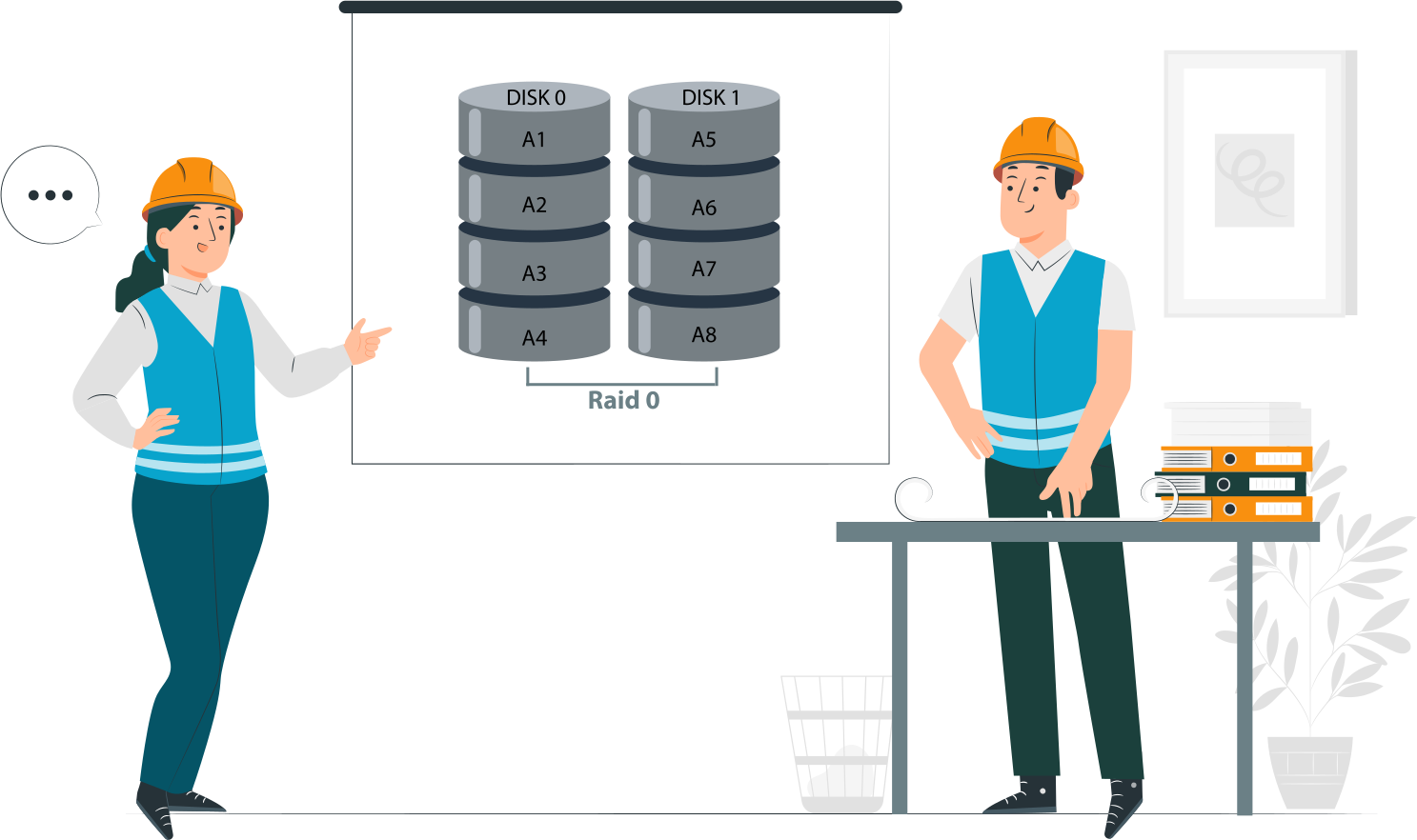
RAID 0 is not a safety mechanism. It provides no redundancy, no fault tolerance, and no recovery path. Its only advantages are speed and capacity, but those benefits never outweigh the risks for critical data.
RAID 0 is never a safety mechanism
- RAID 0 does not protect against drive failure. If one disk fails, the entire array collapses.
- Unlike RAID 1, 5, or 6, there is no mirroring or parity to rebuild lost data.
- Treating RAID 0 as a safeguard is a fundamental misunderstanding—it is purely a performance tool.
RAID 0 is acceptable only when failure is expected, tolerated, or reversible
- Expected failure: In test labs, scratch environments, or temporary workloads where data loss is anticipated.
- Tolerated failure: In non‑critical applications where downtime is acceptable and recovery is quick.
- Reversible failure: When data is easily restored from backups or regenerated without major cost.
Examples:
- Video editing scratch disks where raw footage is safely stored elsewhere.
- High‑speed caches that can be rebuilt.
- Gaming rigs where reinstalling software is trivial.
Performance alone never justifies RAID 0
- Speed gains are real, but they come with fragility.
- If performance is the only goal, alternatives like SSDs, NVMe drives, or RAID 10 offer safer acceleration.
- Using RAID 0 solely for throughput is shortsighted—it ignores the catastrophic risk of total data loss.
RAID 0 is a calculated risk. It belongs in contexts where data loss is manageable, downtime is acceptable, and recovery is straightforward. Anywhere else, it’s reckless.
What makes RAID 0 acceptable or unacceptable
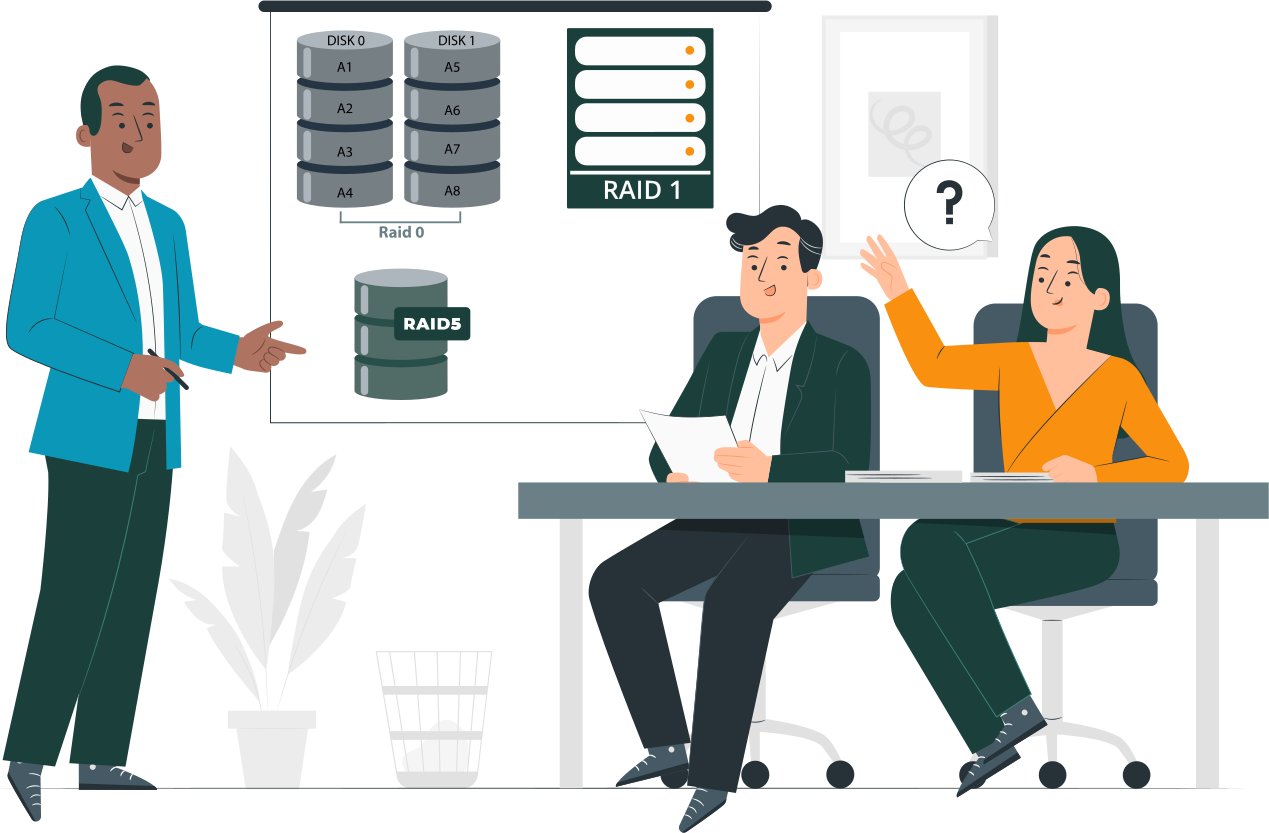
Most discussions of RAID 0 focus on speed versus risk, but few competitors formalize a clear decision framework. To cut through the noise, here’s a practical way to decide whether RAID 0 belongs in your environment.
Three conditions that must all be true
RAID 0 is only acceptable if all three of these conditions are met simultaneously:
- Data can be lost without business or personal impact
The array should contain information that is disposable, temporary, or easily replaceable. If losing it would disrupt operations, finances, or personal records, RAID 0 is off the table. - Data can be recreated faster than it can be restored
If rebuilding the dataset (e.g., re‑rendering video files, reinstalling software, regenerating cache) is quicker than restoring from backup, RAID 0 may be justified. - The system has an independent recovery path
Backups, source files, or alternative workflows must exist outside the RAID 0 array. Without a safety net, RAID 0 becomes an unacceptable single point of failure.
One condition that immediately disqualifies RAID 0
If any requirement for data protection, availability, or continuity exists, RAID 0 is automatically disqualified.
- Mission‑critical databases, production servers, or business records cannot tolerate RAID 0’s fragility.
- Even high‑performance workloads must prioritize resilience if uptime or data integrity is non‑negotiable.
Acceptable use cases for RAID 0 in practice
RAID 0 is rarely the right choice, but there are narrow scenarios where its performance benefits outweigh the risks. These use cases share one trait: data loss is either inconsequential or easily reversible.
Workstation workloads
- NVMe RAID 0 for large sequential writes. Creative professionals working with massive video files or scientific datasets may benefit from RAID 0 striping across NVMe drives. The throughput boost accelerates sequential write operations, making scratch work faster.
- Local‑only acceleration with remote backups. When the RAID 0 array is used purely as a local performance tier, and all critical data is backed up remotely, the risk is mitigated. The array becomes a disposable workspace rather than a storage vault.
HPC and research environments
- Checkpointed computations. In high‑performance computing, RAID 0 can serve as a temporary staging area for calculations. If the system checkpoints progress regularly, a failed array only means re‑running from the last checkpoint.
- Output written elsewhere after completion. Research workloads often generate large intermediate files that are later exported to durable storage. RAID 0 can accelerate this process, provided the final results are secured outside the array.
Gaming and consumer PCs (limited scope)
- Load‑time optimization only. RAID 0 can reduce game load times by striping across drives, offering a smoother user experience.
- No unique or irreplaceable data stored. Games, applications, and media libraries can be reinstalled or re‑downloaded. As long as personal files are kept elsewhere, RAID 0 remains a safe indulgence for enthusiasts.
When you should use RAID 0, and when you absolutely should not

The decision to deploy RAID 0 should never be casual. It requires a clear understanding of what RAID 0 can—and cannot—deliver. Here’s a practical breakdown of the conditions under which RAID 0 is acceptable, and the scenarios where it becomes a liability.
Use RAID 0 if
- Data is noncritical. The array holds disposable or easily replaceable information, such as temporary files, caches, or game installations. Losing this data has no lasting impact.
- Downtime has zero cost. If the system can fail without disrupting business operations or personal productivity, RAID 0 may be acceptable. Examples include hobbyist rigs or scratch environments.
- Backups exist outside the array. Critical files are secured elsewhere—on remote servers, cloud storage, or independent drives. RAID 0 is then used purely as a performance tier, not a storage vault.
Never use RAID 0 if
- The system stores primary data. Business records, personal archives, or production datasets cannot risk RAID 0’s fragility. One disk failure means total loss.
- The array hosts OS, databases, or VMs. Operating systems, virtual machines, and databases demand stability and continuity. RAID 0’s lack of redundancy makes it unsuitable for these workloads.
- Recovery time matters. If downtime carries financial, operational, or reputational costs, RAID 0 is disqualified. Faster performance is meaningless if recovery takes hours or days.
RAID 0 vs safer alternatives
| Requirement | RAID 0 | Single NVMe | RAID 10 |
| Performance | High | High | High |
| Fault tolerance | None | Single-disk | Yes |
| Recovery complexity | Extreme | Low | Moderate |
| Acceptable for production | No | Sometimes | Yes |
What happens when RAID 0 fails
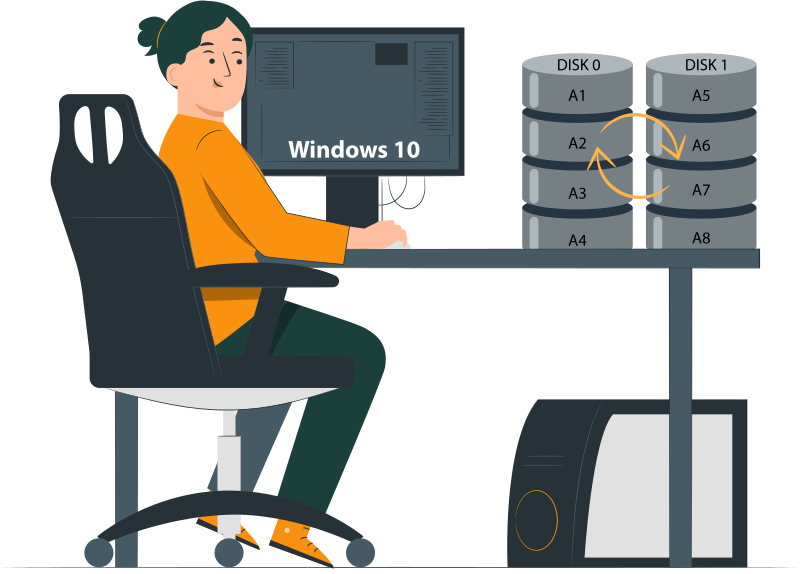
RAID 0 delivers speed, but its failure profile is brutal. Understanding the consequences is essential for anyone considering this configuration.
Why RAID 0 failures are catastrophic
- No parity. Unlike RAID 5 or 6, RAID 0 has no parity blocks to rebuild lost data.
- No mirrors. Unlike RAID 1 or 10, there is no duplication of data across drives.
- One disk failure destroys the array. Because data is striped, the loss of a single disk means the entire dataset is fragmented beyond use. The array collapses instantly, and recovery becomes complex and uncertain.
Recovery options after RAID 0 failure
- Software‑based reconstruction when metadata survives. Specialized recovery tools can sometimes rebuild the array if RAID metadata is intact.
- Example: DiskInternals RAID Recovery can detect stripe parameters and attempt reconstruction without altering source drives.
- Manual stripe reconstruction. In cases where metadata is lost, recovery may require manually re‑creating the stripe order and block size.
- This method only works if no disks have been overwritten.
- It demands technical precision and is often time‑consuming.
- No changes to source drives. Any recovery attempt must avoid writing to the original disks. Preserving the raw data is critical; overwriting even a single block can make recovery impossible.
Risk mitigation if RAID 0 is unavoidable
Even with its fragility, some environments may still choose RAID 0 for performance reasons. In those cases, risk mitigation is not optional—it is mandatory. The following safeguards and configuration practices can reduce the damage when RAID 0 inevitably fails.
Mandatory safeguards
- Daily image‑based backups. Full-disk images ensure that the entire system can be restored quickly. Incremental backups alone are insufficient—RAID 0 requires complete snapshots to recover from catastrophic failure.
- UPS to prevent write corruption. A reliable uninterruptible power supply (UPS) protects against sudden outages that can corrupt striped data. This minimizes the risk of partial writes that make recovery impossible.
- SMART monitoring and proactive replacement. Continuous monitoring of drive health via SMART data helps identify failing disks early. Drives should be replaced proactively at the first sign of degradation, not after failure.
Configuration practices that reduce damage
- Larger stripe sizes for sequential workloads. Choosing larger stripe sizes optimizes RAID 0 for sequential operations, reducing fragmentation and improving recovery chances. This is particularly useful for workloads like video editing or scientific data staging.
- Avoid OS and application installs on RAID 0. Operating systems, databases, and applications should never reside on RAID 0 arrays. Keeping them on independent, redundant storage ensures that a RAID 0 failure doesn’t cripple the entire system.
Related articles
- RAID Array for Video Editing: How to Choose
- How to set up RAID 1 on Windows 10 and Linux
- Configuring RAID 5: Step-by-Step Guide on How to Configure RAID 5 for Performance
- How to Rebuild RAID 5 Without Losing Your Data
- RAID 1 Recovery: all you can do yourself
- RAID 5 Data Recovery Step by Step
- RAID Recovery Services
- RAID Recovery Software
- RAID 4 Data Recovery: How to Perform It⠀
- RAID 0 vs RAID 1: Performance, Redundancy & Use Cases
- RAID 5 vs RAID 10 comparison: Which one is better for you?⠀
- How to set up RAID in Windows 10 in 2025
- RAID 5 VS RAID 6 - advantages and disadvantages
- The best NAS RAID: how to choose⠀
- HDD Raid Vs SSD Raid Storage Systems - How to move⠀
- NAS vs External Hard Drive: Comprehensive Guide to Choosing the Best Data Storage Solution
- RAID-1 vs RAID-5: Performance, Cost, and Data Protection Compared
- RAID 10 vs RAID 01: Is There Any Difference?
- RAID vs JBOD: performance and cost comparison⠀
- NAS vs SAN storage - Detailed Comparison⠀
- Perform RAID 50 Data Recovery Today!
- Basic Disks vs Dynamic: What is the Difference
- What Is a Hot Spare? Peculiarities of Usage
- Differences Between Software RAID and Hardware RAID
- How to check RAID status? 4 different methods!
- RAID Array Growing: How to Perform It
- How To Create RAID Arrays with mdadm on Ubuntu (22.04)
- How About RAID 1 Reliability?
- Can RAID array have snapshots?
- RAID Array Metadata: What Is Inside?
- RAID 5: How Big Should an Array Be?
- How Does RAID 5 on Windows 10 Work?
- What is FakeRAID?
- Which RAID is Better to Use for 4 Drives
- Hyper-V Manager - what is it?⠀
- Hyper-V: Generation 1 vs Generation 2
- Hyper-V Live Migration - what is it?⠀
- Hyper-V Snapshot Merge
- About Hyper-V clusters
- Hyper-V network adapters⠀
- Back up Active Directory Guide - Step-by-step Instructions⠀
- Effective Btrfs File Recovery: Complete Guide to Btrfs Data Recovery
- Make Sure Your Data is Safe While Using Microsoft Storage
- Set Up and Use Microsoft SQL Server Management Studio
- Guide: Linux Raid and Disk Data Safety
- Btrfs vs. EXT4: A Comprehensive Comparison of File Systems in Linux (2025)
- RAID Redundancy - best performance solutions⠀
- No hard drive detected or disk controller not supported in RAID
- Issue with the RAID after the BIOS update
- Using SSD in RAID Array
- ZFS Recovery software - How to recover deleted ZFS files
- Raid Recovery Qnap⠀
- RAID recovery software for Mac⠀
- How to Recover RAID Array Configuration
- How to Rebuild RAID Without Losing Data
- How to rebuild RAID 1 without losing data
- How to Rebuild RAID 0 Without Losing Data
- Difference and Comparison - RAID 1 and RAID 2
- Difference between RAID 2 and RAID 3
- Difference between RAID 4 and RAID 5
- What is Synology Hybrid RAID (SHR). How to Recover Data from Synology Hybrid RAID
- Recover Data from RAID on Linux
- RAID Foreign Disk: Causes, Solutions, and Best Practices
- Forensic RAID Recovery
- RAID Data Recovery evaluation. What is RAID data recovery?
- What Is a RAID Controller and What Are the Benefits of It?
- Recover Data from Broken/Failed RAID Set
- How to Clone RAID 0, 1, 5 Disk
- Raid Rebuild Vs. Raid Recovery
- RAID vs. backup - differences and benefits (RAID is not a Backup)
- How to Rebuild RAID array
- What is Synology Hybrid RAID? What is the difference between SHR and RAID Drives?
- Recover Data from RAID 5 on mdadm (Linux)
- RAID Rebuild Time: What is and How to Optimize It?
- RAID Disaster Data Recovery: Techniques and Strategies for Handling Catastrophic Events
- How to Repair a Failed RAID?
- How to Set Up RAID in Windows 11: A Step-by-Step Guide
- RAID 50 vs. RAID 60 – Key Differences
- How to Set Up and Configure RAID 10: Step-by-Step Guide
- What Is RAID 6? Definition, function
- RAID 10 vs RAID 6: Which Better?
- RAID 10: How Many Disks Are Needed and How to Set It Up
- How to recover data from a corrupted RAID?
- RAID 1 with 3 Drives: Everything You Need to Know
- NTFS RAID Recovery: Comprehensive Guide to Data Retrieval
- Comprehensive Guide to RAID in Cyber Security: Levels, Recovery, and Best Practices
- What is software RAID? - Comprehensive Guide
- Understanding RAID 0: Benefits, Risks, and Applications
- RAID 3 Explained: Benefits, Limitations, and Data Recovery Guide
- How Many Drives Are Needed for RAID 5? Minimum & Maximum Explained
- Understanding RAID Striping: A Comprehensive Guide to Disk Striping and Its Variants
- ZFS vs Btrfs vs RAID: Comprehensive Storage Comparison for Performance, Reliability, and Scalability
- How to Resize RAID Partitions: Step-by-Step Guide for RAID 1, 5, 6 & 10
- RAID 1 Minimum Drive Requirement: How Many Drives Do You Need?
- Bootable RAID Recovery Software: Complete Guide for RAID 0, 1, 5, 10 Recovery
- RAID Hard Drives Explained: What Is RAID for HDDs and External Drives
- RAID 5 Rebuild Failure Probability: Risks, Factors, and Solutions in 2025
- Understanding RAID 6 Performance: A Comprehensive Guide
- Recovering Data from RAID Drives: Step-by-Step Guide to RAID Recovery
- Adaptec RAID Recovery: Restore Data from Failed Arrays with DiskInternals RAID Recovery™
- SAN RAID Data Recovery: Recover RAID Arrays with Professional SAN Recovery Solutions
- What is a RAID? RAID Systems Explained & How to Recover RAID Arrays with Professional Tools
- Top 10 RAID Recovery Services: Best Solutions for Data Recovery
- RAID Server Data Recovery: Recover and Restore RAID Arrays Fast with Professional Tools
- RAID System Recovery: Essential Steps & Best Software for Safe Data and File Restoration
- What is RAID Connectivity? Essential Guide to RAID Array Setup
- How Many Drives for RAID 6?
- How to Read RAID Drives & Recover RAID Arrays on Windows: A Guide
- Synology RAID 5 Recovery: Recover Your RAID Array with Expert Tools and Tips
- X-RAID Recovery: Expert Guide to Netgear X-RAID and ReadyNAS Data Recovery
- SCSI RAID Recovery Software: Effective Solutions for SCSI RAID Data Recovery
- RAID Data Recovery for Deleted Arrays: Recover RAID Array Safely & Effectively
- What is RAID in Linux? Learn About Software RAID & Recover RAID Arrays Easily
- Change log for RAID Recovery™
- Intel Matrix RAID Recovery: Restore RAID 0, 1, 5, 10 with Reliable Solutions
- ZFS RAID Expansion: How to Expand RAIDZ and ZFS Pools Safely
- RAID 6 Drive Failure Tolerance: How Many Drives Can Fail?
- Windows Storage Spaces vs RAID: Performance, Speed, and Data Protection Comparison
- RAID 2 Array Explained: What Is RAID Level 2, Setup, and Performance Comparison
- RAID 5 RAID 6 RAID 10 - Key Differences and Performance Comparison
- How to Fix Degraded RAID 1: Step-by-Step Guide to Restore RAID 1 Degraded Arrays
- RAID 5 vs RAID 0+1: Key Differences Explained
- Why RAID 1 Is Not a Good Substitute for a Backup
- How to Check Which RAID Is Configured: A Complete Guide for Windows and Linux
- RAID 50 vs. RAID 6 – Key Differences
- Cannot Format Old RAID Drive? Effective RAID Data Recovery Solutions
- RAID 6 with 5 Drives: Configuration, Performance, and Data Protection
- Best RAID for 6 Disks: Compare RAID 0, 5, 6, 10, 50 & 60 for Performance & Redundancy
- RAID 6 with 8 Drives: Configuration, Failures, and Performance Explained
- RAID 6 with 6 Drives: Performance, Redundancy, and Best Use Cases
- RAID 5 with 5 Drives: Configuration, Performance & Recovery | RAID 5 5 Drives Guide
- 15 Best External Hard Drives for RAID in 2026
- Dell RAID 1 Recovery: How to Recover Data from RAID 1 on Dell Servers Safely
- What Is RAID 1E? Performance RAID 10 1E vs RAID-1E Guide for Power Users
- RAID 1E vs RAID 5: Performance, Capacity and Failure Risk Compared
- RAID 1 Speeds: Read, Write & Disk Performance | Speed Up RAID 1 Guide
- XFS RAID Recovery Guide & Best XFS RAID Recovery Software
- RAID Data Recovery Cost: Affordable Solutions for RAID 0, RAID 1, RAID 5, and RAID 10 Failures
- NAS as a File Server: NAS vs. File Server Comparison for Storage and Sharing
- QNAP RAID 5 Recovery Failed? Safe Data Recovery Steps for NAS Users
- ReiserFS RAID Recovery: How to Restore Data from Failed RAID Arrays
- RAID Calculator For Geeks – Estimate Usable Space & Drive Size
- RAID 0 vs RAID 1 vs RAID 5 vs RAID 10 — Performance, Capacity & Recovery
- RAID 1 vs RAID 5 vs RAID 10 Performance Management, Speed & Capacity Guide
- ZFS Minimum Drives — How Many Disks You Need for RAIDZ1, RAIDZ2, RAIDZ3
- ZFS vs mdadm RAID — Why choose ZFS instead of RAID
- Encrypting RAID Arrays — RAID with Full Disk Encryption & Secure Setup
- Best RAID for OLTP: RAID Configuration for OLTP Workloads & Transactional Databases
- Best RAID for MySQL: RAID Configuration & RAID Setup for MySQL Databases
- Best RAID for NVMeoF: NVMe RAID Configuration & NVMe over Fabrics RAID Setup
- Fault Tolerance in NVMe-oF RAID — Rebuild Time, Data Protection & Redundancy
- RAID 0 vs Single Drive — SSD, NVMe & HDD Comparison (Performance vs Risk)
- RAID 0 vs Single Drive Reliability — Failure Risk, SSD Comparison & Recovery
- RAID 0 vs. SSD Performance: PCIe 4.0, PCIe 5.0 Speed Compared
- Does RAID 0 Increase FPS? — RAID 0 vs Single Drive FPS Guide
- RAID 5 Two-Disk Failure Recovery: Parity Recovery Beyond Tolerance
- Best RAID Controller Guide: Hardware RAID Cards Compared for Servers and SSDs
- RAID Controller for ESXi: VMware ESXi RAID Controller Recommendations
- RAID Controller for Linux: Best Linux-Compatible Hardware RAID Controllers
- SATA RAID Controller for ESXi: VMware ESXi Compatible SATA RAID Options
- RAID Calculator Online – Usable Space & Disk Size Calculator for RAID
- NAS Data Recovery Software & Tools for RAID Recovery
- Features
- RAID 0 Data Recovery
- RAID 10 Recovery
- RAID 6 Data Recovery
- RAID 0, 1, 3, 5, 10 data recovery software for Windows 10
- RAID Reconstructor on Broken RAID Arrays
- The Truth about Recovering RAID 5 with 2 Failed Disks
- SSD benefits for RAID array
- RAID 0 failure - How to Fix Failed Raid 0 Array
- Benefits of RAID arrays - what are the advantages of RAID?⠀
- RAID 3 vs RAID 5: which one would you prefer?
- What are RAID 01, RAID 1+0 and RAID 0+1⠀
- Mdadm RAID 1 not activating a spare disk Linux⠀
- What to do if RAID array doesn't reassemble after reboot
- RAID levels 0, 1, 5, 6, and 10
- Minimum disks for RAID 10⠀
- RAID Consistency Check: Ensure Data Integrity & Recover Lost Data
- Global Hot Spare vs Dedicated Hot Spare: Find the Difference
- What Are Some Common Symptoms of RAID Array Failures?⠀
- RAID status degraded - fix it⠀
- RAID 50 vs RAID 10 - What is the difference
- How to downsize hardware RAID partition and protect data
- What is RAID-Z? Its Difference Between RAID-Z2 vs RAID-Z3
- RAID 6: Replace Two Dead Drives
- Do You Need to Defragment RAID?
- How to Recover RAID partition - step by step guide⠀
- Does chunk size influence the speed of RAID?
- RAID 0, 5, 6, 10 Performance
- RAID Configuration Explained: Types, Setup, and Best Practices
- What Is RAID Redundancy? | RAID Redundancy Explained for Data Protection
- Perform Hyper-V Data Recovery Today
- How to Install Hyper-V in Your Environment in 2025
- Hyper-V Virtual Machine Replication⠀
- Difference Between Type 1 and Type 2 Hypervisor?⠀
- Hyper-V Server Core installation vs GUI - let's compare⠀
- How to Run Linux on a Hyper-V VM in 2025
- What is nutanix ahv?⠀
- What is System Center Virtual Machine Manager⠀
- What is Microsoft SQL Server and How Can You Use it Safely?
- Microsoft SQL Server Express Guide
- Use Microsoft Windows Server Safely
- What to do if you get Microsoft SQL Server error 18456?
- Microsoft Storage Spaces
- Xserve RAID data safety
- Apple RAID Card Data Recovery
- Here is Everything You Need to Know About RAID-Z Technology
- What is JBOD?
- Is it worth using RAID 5E/5EE?
- Let's compare: Synology vs QNAP
- Here is How to Backup RAID in 2025
- Synology RAID Set That Is Broken or Crashed? RAID data recovery
- Here is How to add drive to RAID 5 in 2025
- Best NAS hard drive recovery in 2026 | Top RAID network-attached storage Hard Drives
- SQL Server Database in Recovery Pending - How to fix it (2025)
- RAID Hard Disk Data Recovery Software (2025)
- Best RAID Data Recovery Software for Linux
- Difference between RAID 3 and RAID 4
- Buffalo Data Recovery
- Rapid RAID Recovery Software
- RAID Server Data Recovery
- How to Recover RAID Crash Data
- Raid Drive Array Recovery
- How to Setup Raid 0 Windows 10 (11)?
- How Many Disks Can Fail in RAID 5?
- What is RAID 5? Overview and Key Functions
- How to Remove software RAID device using mdadm
- AHCI vs. RAID: Pros, Cons & Differences
- Recover Data from RAID 1 on mdadm (Linux)
- Difference & Comparison: RAID vs. non-RAID System
- Ultimate Guide to RAID Data Recovery: Tips & Techniques
- Guide to Recovering a Failed RAID Array | Step-by-Step Recovery Process
- Open Source RAID Recovery Software Explained and Comparison
- HDD RAID vs SSD RAID and Combining Both: Everything You Need to Know
- RAID 0: How Many Drives Are Needed?
- RAID 1: How Many Drives Are Needed for Data Redundancy?
- What is RAID 1? RAID Mirroring
- Recovering RAID 5 After Controller Failure
- What is Xserve RAID? Comprehensive Guide and Overview
- Complete Guide to RAID Controller Failure and Recovery: Expert Tips
- Understanding Hardware RAID: Comprehensive Guide to RAID Levels and Benefits
- Understanding RAID 60: Architecture, Advantages, and Data Recovery
- RAID 10: How Many Drives Can Fail? | Comprehensive Guide to Failure Tolerance
- ZFS RAID Setup Guide: Configuration, Management & Expansion
- A Comprehensive Review of RAID Recovery Software: Choosing the Right Tool
- DiskInternals RAID Recovery vs EaseUS Data Recovery Wizard | Comprehensive Comparison
- Comprehensive Guide to ZFS RAID Levels, Types, and Configurations
- ZFS vs RAID: Comprehensive Comparison of Performance, Reliability, and Features
- RAID Drives Explained: Learn How RAID Storage Enhances Performance
- HP RAID Recovery Tool | How to Recover Data with DiskInternals RAID Recovery Software
- Recover Striped RAID: Professional RAID 0 Data Recovery with DiskInternals RAID Recovery™
- BTRFS Restore File: How to Undelete Files and Restore Deleted Data Easily
- Recover Data from a RAID Array: Effective Solutions for Fast and Secure Data Retrieval
- Windows 7 RAID Recovery: How to Recover Data from RAID 1, RAID 5, and RAID 10 Arrays
- What is RAID Data Recovery? | Recover RAID Arrays with RAID Recovery Software
- What is a RAID Volume? Understanding RAID Volumes and Recovery Solutions
- Best RAID Software for Mac | Top Free & Paid RAID Tools for macOS 2026
- RAID Recovery Volume: Effective RAID Array Recovery Solutions for Data Loss Prevention
- Intel RAID 0 Recovery & RAID 1 Recovery: Solutions for Data Loss & Recovery Tools
- Optimize RAID for Redundancy and Performance - Expert Guide
- RAID 0 vs RAID 5: Speed, Performance & Key Differences (2026)
- Synology RAID 1 Recovery: Recover RAID Array with Trusted Tools and Expert Solutions
- Interim Recovery RAID 5: Expert Guide to Data Recovery and RAID Array Repair
- MDADM RAID 0 Recovery: Expert Guide to Fix and Recover Your RAID Array
- RAID Level 4: What Is RAID 4, How It Works
- RAID Restorer – Recover Data from Failed RAID Arrays with Reliable Software
- ZFS RAID with Different Size Drives – Setup, Limitations, and Best Practices
- RAID 0, 1, 5, 10 Explained: Performance, Redundancy & Best RAID Configurations
- How to Recover Data from a Broken RAID 1 Set – Step-by-Step Guide
- RAID 50: Drive Failure Tolerance and Data Recovery Solutions
- RAID 5 with 3 Disks: Configuration, Benefits, and Performance Insights
- How to Create RAID 5 with 6 Disks: Complete Setup Guide and Performance Tips
- RAID 6 Double Parity Calculation Explained – Data Protection Insights
- How to Add a Disk to mdadm RAID 5: Step-by-Step Guide
- RAID 0 vs RAID 10 and RAID 10 vs RAID 0 Performance Comparison
- RAID 50 vs. RAID 5 – Performance, Speed, and Data Protection Comparison
- Configure RAID on Ubuntu – Step-by-Step Guide for RAID 0, 1, 5, and 10
- RAID 0 vs. JBOD – Key Differences, Performance, and Speed Comparison
- RAID Array Rebuild: How to Rebuild a RAID Array Safely and Recover Lost Data
- Recover Data from Old RAID Drives | Best Methods & Software for RAID Recovery
- Dell RAID 5 Recovery - Safely and Fast
- RAID 1E vs RAID 10: Performance, Capacity, Cost & Failure Risk Guide
- Ext3 RAID Recovery Guide - Data Recovery RAID Ext3
- ASUS RAID Recovery Guide - Fix Failed ASUS RAID
- ZFS Recovery Tools — Data Recovery ZFS Guide & Best Software
- RAIDZ1 vs RAID 5 — Performance, Integrity & Recovery Comparison
- ZFS Mirror vs RAIDZ — Performance, Capacity & Recovery Guide
- RAID Degraded: What to Do | Warning Fixes and Steps After a Failed Rebuild
- RAID 7 — What It Is? Origins, Risks & Recovery Options
- RAID in Cloud Storage Systems — SDS, Virtual RAID & Erasure Coding Guide
- RAID 10 with 8 Disks — Configuration, Performance, Rebuilds & Best Practices
- Is RAID 0 Worth It in 2026? Risk, Performance, SSD & NVMe Guidance
- Best Practices for RAID over NVMe-oF — Tuning, Monitoring & DR
- RAID 0 for Gaming — Is RAID 0 Good for Gaming? Performance & Risk Guide
- RAID 0 for 4K Editing — Is RAID 0 Good for 4K Video Editing?
- RAID 0 for Large File Workloads: Scratch Disks, NVMe, When It Makes Sense
- Is RAID 0 Obsolete? RAID 0 with SSD and NVMe — Still Worth It?
- RAID 0 Redundancy vs No Redundancy — Does RAID 0 Have Redundancy?
- RAID 5 Interrupted Rebuild Recovery: Fix Stopped or Aborted Rebuilds
- RAID 0 Failure Probability with N Disks Explained
- RAID 1 Corrupted Mirror Recovery: How to Recover a Damaged RAID 1 Mirror
- RAID Best Practices for VMware: Best RAID Configuration for VMware ESXi
- RAID 0 Backed by Versioned Backup: Is RAID 0 Safe with Versioned Backups?
- RAID 10 Best for VMware: Why RAID 10 Is the Recommended RAID for ESXi
- Best PCIe RAID Controller: Top Hardware PCI Express RAID Cards Compared
- SAS RAID Controller for VMware ESXi: Best Hardware RAID Options
- Best FREE RAID Data Recovery Software (2026)
- DiskInternals RAID Recovery vs ReclaiMe: Comprehensive RAID Recovery Solutions Compared