
15 Best External Hard Drives for RAID in 2026
RAID (Redundant Array of Independent Disks) configurations have become a cornerstone for those seeking enhanced performance, redundancy, and data protection. As we step into 2026, the market for external hard drives tailored for RAID setups is flourishing with diverse options catering to various needs. Whether you're a creative professional managing vast multimedia files or a business ensuring robust backups, selecting the right external hard drive is pivotal. In this article, we delve into the 15 best external hard drives for RAID, highlighting exceptional speed, durability, and storage capacity to help you make an informed decision for your data storage needs.
In this article, we’ll explore the 15 best external hard drives for RAID in 2026, highlighting:
- 🔍 Exceptional speed for high‑performance workflows
- 🛡️ Durability and reliability for long‑term use
- 📊 Storage capacity options ranging from multi‑terabyte drives to enterprise‑grade solutions
- 🏢 Best‑fit recommendations for creative professionals, small businesses, and enterprise environments
By the end, you’ll have the insights needed to make an informed decision about which RAID‑ready external hard drive best suits your storage strategy—ensuring your data remains secure, accessible, and optimized for the demands of contemporary computing.
Why Choose an External Hard Drive for RAID?
Opting for an external hard drive for RAID (Redundant Array of Independent Disks) offers a wealth of benefits that cater to both personal computing and professional demands, and understanding these advantages can greatly enhance your data management strategy.
What is a RAID hard drive and why one need to use it? One of the primary reasons to choose an external hard drive for RAID is its portability. Unlike internal drives that are fixed within a computer system, external hard drives can be easily transported, allowing you to access your data across different locations and devices without hassle. This mobility is particularly beneficial for professionals who need to transfer large media files, backups, or work on collaborative projects in various settings.
RAID configurations themselves are designed to provide several advantages, most notably data redundancy and improved performance. By using multiple disks in tandem, RAID setups can mirror your data, ensuring that if one drive fails, your information remains safe and accessible. This level of redundancy significantly reduces the risk of data loss, offering peace of mind for users with critical data storage needs.
Moreover, depending on the RAID level chosen, users can also experience enhanced read and write speeds. For instance, RAID 0 can split data across multiple disks for faster access times, which is ideal for high-performance tasks such as video editing or gaming. Meanwhile, other configurations like RAID 1, though focusing on redundancy, still offer satisfactory performance improvements for everyday applications.
In terms of scalability, external hard drives provide an easy path for expanding your storage setup. As your data storage needs grow, you can simply add more drives to your existing RAID configuration, avoiding the complexities and downtime associated with upgrading internal storage components.
Lastly, it's important to note the diversity in the market for RAID-compatible external drives. Users can choose from a range of options that vary in terms of storage capacity, speed, durability, and price, allowing them to tailor their selection to meet specific requirements and budget constraints. Learn more about setting up RAID drives.
Ready to get your data back?
To recover data from RAID drive (documents, databases, images, videos, and other files from RAID 0, RAID 1, 0+1, 1+0, 1E, RAID 4, RAID 5, 50, 5EE, 5R, RAID 6, RAID 60, RAIDZ, RAIDZ2, and JBOD), press the FREE DOWNLOAD button to get the latest version of DiskInternals RAID Recovery® and begin the step-by-step recovery process. You can preview all recovered files absolutely for free. To check the current prices, please press the Get Prices button. If you need any assistance, please feel free to contact Technical Support. The RAID recovery service team is here to help you to rebuild RAID and get your data back!
How to Choose the Best RAID External Hard Drive?
Selecting the ideal RAID external hard drive involves careful consideration of several key factors to ensure that it meets your specific needs and performance expectations.
First, consider the storage capacity you require. Assess your current data needs and anticipate future growth to ensure the drive provides ample space. Whether you need a few terabytes for personal use or several dozen terabytes for business, choosing the right capacity is crucial.
Next, evaluate the RAID level that suits your goals. Different RAID levels offer varying balances between performance, redundancy, and storage efficiency. RAID 0 provides enhanced speed but no redundancy, RAID 1 offers data mirroring for safety, and RAID 5 or 6 can provide both speed and redundancy with a minimum of three and four disks, respectively.
The connectivity options available are also important. Look for drives with the latest interfaces like USB 3.2, Thunderbolt 4, or eSATA, which offer faster data transfer rates and broader compatibility with modern devices. This is especially critical if you're dealing with large files and need high-speed access.
Consider the build quality and durability of the drive. Opt for models that are known for robust construction and have features like shock resistance if you need them for off-site work or travel. A well-built drive ensures longevity and reliability, protecting your data investment.
Speed and performance metrics should align with your usage patterns. Check for the drive's RPM (revolutions per minute) or, if it's an SSD-based RAID, the read and write speeds. Higher speeds translate into better performance, especially when dealing with large data sets or complex computing tasks.
Finally, factor in the cost and warranty. While higher-end options might come with a steep price tag, they often include features like extended warranties and better support. It's essential to weigh the benefits against your budget to find a drive that offers the best value for your investment.
Note: RAID 0 vs RAID 10 and RAID 4Top 15 Best External Hard Drives for RAID in 2026
Here is our carefully combined listicle of the best external hard drives to use for RAID setup in 2026.
1. LaCie RAID - Best for Professionals
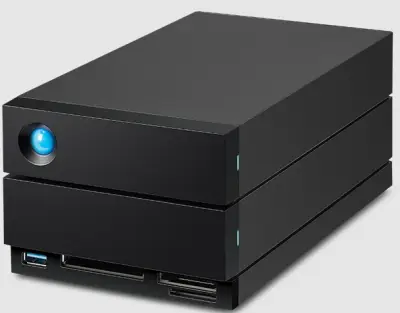
LaCie 2big RAID combines dual-drive performance with hardware RAID and up to 48 TB capacity, delivering sequential reads up to 550 MB/s in RAID 0 configuration. Its rugged aluminum enclosure and enterprise-grade drives ensure longevity and resilience in demanding workflows.
Pros
- Robust performance with dual drives offering up to 48 TB
- Enterprise-grade build and reliability
- Readily available for RAID 0 and RAID 1 setup
- Supports USB-C: USB4, USB 3.0, Thunderbolt 4, and Thunderbolt 3.
Cons
- Expensive price point
- Bulky design
Rating: 4.2/5
2. Western Digital My Book Duo - Best for Home Use
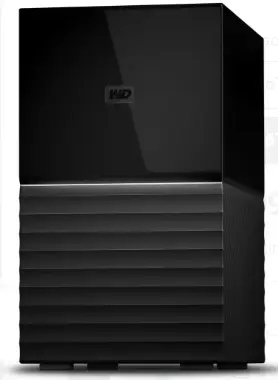
If you’re looking for a heavy-duty external hard drive setup, here’s one for you. The WD My Book Duo packs two sturdy WD Red drives into a single enclosure with hardware RAID 0 or 1 presets, delivering fast performance and a convenient built-in USB hub. Its plug-and-play design simplifies setup for home backups, while hot-swap drive bays offer easy drive replacement for your configurations.
Pros
- Hardware RAID- ready with integrated USB 3.0 hub
- Easy drive replacement via hot swapping
- Up to 40TB storage offering
- Supports JBOD configuration
- 3-year limited warranty
Cons
- Hefty design
- No Thunderbolt support
Rating: 4.0/5
3. G-Technology G-RAID with Thunderbolt 3 – Best for Mac Users
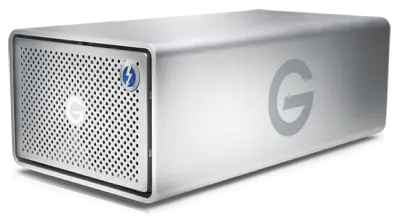
Talk about a sleek external hard drive for RAID, and you have the G-RAID with Thunderbolt 3 system. This sturdy enclosure offers solid real-world performance, though it exhibits some vibration and noise under heavy load. It is seamlessly compatible with Mac systems and can handle 8K video editing workflows.
Pros
- Thunderbolt 3 connectivity with high sustained throughput
- Highly configurable RAID options
- Sleek and portable design
- Up to 38 TB capacity and 500 MB/S
Cons
- Noticeable vibration and noise under heavy loads
- Quite costly
Rating: 4.3/5
4. Synology DX517 – Best for NAS Expansion
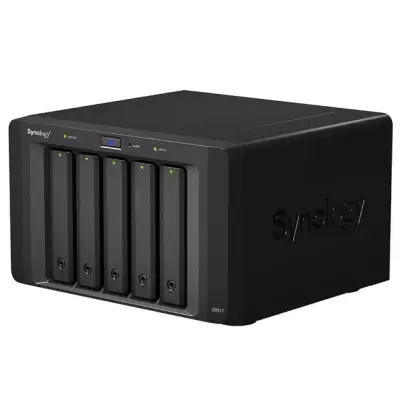
Basically, this is for extension purposes. The Synology DX517 is a dedicated five-bay expansion unit that connects via eSATA, seamlessly adding drive bays to your compatible Synology NAS units without new hardware costs. This works best if you’re trying to extend the storage capability of your existing NAS-based RAID configuration.
Pros
- Supports hot swapping
- Seamless integration with Synology NAS systems
- Robust build and easy setup
- Multiple additional drive arrays for storage expansion
Cons
- Pretty much expensive
- eSATA connection limits throughput (~300 MB/s)
Rating: 3.9/5
5. Seagate IronWolf Pro RAID - Best for Business Backup
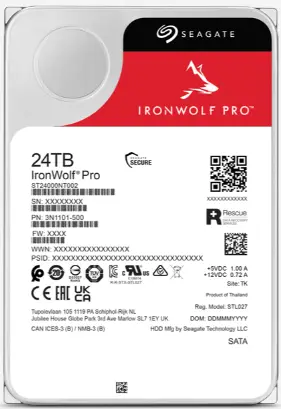
For regular on-site and offline backups to protect your company data, the Seagate IronWolf Pro series is a good deal. The series boasts NAS-optimized HDDs engineered with AgileArray for optimized RAID performance and a workload rating of up to 550 TB/yr.
Pros
- Up to 5 years warranty (limited)
- High workload ratings
- RAID-optimized AgileArray firmware with support for dual-plane balancing
- Fast processing speed
Cons
- This is just a product series of single-disk storage drives with no in-device RAID hardware
- You have to purchase an enclosure case alongside
Rating: 4.1/5
6. OWC Mercury Elite Pro Dual - Best Budget Option
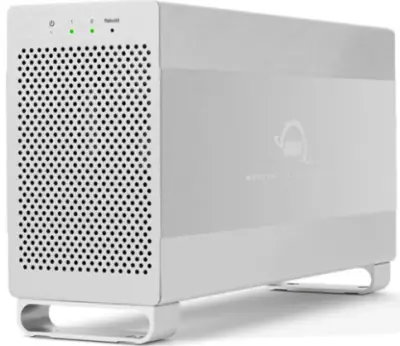
Here’s quite an affordable alternative to the expensive ones listed above. The OWC Mercury Elite Pro Dual offers two drive bays with hardware RAID 0, 1, and JBOD presets. It also supports USB 3.2 Gen 2, but without Thunderbolt support. You can get this for your entry-level DAS setups and enjoy good speeds—407MB/S
Pros
- Affordable pricing at under $150
- Hardware RAID support with versatile modes
- High-speed USB 3.2 (5Gb/s) + eSATA ports
- Sturdy aluminum build with a quiet cooling fan
Cons
- No Thunderbolt support
Rating: 3.8/5
7. Buffalo TeraStation 3410DN - Best for Small Offices
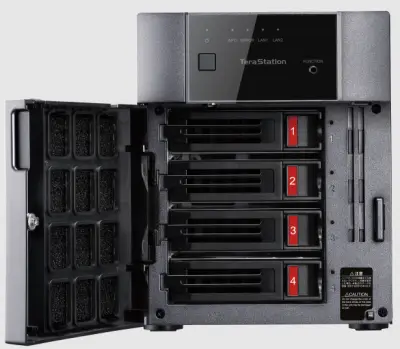
Buffalo TS3410DN 4-bay NAS, rated 83% by TweakTown, is a fully-populated NAS with preloaded drives, offering RAID 0, 1, 5, 6, and 10 support and Gigabit Ethernet for easy small-office deployment. The robust system offers a maximum 16TB storage capacity with a 1.4GHz processor—it can serve for JBOD configurations, too.
Pros
- Quick RAID setup with pre-tested drives
- Comprehensive warranty and 4-bay flexibility
- Multiple connectivity options
- Up to 5 Gbps transmission rate
Cons
- Outclassed in performance by newer NAS systems
- Each drive bay can only contain a 4 TB drive maximum
Rating: 3.7/5
8. SanDisk Professional G-RAID Shuttle 4 - Best for Large Storage Needs
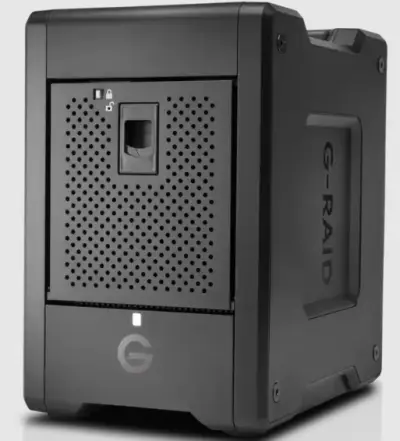
A rigid gear to complement your workflow as an enthusiast home user, and a superior workhouse for enterprises. The SanDisk G-RAID Shuttle 4 features dual Thunderbolt 3 ports and user-upgradeable drives, delivering up to 2800 MB/s in RAID 0 and capacities up to 72 TB with daisy-chain support for pro-level workflows.
Pros
- Can be used to set up multi-stream 4K, 8K, and VR workflows, RAID 0, 1, 5, and 10
- High burst transfer rates via Thunderbolt 3
- User-replaceable drives with expandable capacities
- 5-year limited warranty
- Good design appearance
Cons
- Steep starting price (over $600) for base models
- Primarily targeted at Mac users
Rating: 4.4/5
9. TerraMaster D5-300C - Best for Expandability
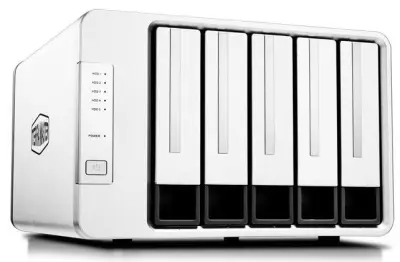
The TerraMaster D5-300C provides 2+3 RAID storage, which means it offers a 5-drive bay that is structured to operate as a 2-drive bay and a 3-drive bay, all in one system. So, you can have a 2-drive RAID 0 or RAID 1, as well as a 3-drive RAID 5 or JBOD on this system. TerraMaster D5-300C inarguably offers maximum flexibility at a decent price.
5-bay RAID enclosure supports RAID 0 and 1, offering up to 80 TB capacity with USB 3.1 Gen 1 connectivity and a $199 MSRP.
Pros
- Five-bay capacity in a compact chassis
- Good price
- Classic flexibility
- Supports up to 100 TB capacity
Cons
- Lack of fine-grained controls
- The USB 3.1 Gen 1 bandwidth limits the performance per drive
Rating: 3.9/5
10. Netgear ReadyNAS 424 - Best for Data Protection
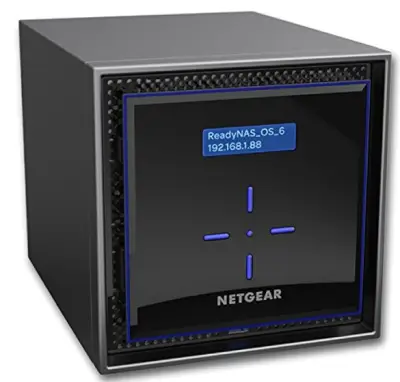
NETGEAR ReadyNAS 424 combines Intel Atom C3338 with 2 GB RAM and supports unlimited snapshots for robust data protection in educational or SOHO environments. It stands out as a perfect choice for small businesses. The system is rigidly built and equipped with a good number of feature sets as an all-rounder NAS for small businesses and individual users.
Pros
- Unlimited snapshot capability for versioned backups.
- Solid build and intuitive interface.
- Pretty compact design
- Comes ready to use outside the box
Cons
- Netgear has discontinued the product line
- Lacks modern transcode-capable CPU for media servers
Rating: 4.0/5
11. Drobo 5D3 - Best for Automated RAID Management
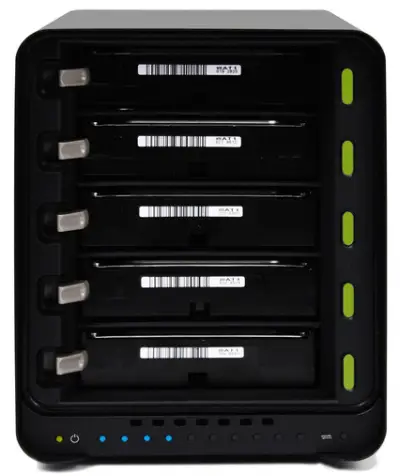
Built for professional content creators and heavy media handlers, the Drobo 5D3 is a five-bay Thunderbolt 3 DAS designed for simple RAID management via BeyondRAID, requiring no RAID expertise and offering tool-less expandability. Offering a 128 GB mSATA SSD, and a five-year drive recovery service plan from DriveSavers, this could be your best bet for an external hard drive RAID system.
Pros
- Offers up to five 3.5-inch SATA drive bays that support 3.5/2.5-inch SATA drives and SSDs.
- Plug-and-play BeyondRAID software for automatic drive management
- Compact design with mSATA cache support
- The Thunderbolt 3 ports also deliver 15W charging power
Cons
- Audible fan noise and lack of Thunderbolt 3 on Windows
- High entry price point
Rating: 3.8/5
12. ASUS ROG Strix Arion – Best for Gamers
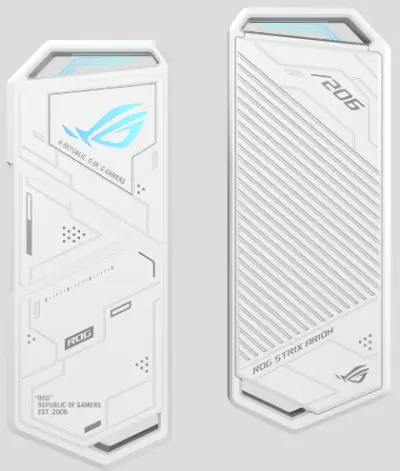
A premium metal chassis with ARGB lighting and tool-less NVMe installation, delivering near-SSD speeds over USB 3.2 Gen 2 (10 Gbps) with excellent thermal pads. ROG Strix Arion offers dual USB-C to C and USB-C to A cables, with transfer speeds reaching 10 Gbps, as well as have native support for M.2 PCIe NVM Express SSDs.
Pros
- Robust build with ARGB lighting appeal
- High-speed Gen 2 USB performance and thermal management
- Aluminum alloy case
- Truly sleek aesthetics
Cons
- Expensive price
- Limited to one M.2 drive
Rating: 3.7/5
13. QNAP TR-004 - Best for Hybrid RAID Setup
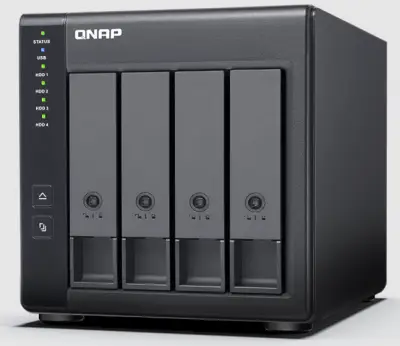
This is an enclosure that lets you extend the capacity of your RAID setup or JBOD storage; it adds up to four drives via USB 3.2 Gen 2 with hardware RAID 0, 1, 5, 10, and JBOD preset configurations. The QNAP TR-004 offers versatile backups or DAS expansion for PCs and NAS, with easy RAID mode selection and flexibility.
Pros
- Flexible built-in hardware RAID levels
- Flexible compatibility with Windows, Mac, Linux, and NAS
- Up to 5 Gbps USB 3.2 Gen 1 throughput per link
- Disk mode DIP switch
Cons
- Non-server versions of Windows have a 63 TB limit for a single volume
Rating: 4.1/5
14. WD Red Pro RAID - Best for Heavy Workloads
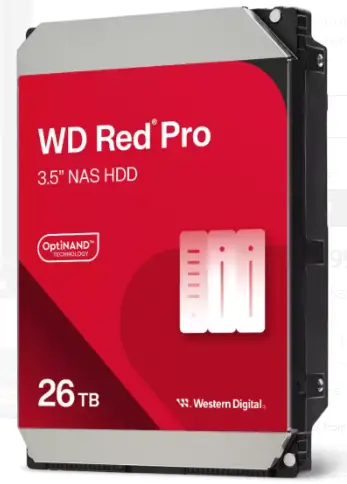
This pretty compact hard drive offers up to 272MB/S speed for 26 TB capacity and is optimized for RAID setup. The WD Red Pro drives are NAS-optimized with RAID error recovery control, a workload rating of up to 550 TB/yr, and robust 7200 RPM performance for multi-bay RAID environments.
Pros
- RAID-ready firmware
- High-capacity options up to 26 TB for dense arrays
- Good speed
Cons
- Internal HDD model; requires external enclosure for DAS use
- Enterprise-level pricing
Rating: 4.2/5
15. Icy Dock ToughArmor MB998SP-B - Best for Enterprise Users
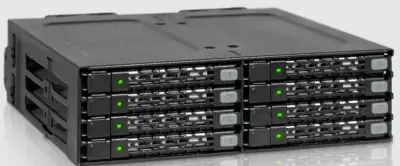
Talk about a rugged-built, tough system for the harshest conditions and you have the ICY DOCK ToughArmor MB998SP-B. This external hard drive enclosure can contain up to eight 2.5-inch drives in a single 5.25″ bay with a metal chassis and smart fan control for enterprise or dense storage applications. While fan noise can be noticeable, the switchable low/high settings and tool-less tray design deliver unmatched flexibility.
Pros
- Eight hot-swap bays in one optical bay
- Sturdy full-metal build with adjustable fan control
- Ideal for non-RAID JBOD storage
Cons
- You will deal with fan noise at higher speeds
- Doesn’t work with standalone drives inside the chassis.
Rating: 3.9/5
Need to Verify Your RAID Setup?
Use our RAID Calculator to quickly understand your array configuration and find the best recovery approach. It’s simple, accurate, and can save you valuable time before starting data recovery.
Conclusion
Selecting the right RAID external drive will boost your productivity and foster a managed environment. For mission-critical professional environments, it’d be best to go for the systems with built-in RAID management flexibilities and hot swapping. Notwithstanding, all the hardware here is sturdily built and reliable. Furthermore, make sure to have professional freeware RAID recovery software at hand, for days when things go south.
Related articles
- RAID Array for Video Editing: How to Choose
- How to set up RAID 1 on Windows 10 and Linux
- Configuring RAID 5: Step-by-Step Guide on How to Configure RAID 5 for Performance
- How to Rebuild RAID 5 Without Losing Your Data
- RAID 1 Recovery: all you can do yourself
- RAID 5 Data Recovery Step by Step
- RAID Recovery Services
- RAID Recovery Software
- RAID 4 Data Recovery: How to Perform It⠀
- RAID 0 vs RAID 1: Performance, Redundancy & Use Cases
- RAID 5 vs RAID 10 comparison: Which one is better for you?⠀
- How to set up RAID in Windows 10 in 2025
- RAID 5 VS RAID 6 - advantages and disadvantages
- The best NAS RAID: how to choose⠀
- HDD Raid Vs SSD Raid Storage Systems - How to move⠀
- NAS vs External Hard Drive: Comprehensive Guide to Choosing the Best Data Storage Solution
- RAID-1 vs RAID-5: Performance, Cost, and Data Protection Compared
- RAID 10 vs RAID 01: Is There Any Difference?
- RAID vs JBOD: performance and cost comparison⠀
- NAS vs SAN storage - Detailed Comparison⠀
- Perform RAID 50 Data Recovery Today!
- Basic Disks vs Dynamic: What is the Difference
- What Is a Hot Spare? Peculiarities of Usage
- Differences Between Software RAID and Hardware RAID
- How to check RAID status? 4 different methods!
- RAID Array Growing: How to Perform It
- How To Create RAID Arrays with mdadm on Ubuntu (22.04)
- How About RAID 1 Reliability?
- Can RAID array have snapshots?
- RAID Array Metadata: What Is Inside?
- RAID 5: How Big Should an Array Be?
- How Does RAID 5 on Windows 10 Work?
- What is FakeRAID?
- Which RAID is Better to Use for 4 Drives
- Hyper-V Manager - what is it?⠀
- Hyper-V: Generation 1 vs Generation 2
- Hyper-V Live Migration - what is it?⠀
- Hyper-V Snapshot Merge
- About Hyper-V clusters
- Hyper-V network adapters⠀
- Back up Active Directory Guide - Step-by-step Instructions⠀
- Effective Btrfs File Recovery: Complete Guide to Btrfs Data Recovery
- Make Sure Your Data is Safe While Using Microsoft Storage
- Set Up and Use Microsoft SQL Server Management Studio
- Guide: Linux Raid and Disk Data Safety
- Btrfs vs. EXT4: A Comprehensive Comparison of File Systems in Linux (2025)
- RAID Redundancy - best performance solutions⠀
- No hard drive detected or disk controller not supported in RAID
- Issue with the RAID after the BIOS update
- Using SSD in RAID Array
- ZFS Recovery software - How to recover deleted ZFS files
- Raid Recovery Qnap⠀
- RAID recovery software for Mac⠀
- How to Recover RAID Array Configuration
- How to Rebuild RAID Without Losing Data
- How to rebuild RAID 1 without losing data
- How to Rebuild RAID 0 Without Losing Data
- Difference and Comparison - RAID 1 and RAID 2
- Difference between RAID 2 and RAID 3
- Difference between RAID 4 and RAID 5
- What is Synology Hybrid RAID (SHR). How to Recover Data from Synology Hybrid RAID
- Recover Data from RAID on Linux
- RAID Foreign Disk: Causes, Solutions, and Best Practices
- Forensic RAID Recovery
- RAID Data Recovery evaluation. What is RAID data recovery?
- What Is a RAID Controller and What Are the Benefits of It?
- Recover Data from Broken/Failed RAID Set
- How to Clone RAID 0, 1, 5 Disk
- Raid Rebuild Vs. Raid Recovery
- RAID vs. backup - differences and benefits (RAID is not a Backup)
- How to Rebuild RAID array
- What is Synology Hybrid RAID? What is the difference between SHR and RAID Drives?
- Recover Data from RAID 5 on mdadm (Linux)
- RAID Rebuild Time: What is and How to Optimize It?
- RAID Disaster Data Recovery: Techniques and Strategies for Handling Catastrophic Events
- How to Repair a Failed RAID?
- How to Set Up RAID in Windows 11: A Step-by-Step Guide
- RAID 50 vs. RAID 60 – Key Differences
- How to Set Up and Configure RAID 10: Step-by-Step Guide
- What Is RAID 6? Definition, function
- RAID 10 vs RAID 6: Which Better?
- RAID 10: How Many Disks Are Needed and How to Set It Up
- How to recover data from a corrupted RAID?
- RAID 1 with 3 Drives: Everything You Need to Know
- NTFS RAID Recovery: Comprehensive Guide to Data Retrieval
- Comprehensive Guide to RAID in Cyber Security: Levels, Recovery, and Best Practices
- What is software RAID? - Comprehensive Guide
- Understanding RAID 0: Benefits, Risks, and Applications
- RAID 3 Explained: Benefits, Limitations, and Data Recovery Guide
- How Many Drives Are Needed for RAID 5? Minimum & Maximum Explained
- Understanding RAID Striping: A Comprehensive Guide to Disk Striping and Its Variants
- ZFS vs Btrfs vs RAID: Comprehensive Storage Comparison for Performance, Reliability, and Scalability
- How to Resize RAID Partitions: Step-by-Step Guide for RAID 1, 5, 6 & 10
- RAID 1 Minimum Drive Requirement: How Many Drives Do You Need?
- Bootable RAID Recovery Software: Complete Guide for RAID 0, 1, 5, 10 Recovery
- RAID Hard Drives Explained: What Is RAID for HDDs and External Drives
- RAID 5 Rebuild Failure Probability: Risks, Factors, and Solutions in 2025
- Understanding RAID 6 Performance: A Comprehensive Guide
- Recovering Data from RAID Drives: Step-by-Step Guide to RAID Recovery
- Adaptec RAID Recovery: Restore Data from Failed Arrays with DiskInternals RAID Recovery™
- SAN RAID Data Recovery: Recover RAID Arrays with Professional SAN Recovery Solutions
- What is a RAID? RAID Systems Explained & How to Recover RAID Arrays with Professional Tools
- Top 10 RAID Recovery Services: Best Solutions for Data Recovery
- RAID Server Data Recovery: Recover and Restore RAID Arrays Fast with Professional Tools
- RAID System Recovery: Essential Steps & Best Software for Safe Data and File Restoration
- What is RAID Connectivity? Essential Guide to RAID Array Setup
- How Many Drives for RAID 6?
- How to Read RAID Drives & Recover RAID Arrays on Windows: A Guide
- Synology RAID 5 Recovery: Recover Your RAID Array with Expert Tools and Tips
- X-RAID Recovery: Expert Guide to Netgear X-RAID and ReadyNAS Data Recovery
- SCSI RAID Recovery Software: Effective Solutions for SCSI RAID Data Recovery
- RAID Data Recovery for Deleted Arrays: Recover RAID Array Safely & Effectively
- What is RAID in Linux? Learn About Software RAID & Recover RAID Arrays Easily
- Change log for RAID Recovery™
- Intel Matrix RAID Recovery: Restore RAID 0, 1, 5, 10 with Reliable Solutions
- ZFS RAID Expansion: How to Expand RAIDZ and ZFS Pools Safely
- RAID 6 Drive Failure Tolerance: How Many Drives Can Fail?
- Windows Storage Spaces vs RAID: Performance, Speed, and Data Protection Comparison
- RAID 2 Array Explained: What Is RAID Level 2, Setup, and Performance Comparison
- RAID 5 RAID 6 RAID 10 - Key Differences and Performance Comparison
- How to Fix Degraded RAID 1: Step-by-Step Guide to Restore RAID 1 Degraded Arrays
- RAID 5 vs RAID 0+1: Key Differences Explained
- Why RAID 1 Is Not a Good Substitute for a Backup
- How to Check Which RAID Is Configured: A Complete Guide for Windows and Linux
- RAID 50 vs. RAID 6 – Key Differences
- Cannot Format Old RAID Drive? Effective RAID Data Recovery Solutions
- RAID 6 with 5 Drives: Configuration, Performance, and Data Protection
- Best RAID for 6 Disks: Compare RAID 0, 5, 6, 10, 50 & 60 for Performance & Redundancy
- RAID 6 with 8 Drives: Configuration, Failures, and Performance Explained
- RAID 6 with 6 Drives: Performance, Redundancy, and Best Use Cases
- RAID 5 with 5 Drives: Configuration, Performance & Recovery | RAID 5 5 Drives Guide
- Dell RAID 1 Recovery: How to Recover Data from RAID 1 on Dell Servers Safely
- What Is RAID 1E? Performance RAID 10 1E vs RAID-1E Guide for Power Users
- RAID 1E vs RAID 5: Performance, Capacity and Failure Risk Compared
- RAID 1 Speeds: Read, Write & Disk Performance | Speed Up RAID 1 Guide
- XFS RAID Recovery Guide & Best XFS RAID Recovery Software
- RAID Data Recovery Cost: Affordable Solutions for RAID 0, RAID 1, RAID 5, and RAID 10 Failures
- NAS as a File Server: NAS vs. File Server Comparison for Storage and Sharing
- QNAP RAID 5 Recovery Failed? Safe Data Recovery Steps for NAS Users
- ReiserFS RAID Recovery: How to Restore Data from Failed RAID Arrays
- RAID Calculator For Geeks – Estimate Usable Space & Drive Size
- RAID 0 vs RAID 1 vs RAID 5 vs RAID 10 — Performance, Capacity & Recovery
- RAID 1 vs RAID 5 vs RAID 10 Performance Management, Speed & Capacity Guide
- ZFS Minimum Drives — How Many Disks You Need for RAIDZ1, RAIDZ2, RAIDZ3
- ZFS vs mdadm RAID — Why choose ZFS instead of RAID
- Encrypting RAID Arrays — RAID with Full Disk Encryption & Secure Setup
- Best RAID for OLTP: RAID Configuration for OLTP Workloads & Transactional Databases
- Best RAID for MySQL: RAID Configuration & RAID Setup for MySQL Databases
- Best RAID for NVMeoF: NVMe RAID Configuration & NVMe over Fabrics RAID Setup
- Fault Tolerance in NVMe-oF RAID — Rebuild Time, Data Protection & Redundancy
- RAID 0 vs Single Drive — SSD, NVMe & HDD Comparison (Performance vs Risk)
- RAID 0 vs Single Drive Reliability — Failure Risk, SSD Comparison & Recovery
- RAID 0 vs. SSD Performance: PCIe 4.0, PCIe 5.0 Speed Compared
- Does RAID 0 Increase FPS? — RAID 0 vs Single Drive FPS Guide
- RAID 5 Two-Disk Failure Recovery: Parity Recovery Beyond Tolerance
- Best RAID Controller Guide: Hardware RAID Cards Compared for Servers and SSDs
- RAID Controller for ESXi: VMware ESXi RAID Controller Recommendations
- RAID Controller for Linux: Best Linux-Compatible Hardware RAID Controllers
- SATA RAID Controller for ESXi: VMware ESXi Compatible SATA RAID Options
- RAID Calculator Online – Usable Space & Disk Size Calculator for RAID
- NAS Data Recovery Software & Tools for RAID Recovery
- Features
- RAID 0 Data Recovery
- RAID 10 Recovery
- RAID 6 Data Recovery
- RAID 0, 1, 3, 5, 10 data recovery software for Windows 10
- RAID Reconstructor on Broken RAID Arrays
- The Truth about Recovering RAID 5 with 2 Failed Disks
- SSD benefits for RAID array
- RAID 0 failure - How to Fix Failed Raid 0 Array
- Benefits of RAID arrays - what are the advantages of RAID?⠀
- RAID 3 vs RAID 5: which one would you prefer?
- What are RAID 01, RAID 1+0 and RAID 0+1⠀
- Mdadm RAID 1 not activating a spare disk Linux⠀
- What to do if RAID array doesn't reassemble after reboot
- RAID levels 0, 1, 5, 6, and 10
- Minimum disks for RAID 10⠀
- RAID Consistency Check: Ensure Data Integrity & Recover Lost Data
- Global Hot Spare vs Dedicated Hot Spare: Find the Difference
- What Are Some Common Symptoms of RAID Array Failures?⠀
- RAID status degraded - fix it⠀
- RAID 50 vs RAID 10 - What is the difference
- How to downsize hardware RAID partition and protect data
- What is RAID-Z? Its Difference Between RAID-Z2 vs RAID-Z3
- RAID 6: Replace Two Dead Drives
- Do You Need to Defragment RAID?
- How to Recover RAID partition - step by step guide⠀
- Does chunk size influence the speed of RAID?
- RAID 0, 5, 6, 10 Performance
- RAID Configuration Explained: Types, Setup, and Best Practices
- What Is RAID Redundancy? | RAID Redundancy Explained for Data Protection
- Perform Hyper-V Data Recovery Today
- How to Install Hyper-V in Your Environment in 2025
- Hyper-V Virtual Machine Replication⠀
- Difference Between Type 1 and Type 2 Hypervisor?⠀
- Hyper-V Server Core installation vs GUI - let's compare⠀
- How to Run Linux on a Hyper-V VM in 2025
- What is nutanix ahv?⠀
- What is System Center Virtual Machine Manager⠀
- What is Microsoft SQL Server and How Can You Use it Safely?
- Microsoft SQL Server Express Guide
- Use Microsoft Windows Server Safely
- What to do if you get Microsoft SQL Server error 18456?
- Microsoft Storage Spaces
- Xserve RAID data safety
- Apple RAID Card Data Recovery
- Here is Everything You Need to Know About RAID-Z Technology
- What is JBOD?
- Is it worth using RAID 5E/5EE?
- Let's compare: Synology vs QNAP
- Here is How to Backup RAID in 2025
- Synology RAID Set That Is Broken or Crashed? RAID data recovery
- Here is How to add drive to RAID 5 in 2025
- Best NAS hard drive recovery in 2026 | Top RAID network-attached storage Hard Drives
- SQL Server Database in Recovery Pending - How to fix it (2025)
- RAID Hard Disk Data Recovery Software (2025)
- Best RAID Data Recovery Software for Linux
- Difference between RAID 3 and RAID 4
- Buffalo Data Recovery
- Rapid RAID Recovery Software
- RAID Server Data Recovery
- How to Recover RAID Crash Data
- Raid Drive Array Recovery
- How to Setup Raid 0 Windows 10 (11)?
- How Many Disks Can Fail in RAID 5?
- What is RAID 5? Overview and Key Functions
- How to Remove software RAID device using mdadm
- AHCI vs. RAID: Pros, Cons & Differences
- Recover Data from RAID 1 on mdadm (Linux)
- Difference & Comparison: RAID vs. non-RAID System
- Ultimate Guide to RAID Data Recovery: Tips & Techniques
- Guide to Recovering a Failed RAID Array | Step-by-Step Recovery Process
- Open Source RAID Recovery Software Explained and Comparison
- HDD RAID vs SSD RAID and Combining Both: Everything You Need to Know
- RAID 0: How Many Drives Are Needed?
- RAID 1: How Many Drives Are Needed for Data Redundancy?
- What is RAID 1? RAID Mirroring
- Recovering RAID 5 After Controller Failure
- What is Xserve RAID? Comprehensive Guide and Overview
- Complete Guide to RAID Controller Failure and Recovery: Expert Tips
- Understanding Hardware RAID: Comprehensive Guide to RAID Levels and Benefits
- Understanding RAID 60: Architecture, Advantages, and Data Recovery
- RAID 10: How Many Drives Can Fail? | Comprehensive Guide to Failure Tolerance
- ZFS RAID Setup Guide: Configuration, Management & Expansion
- A Comprehensive Review of RAID Recovery Software: Choosing the Right Tool
- DiskInternals RAID Recovery vs EaseUS Data Recovery Wizard | Comprehensive Comparison
- Comprehensive Guide to ZFS RAID Levels, Types, and Configurations
- ZFS vs RAID: Comprehensive Comparison of Performance, Reliability, and Features
- RAID Drives Explained: Learn How RAID Storage Enhances Performance
- HP RAID Recovery Tool | How to Recover Data with DiskInternals RAID Recovery Software
- Recover Striped RAID: Professional RAID 0 Data Recovery with DiskInternals RAID Recovery™
- BTRFS Restore File: How to Undelete Files and Restore Deleted Data Easily
- Recover Data from a RAID Array: Effective Solutions for Fast and Secure Data Retrieval
- Windows 7 RAID Recovery: How to Recover Data from RAID 1, RAID 5, and RAID 10 Arrays
- What is RAID Data Recovery? | Recover RAID Arrays with RAID Recovery Software
- What is a RAID Volume? Understanding RAID Volumes and Recovery Solutions
- Best RAID Software for Mac | Top Free & Paid RAID Tools for macOS 2026
- RAID Recovery Volume: Effective RAID Array Recovery Solutions for Data Loss Prevention
- Intel RAID 0 Recovery & RAID 1 Recovery: Solutions for Data Loss & Recovery Tools
- Optimize RAID for Redundancy and Performance - Expert Guide
- RAID 0 vs RAID 5: Speed, Performance & Key Differences (2026)
- Synology RAID 1 Recovery: Recover RAID Array with Trusted Tools and Expert Solutions
- Interim Recovery RAID 5: Expert Guide to Data Recovery and RAID Array Repair
- MDADM RAID 0 Recovery: Expert Guide to Fix and Recover Your RAID Array
- RAID Level 4: What Is RAID 4, How It Works
- RAID Restorer – Recover Data from Failed RAID Arrays with Reliable Software
- ZFS RAID with Different Size Drives – Setup, Limitations, and Best Practices
- RAID 0, 1, 5, 10 Explained: Performance, Redundancy & Best RAID Configurations
- How to Recover Data from a Broken RAID 1 Set – Step-by-Step Guide
- RAID 50: Drive Failure Tolerance and Data Recovery Solutions
- RAID 5 with 3 Disks: Configuration, Benefits, and Performance Insights
- How to Create RAID 5 with 6 Disks: Complete Setup Guide and Performance Tips
- RAID 6 Double Parity Calculation Explained – Data Protection Insights
- How to Add a Disk to mdadm RAID 5: Step-by-Step Guide
- RAID 0 vs RAID 10 and RAID 10 vs RAID 0 Performance Comparison
- RAID 50 vs. RAID 5 – Performance, Speed, and Data Protection Comparison
- Configure RAID on Ubuntu – Step-by-Step Guide for RAID 0, 1, 5, and 10
- RAID 0 vs. JBOD – Key Differences, Performance, and Speed Comparison
- RAID Array Rebuild: How to Rebuild a RAID Array Safely and Recover Lost Data
- Recover Data from Old RAID Drives | Best Methods & Software for RAID Recovery
- Dell RAID 5 Recovery - Safely and Fast
- RAID 1E vs RAID 10: Performance, Capacity, Cost & Failure Risk Guide
- Ext3 RAID Recovery Guide - Data Recovery RAID Ext3
- ASUS RAID Recovery Guide - Fix Failed ASUS RAID
- ZFS Recovery Tools — Data Recovery ZFS Guide & Best Software
- RAIDZ1 vs RAID 5 — Performance, Integrity & Recovery Comparison
- ZFS Mirror vs RAIDZ — Performance, Capacity & Recovery Guide
- RAID Degraded: What to Do | Warning Fixes and Steps After a Failed Rebuild
- RAID 7 — What It Is? Origins, Risks & Recovery Options
- RAID in Cloud Storage Systems — SDS, Virtual RAID & Erasure Coding Guide
- RAID 10 with 8 Disks — Configuration, Performance, Rebuilds & Best Practices
- Is RAID 0 Worth It in 2026? Risk, Performance, SSD & NVMe Guidance
- Best Practices for RAID over NVMe-oF — Tuning, Monitoring & DR
- RAID 0 for Gaming — Is RAID 0 Good for Gaming? Performance & Risk Guide
- RAID 0 for 4K Editing — Is RAID 0 Good for 4K Video Editing?
- RAID 0 for Large File Workloads: Scratch Disks, NVMe, When It Makes Sense
- Is RAID 0 Obsolete? RAID 0 with SSD and NVMe — Still Worth It?
- RAID 0 Redundancy vs No Redundancy — Does RAID 0 Have Redundancy?
- RAID 5 Interrupted Rebuild Recovery: Fix Stopped or Aborted Rebuilds
- RAID 0 Failure Probability with N Disks Explained
- RAID 1 Corrupted Mirror Recovery: How to Recover a Damaged RAID 1 Mirror
- When RAID 0 Is Acceptable: Use Cases, Risks, and When You Should Use RAID 0
- RAID Best Practices for VMware: Best RAID Configuration for VMware ESXi
- RAID 0 Backed by Versioned Backup: Is RAID 0 Safe with Versioned Backups?
- RAID 10 Best for VMware: Why RAID 10 Is the Recommended RAID for ESXi
- Best PCIe RAID Controller: Top Hardware PCI Express RAID Cards Compared
- SAS RAID Controller for VMware ESXi: Best Hardware RAID Options
- Best FREE RAID Data Recovery Software (2026)
- DiskInternals RAID Recovery vs ReclaiMe: Comprehensive RAID Recovery Solutions Compared