RAID Controller for ESXi: VMware ESXi RAID Controller Recommended for VMware Hosts
VMware ESXi requires RAID controllers that are fully supported, stable, and optimized for virtualization workloads. The right controller ensures reliable datastore performance, proper integration with VMware drivers, and protection against disk failures. Using unsupported or consumer‑grade controllers often leads to compatibility issues, degraded performance, or even data loss.
This article outlines recommended RAID controllers for ESXi, focusing on models that deliver proven reliability, strong VMware compatibility, and the performance needed for production environments.
Why RAID Controller Choice Matters for VMware ESXi
ESXi Storage Architecture and VMFS Dependency
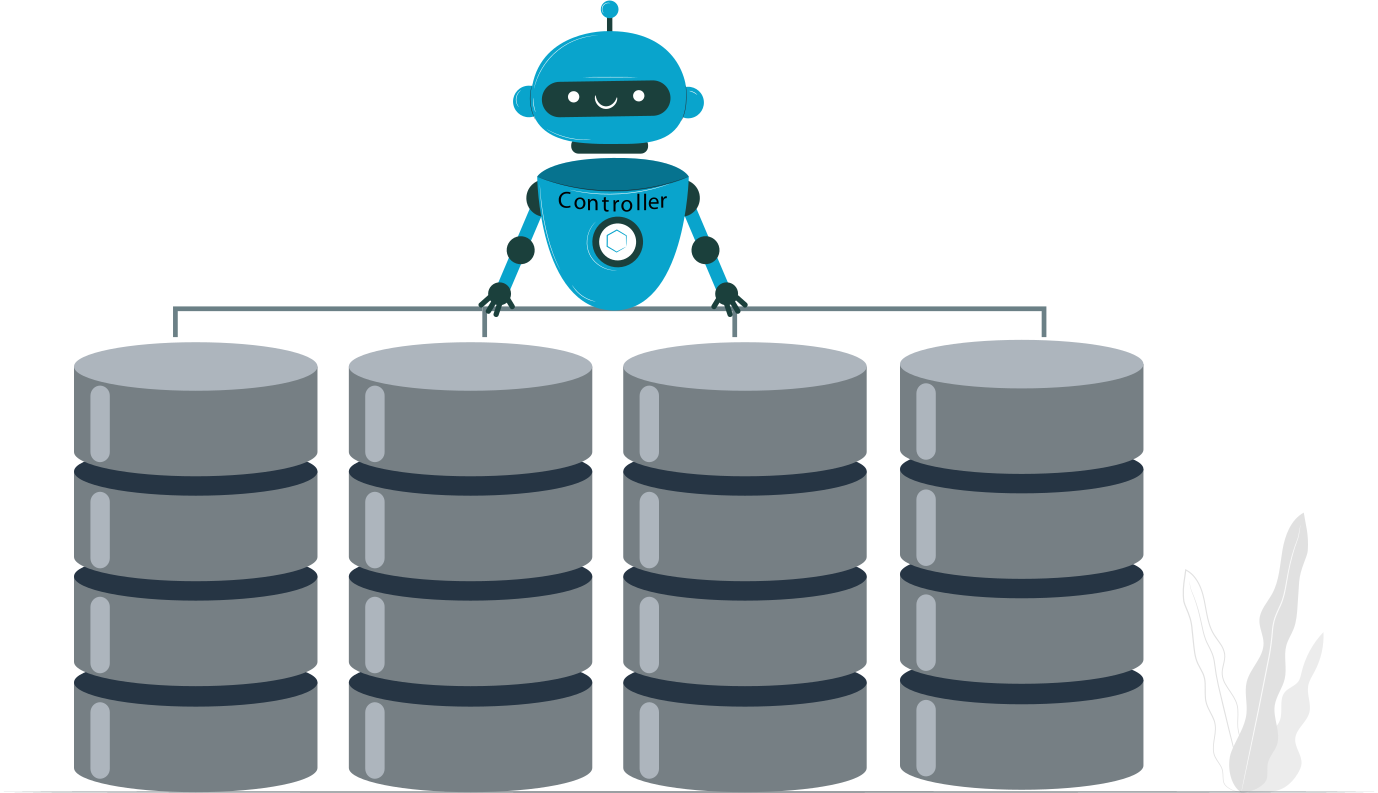
VMware ESXi relies on VMFS (Virtual Machine File System) to manage datastores across multiple disks. VMFS performance and reliability are directly tied to how the RAID controller presents and manages physical drives. A controller with proper VMware driver support ensures stable datastore access, efficient caching, and predictable I/O behavior.
Impact of RAID Controller Quality on Host Stability
A high‑quality RAID controller reduces risks of latency spikes, driver conflicts, and unexpected host crashes. Enterprise‑grade controllers with battery‑backed cache and firmware tuned for virtualization workloads provide consistent throughput and protect against data corruption during power loss or hardware faults.
Common Mistakes When Selecting RAID Hardware for ESXi
- Using desktop‑class controllers: Consumer RAID or “fake RAID” solutions often lack VMware driver support, leading to instability.
- Ignoring compatibility lists: Controllers not on VMware’s Hardware Compatibility Guide (HCL) may work initially but fail after updates.
- Overlooking cache and firmware features: Controllers without proper write‑back cache or firmware updates can bottleneck performance and compromise data integrity.
ESXi Compatible RAID Controller: Core Compatibility Requirements
VMware Hardware Compatibility List (HCL)
Compliance with VMware’s Hardware Compatibility List (HCL) is non‑negotiable. Controllers not listed may appear functional but often fail after ESXi updates or under heavy load. The HCL ensures that the RAID controller has been tested for stability, performance, and integration with VMware’s storage stack.
- Driver lifecycle alignment: Each ESXi release requires matching drivers and firmware. Unsupported controllers can break after upgrades, leaving datastores inaccessible.
- Version consistency: Administrators must verify that both the controller model and firmware version are explicitly listed for the ESXi version in use.
Native Drivers vs. Vendor VIBs
VMware ESXi includes native inbox drivers for many enterprise RAID controllers. These drivers benefit from long‑term support and are updated alongside ESXi releases, reducing compatibility risks.
- Native inbox drivers: Preferred for stability and lifecycle support. They are tested directly by VMware and included in ESXi builds.
- Vendor VIBs (vSphere Installation Bundles): While sometimes necessary for newer hardware, they carry risks if unsigned, deprecated, or poorly maintained. Using outdated VIBs can lead to instability, unsupported configurations, or failed upgrades.
RAID Controller for VMware Hosts: Hardware RAID vs. HBA
Hardware RAID Controllers in ESXi
Enterprise RAID controllers provide dedicated hardware resources such as cache modules, XOR engines, and deep queue handling. These features offload parity calculations and write operations from the CPU, ensuring predictable performance under heavy VM workloads.
- Dedicated cache: Battery‑backed or flash‑backed cache accelerates writes and protects against power loss.
- XOR engines: Hardware parity calculations reduce CPU overhead, critical for RAID 5/6 arrays.
- Queue depth: High queue depth allows multiple concurrent I/O requests, improving VM responsiveness.
Advantages: Hardware RAID offload ensures stable throughput, reduced latency, and consistent performance for production ESXi environments.
HBA Controllers and Software‑Defined Storage
Host Bus Adapters (HBAs) operate in pass‑through or IT mode, exposing individual drives directly to the hypervisor. This approach is often used in software‑defined storage solutions.
- Pass‑through scenarios: HBAs allow ESXi or guest OS to manage disks directly, useful for ZFS, vSAN, or software RAID.
- Software RAID trade‑offs: While flexible, software RAID depends on host CPU and memory, which can introduce overhead. Performance and reliability vary depending on workload and tuning.
- Advantages: HBAs provide maximum flexibility for advanced storage stacks.
- Limitations: Without hardware offload, administrators must rely on software layers for redundancy and caching, which may not match the stability of enterprise RAID controllers.
VMware ESXi RAID Controller Recommended by Use Case
RAID Controllers for Small ESXi Hosts
For lab setups, test environments, or small business hosts, entry‑level hardware RAID controllers can be sufficient.
- Entry‑level hardware RAID: Basic controllers with limited cache and single‑core processors provide redundancy without the cost of enterprise models.
- Constraints in lab/test environments: These controllers are acceptable for non‑critical workloads, but they often lack advanced firmware maturity, deep queue depth, and cache protection. Performance may degrade under heavy VM density or mixed I/O patterns.
Recommendation: Use budget RAID controllers only in non‑production scenarios where downtime or reduced performance is tolerable.
RAID Controllers for Enterprise VMware Hosts
Production ESXi clusters demand enterprise‑grade RAID controllers with robust hardware acceleration and proven firmware stability.
- Dual‑core RAID processors: Modern enterprise controllers feature multi‑core RAID engines that handle parity calculations and I/O scheduling efficiently, ensuring consistent performance across large VM workloads.
- Cache protection: Battery‑backed or flash‑backed cache modules safeguard write operations during power loss, preventing data corruption.
- Firmware maturity: Enterprise controllers benefit from long development cycles, stable driver support, and alignment with VMware’s HCL, reducing risks during ESXi upgrades.
Recommendation: For mission‑critical VMware hosts, prioritize controllers from established vendors (e.g., Dell PERC, HPE Smart Array, LSI/Broadcom MegaRAID) with cache protection and verified HCL compliance.
Best RAID Controller Types for ESXi Workloads

RAID 10 Controllers for Performance‑Critical VMs
RAID 10 combines mirroring and striping, delivering both redundancy and high I/O throughput. For VMware hosts running database servers, transactional systems, or latency‑sensitive applications, RAID 10 controllers are the preferred choice.
- Database and transactional workloads: RAID 10 minimizes write penalties by avoiding parity calculations, making it ideal for workloads with heavy random writes.
- Write latency considerations: With dedicated cache and hardware XOR engines, RAID 10 controllers ensure low write latency and consistent performance under concurrent VM operations.
Recommendation: Use enterprise RAID controllers with strong cache protection to maximize RAID 10 efficiency in production ESXi environments.
RAID 5 and RAID 6 Controllers for Capacity‑Focused Hosts
RAID 5 and RAID 6 provide larger usable capacity by leveraging parity, making them suitable for hosts prioritizing storage density over raw performance.
- Parity overhead under ESXi: RAID 5/6 introduces write penalties due to parity calculations, which can impact VM performance if the controller lacks hardware acceleration.
- Rebuild time and risk exposure: RAID 5 arrays are vulnerable during rebuilds, while RAID 6 offers additional fault tolerance at the cost of higher parity overhead. Enterprise controllers with dual‑core RAID processors and deep queue depth mitigate these risks.
Recommendation: For capacity‑focused VMware hosts, select RAID controllers with robust parity offload engines and verified VMware HCL support to balance storage efficiency with reliability.
Comparison Table: RAID Controller Options for ESXi
| Controller Type | ESXi Support | RAID Levels | Performance | Recommended Use |
|---|
| Hardware RAID (Enterprise) | Full (HCL) | 0/1/5/6/10 | High | Production VMware hosts |
| Hardware RAID (Entry-Level) | Partial | 0/1/10 | Medium | SMB / lab |
| HBA (IT Mode) | Full | Software-defined | Variable | ZFS, vSAN |
| Fake RAID / BIOS RAID | No | Limited | Low | Not recommended |
RAID Controller Features That Matter in ESXi
Cache, BBU, and Flash‑Backed Write Cache
Enterprise RAID controllers rely on cache modules to accelerate write operations and protect data integrity.
- Power loss protection: Battery Backup Units (BBUs) or flash‑backed write cache modules ensure that pending writes are preserved during unexpected shutdowns, preventing corruption.
- Write acknowledgment integrity: Controllers with protected cache can safely acknowledge writes to the hypervisor before committing them to disk, maintaining performance without sacrificing reliability.
Monitoring and Management in vSphere
Visibility into RAID health is essential for proactive maintenance and minimizing downtime.
CIM providers and health alerts: VMware ESXi integrates with Common Information Model (CIM) providers supplied by RAID vendors, enabling hardware health monitoring directly in vSphere.
RAID status visibility in ESXi: Properly supported controllers expose array status, cache health, and predictive failure alerts within the vSphere client, allowing administrators to respond quickly to issues before they impact VM workloads.
RAID Controller Performance and ESXi Stability Risks
Firmware Mismatch and Silent Failures
Firmware and driver mismatches are one of the most common causes of instability in VMware hosts.
- ESXi upgrades breaking RAID visibility: When ESXi is updated, unsupported firmware can cause the RAID controller to disappear from the host, leaving datastores inaccessible.
- Vendor firmware lag: RAID vendors often release firmware updates later than VMware’s ESXi patches, creating a gap where controllers may operate in an unsupported state. This lag increases the risk of silent failures and degraded performance.
Rebuild Impact on Virtual Machines
Disk rebuilds place heavy stress on RAID controllers and can severely impact VM performance.
- IOPS collapse during rebuild: When a drive fails, the controller must reconstruct data from parity or mirrors. This process consumes I/O bandwidth, often reducing available IOPS for running VMs.
- VM performance degradation: During rebuilds, latency spikes and throughput drops can affect critical workloads, leading to application slowdowns or even service interruptions. Enterprise controllers with deep queue depth and strong cache management mitigate—but do not eliminate—these risks.
RAID Recovery Considerations for VMware ESXi Hosts
Common RAID Failure Scenarios in ESXi
RAID controllers in VMware environments can fail in several ways, each with serious implications for VMFS datastores:
- Controller failure: A dead controller can render all attached arrays inaccessible until replaced or reconstructed.
- Cache corruption: Damaged or unprotected cache modules may acknowledge writes that were never committed, leading to VMFS corruption.
- Multiple disk drop‑out: Simultaneous drive failures or false drop‑outs can break RAID consistency, leaving ESXi unable to mount datastores.
Why Rebuilding RAID Can Destroy VMFS Data
Traditional RAID rebuilds often overwrite existing disk structures, which can irreversibly damage VMFS volumes.
- Incorrect disk order: If drives are re‑added in the wrong sequence, the controller may rebuild with mismatched metadata.
- Parity misalignment: Rebuilds can miscalculate parity blocks, corrupting VMFS and making virtual machines unrecoverable.
Key point: Attempting a rebuild without proper analysis risks permanent data loss.
Example: RAID Recovery with DiskInternals
DiskInternals RAID Recovery software provides a safer alternative to hardware rebuilds.
- Logical RAID reconstruction without rebuild: The software analyzes disk metadata to reconstruct the array virtually, avoiding destructive writes.
- Support for damaged RAID arrays and VMFS volumes: It can recover data even when the controller, cache, or multiple disks have failed, preserving VMFS structures for VM recovery.
- Use case: Administrators can mount reconstructed arrays and extract VMFS data without relying on risky hardware rebuilds.
Ready to get your data back?
To start recovering your data, documents, databases, images, videos, and other files from your RAID 0, RAID 1, 0+1, 1+0, 1E, RAID 4, RAID 5, 50, 5EE, 5R, RAID 6, RAID 60, RAIDZ, RAIDZ2, and JBOD, press the FREE DOWNLOAD button to get the latest version of DiskInternals RAID Recovery® and begin the step-by-step recovery process. You can preview all recovered files absolutely for free. To check the current prices, please press the Get Prices button. If you need any assistance, please feel free to contact Technical Support. The team is here to help you get your data back!
RAID Controller for ESXi: Best Practices Summary
- Always validate against VMware HCL. Confirm controller model, firmware, and driver versions are listed in VMware’s Hardware Compatibility Guide before deployment.
- Prefer enterprise hardware RAID for production. Controllers with dedicated cache, dual‑core RAID processors, and proven firmware maturity deliver stability and performance for mission‑critical workloads.
- Avoid consumer and fake RAID solutions. Desktop‑class or software‑assisted RAID controllers often lack proper VMware driver support, leading to instability and potential data loss.
- Plan recovery before failure occurs. Document recovery workflows, maintain firmware backups, and consider logical recovery tools to avoid destructive rebuilds in case of RAID failure.
Final Recommendation: Is a RAID Controller Worth It for ESXi?
When Hardware RAID Is the Correct Choice
Hardware RAID controllers are the right fit for production VMware hosts where stability, predictable performance, and data protection are critical.
- Enterprise workloads with high VM density
- Datastores requiring consistent throughput and low latency
- Environments where cache protection and firmware maturity reduce operational risk
When HBA or Software‑Defined Storage Wins
Host Bus Adapters (HBAs) or pass‑through controllers are better suited for modern software‑defined storage stacks.
- VMware vSAN, ZFS, or other software RAID solutions
- Scenarios where flexibility and direct disk visibility outweigh hardware offload
- Lab or test environments where cost efficiency is prioritized over performance guarantees
Long‑Term Cost vs. Operational Risk
The choice comes down to balancing upfront investment against potential downtime and data loss.
- Hardware RAID: Higher cost, but reduced risk of instability and rebuild‑related VMFS corruption.
- HBA/Software RAID: Lower cost and greater flexibility, but higher reliance on host resources and careful tuning.
Recommendation: For mission‑critical ESXi deployments, enterprise hardware RAID remains the safer long‑term investment. For software‑defined storage projects or non‑production hosts, HBAs provide flexibility at a lower cost.
Related articles
- RAID 6 Double Parity Calculation Explained – Data Protection Insights
- Encrypting RAID Arrays — RAID with Full Disk Encryption & Secure Setup
- Best RAID for OLTP: RAID Configuration for OLTP Workloads & Transactional Databases
- Best RAID for MySQL: RAID Configuration & RAID Setup for MySQL Databases
- Best RAID for NVMeoF: NVMe RAID Configuration & NVMe over Fabrics RAID Setup
- RAID 10 with 8 Disks — Configuration, Performance, Rebuilds & Best Practices
- Is RAID 0 Worth It in 2026? Risk, Performance, SSD & NVMe Guidance
- Fault Tolerance in NVMe-oF RAID — Rebuild Time, Data Protection & Redundancy
- Best Practices for RAID over NVMe-oF — Tuning, Monitoring & DR
- RAID 0 vs Single Drive — SSD, NVMe & HDD Comparison (Performance vs Risk)
- RAID 0 vs Single Drive Reliability — Failure Risk, SSD Comparison & Recovery
- RAID 0 for Gaming — Is RAID 0 Good for Gaming? Performance & Risk Guide
- RAID 0 for 4K Editing — Is RAID 0 Good for 4K Video Editing?
- RAID 0 for Large File Workloads: Scratch Disks, NVMe, When It Makes Sense
- RAID 0 vs. SSD Performance: PCIe 4.0, PCIe 5.0 Speed Compared
- RAID 0 Redundancy vs No Redundancy — Does RAID 0 Have Redundancy?
- Does RAID 0 Increase FPS? — RAID 0 vs Single Drive FPS Guide
- RAID 5 Interrupted Rebuild Recovery: Fix Stopped or Aborted Rebuilds
- RAID 0 Failure Probability with N Disks Explained
- RAID 5 Two-Disk Failure Recovery: Parity Recovery Beyond Tolerance
- RAID 1 Corrupted Mirror Recovery: How to Recover a Damaged RAID 1 Mirror
- When RAID 0 Is Acceptable: Use Cases, Risks, and When You Should Use RAID 0
- RAID Best Practices for VMware: Best RAID Configuration for VMware ESXi
- RAID 0 Backed by Versioned Backup: Is RAID 0 Safe with Versioned Backups?
- RAID 10 Best for VMware: Why RAID 10 Is the Recommended RAID for ESXi
- Best RAID Controller Guide: Hardware RAID Cards Compared for Servers and SSDs
- Best PCIe RAID Controller: Top Hardware PCI Express RAID Cards Compared
- RAID Controller for Linux: Best Linux-Compatible Hardware RAID Controllers
- SATA RAID Controller for ESXi: VMware ESXi Compatible SATA RAID Options
- SAS RAID Controller for VMware ESXi: Best Hardware RAID Options
- RAID 6 Data Recovery
- RAID 0, 1, 3, 5, 10 data recovery software for Windows 10
- RAID Recovery Services
- The Truth about Recovering RAID 5 with 2 Failed Disks
- RAID 4 Data Recovery: How to Perform It⠀
- RAID 0 vs RAID 1: Performance, Redundancy & Use Cases
- RAID 5 vs RAID 10 comparison: Which one is better for you?⠀
- SSD benefits for RAID array
- How to set up RAID in Windows 10 in 2025
- RAID 5 VS RAID 6 - advantages and disadvantages
- The best NAS RAID: how to choose⠀
- HDD Raid Vs SSD Raid Storage Systems - How to move⠀
- Benefits of RAID arrays - what are the advantages of RAID?⠀
- RAID 3 vs RAID 5: which one would you prefer?
- RAID 10 vs RAID 01: Is There Any Difference?
- RAID vs JBOD: performance and cost comparison⠀
- What are RAID 01, RAID 1+0 and RAID 0+1⠀
- Mdadm RAID 1 not activating a spare disk Linux⠀
- NAS vs SAN storage - Detailed Comparison⠀
- Perform RAID 50 Data Recovery Today!
- Basic Disks vs Dynamic: What is the Difference
- What to do if RAID array doesn't reassemble after reboot
- RAID levels 0, 1, 5, 6, and 10
- Minimum disks for RAID 10⠀
- RAID Consistency Check: Ensure Data Integrity & Recover Lost Data
- What Is a Hot Spare? Peculiarities of Usage
- Global Hot Spare vs Dedicated Hot Spare: Find the Difference
- Differences Between Software RAID and Hardware RAID
- What Are Some Common Symptoms of RAID Array Failures?⠀
- RAID status degraded - fix it⠀
- How to check RAID status? 4 different methods!
- RAID Array Growing: How to Perform It
- How to downsize hardware RAID partition and protect data
- How To Create RAID Arrays with mdadm on Ubuntu (22.04)
- How About RAID 1 Reliability?
- What is RAID-Z? Its Difference Between RAID-Z2 vs RAID-Z3
- Can RAID array have snapshots?
- RAID Array Metadata: What Is Inside?
- RAID 6: Replace Two Dead Drives
- Do You Need to Defragment RAID?
- How to Recover RAID partition - step by step guide⠀
- RAID 5: How Big Should an Array Be?
- Does chunk size influence the speed of RAID?
- RAID 0, 5, 6, 10 Performance
- How Does RAID 5 on Windows 10 Work?
- What is FakeRAID?
- Which RAID is Better to Use for 4 Drives
- RAID Array for Video Editing: How to Choose
- Perform Hyper-V Data Recovery Today
- How to Install Hyper-V in Your Environment in 2025
- Hyper-V Manager - what is it?⠀
- Hyper-V: Generation 1 vs Generation 2
- Hyper-V Live Migration - what is it?⠀
- Hyper-V Snapshot Merge
- Hyper-V Virtual Machine Replication⠀
- About Hyper-V clusters
- Difference Between Type 1 and Type 2 Hypervisor?⠀
- Hyper-V Server Core installation vs GUI - let's compare⠀
- Hyper-V network adapters⠀
- How to Run Linux on a Hyper-V VM in 2025
- Back up Active Directory Guide - Step-by-step Instructions⠀
- What is nutanix ahv?⠀
- What is System Center Virtual Machine Manager⠀
- Effective Btrfs File Recovery: Complete Guide to Btrfs Data Recovery
- Make Sure Your Data is Safe While Using Microsoft Storage
- What is Microsoft SQL Server and How Can You Use it Safely?
- Set Up and Use Microsoft SQL Server Management Studio
- Microsoft SQL Server Express Guide
- Use Microsoft Windows Server Safely
- What to do if you get Microsoft SQL Server error 18456?
- Microsoft Storage Spaces
- Xserve RAID data safety
- Apple RAID Card Data Recovery
- Guide: Linux Raid and Disk Data Safety
- Here is Everything You Need to Know About RAID-Z Technology
- What is JBOD?
- Btrfs vs. EXT4: A Comprehensive Comparison of File Systems in Linux (2025)
- RAID Redundancy - best performance solutions⠀
- Is it worth using RAID 5E/5EE?
- Let's compare: Synology vs QNAP
- Here is How to Backup RAID in 2025
- No hard drive detected or disk controller not supported in RAID
- Issue with the RAID after the BIOS update
- Synology RAID Set That Is Broken or Crashed? RAID data recovery
- Here is How to add drive to RAID 5 in 2025
- Raid Recovery Qnap⠀
- RAID recovery software for Mac⠀
- Best FREE RAID Data Recovery Software (2026)
- SQL Server Database in Recovery Pending - How to fix it (2025)
- Buffalo Data Recovery
- How to set up RAID 1 on Windows 10 and Linux
- How to Rebuild RAID array
- What is Synology Hybrid RAID? What is the difference between SHR and RAID Drives?
- Bootable RAID Recovery Software: Complete Guide for RAID 0, 1, 5, 10 Recovery
- NAS as a File Server: NAS vs. File Server Comparison for Storage and Sharing
- Recover Striped RAID: Professional RAID 0 Data Recovery with DiskInternals RAID Recovery™
- RAIDZ1 vs RAID 5 — Performance, Integrity & Recovery Comparison
- A Comprehensive Review of RAID Recovery Software: Choosing the Right Tool
- How to Set Up and Configure RAID 10: Step-by-Step Guide
- RAID 10: How Many Disks Are Needed and How to Set It Up
- ZFS Recovery software - How to recover deleted ZFS files
- RAID 50 vs. RAID 60 – Key Differences
- Difference between RAID 2 and RAID 3
- Difference and Comparison - RAID 1 and RAID 2
- What Is a RAID Controller and What Are the Benefits of It?
- How to Clone RAID 0, 1, 5 Disk
- Recover Data from Broken/Failed RAID Set
- Difference between RAID 4 and RAID 5
- Difference between RAID 3 and RAID 4
- Guide to Recovering a Failed RAID Array | Step-by-Step Recovery Process
- What is RAID 1? RAID Mirroring
- How to Remove software RAID device using mdadm
- Best NAS hard drive recovery in 2026 | Top RAID network-attached storage Hard Drives
- RAID Data Recovery Cost: Affordable Solutions for RAID 0, RAID 1, RAID 5, and RAID 10 Failures
- Ultimate Guide to RAID Data Recovery: Tips & Techniques
- ZFS vs mdadm RAID — Why choose ZFS instead of RAID
- ZFS Recovery Tools — Data Recovery ZFS Guide & Best Software
- ZFS Mirror vs RAIDZ — Performance, Capacity & Recovery Guide
- ZFS RAID Expansion: How to Expand RAIDZ and ZFS Pools Safely
- ZFS Minimum Drives — How Many Disks You Need for RAIDZ1, RAIDZ2, RAIDZ3
- X-RAID Recovery: Expert Guide to Netgear X-RAID and ReadyNAS Data Recovery
- Windows Storage Spaces vs RAID: Performance, Speed, and Data Protection Comparison
- XFS RAID Recovery Guide & Best XFS RAID Recovery Software
- What is Synology Hybrid RAID (SHR). How to Recover Data from Synology Hybrid RAID
- What is RAID in Linux? Learn About Software RAID & Recover RAID Arrays Easily
- Why RAID 1 Is Not a Good Substitute for a Backup
- RAID Hard Drives Explained: What Is RAID for HDDs and External Drives
- RAID Level 4: What Is RAID 4, How It Works
- What Is RAID 1E? Performance RAID 10 1E vs RAID-1E Guide for Power Users
- Top 10 RAID Recovery Services: Best Solutions for Data Recovery
- RAID Server Data Recovery: Recover and Restore RAID Arrays Fast with Professional Tools
- SCSI RAID Recovery Software: Effective Solutions for SCSI RAID Data Recovery
- ReiserFS RAID Recovery: How to Restore Data from Failed RAID Arrays
- What Is RAID Redundancy? | RAID Redundancy Explained for Data Protection
- Optimize RAID for Redundancy and Performance - Expert Guide
- RAID in Cloud Storage Systems — SDS, Virtual RAID & Erasure Coding Guide
- RAID Hard Disk Data Recovery Software (2025)
- RAID Degraded — What to Do | Warning Fixes & Rebuild Failed Steps
- RAID Data Recovery evaluation. What is RAID data recovery?
- RAID Configuration Explained: Types, Setup, and Best Practices
- RAID 10 vs RAID 6: Which Better?
- RAID 6 with 6 Drives: Performance, Redundancy, and Best Use Cases
- RAID 7 — What It Is? Origins, Risks & Recovery Options
- RAID 5 RAID 6 RAID 10 - Key Differences and Performance Comparison
- How to Create RAID 5 with 6 Disks: Complete Setup Guide and Performance Tips
- RAID 50 vs. RAID 5 – Performance, Speed, and Data Protection Comparison
- RAID 50 vs. RAID 6 – Key Differences
- RAID 5 vs RAID 0+1: Key Differences Explained
- RAID 2 Array Explained: What Is RAID Level 2, Setup, and Performance Comparison
- RAID 1E vs RAID 5: Performance, Capacity and Failure Risk Compared
- RAID 0 vs RAID 10 and RAID 10 vs RAID 0 Performance Comparison
- RAID 1E vs RAID 10: Performance, Capacity, Cost & Failure Risk Guide
- RAID-1 vs RAID-5: Performance, Cost, and Data Protection Compared
- RAID 1 vs RAID 5 vs RAID 10 Performance Management, Speed & Capacity Guide
- RAID 1 Speeds: Read, Write & Disk Performance | Speed Up RAID 1 Guide
- RAID 0 vs RAID 1 vs RAID 5 vs RAID 10 — Performance, Capacity & Recovery
- RAID 0, 1, 5, 10 Explained: Performance, Redundancy & Best RAID Configurations
- Open Source RAID Recovery Software Explained and Comparison
- MDADM RAID 0 Recovery: Expert Guide to Fix and Recover Your RAID Array
- QNAP RAID 5 Recovery Failed? Safe Data Recovery Steps for NAS Users
- Intel RAID 0 Recovery & RAID 1 Recovery: Solutions for Data Loss & Recovery Tools
- RAID 0 vs. JBOD – Key Differences, Performance, and Speed Comparison
- Is RAID 0 Obsolete? RAID 0 with SSD and NVMe — Still Worth It?
- How Many Drives for RAID 6?
- How to Read RAID Drives & Recover RAID Arrays on Windows: A Guide
- Intel Matrix RAID Recovery: Restore RAID 0, 1, 5, 10 with Reliable Solutions
- How to Recover Data from a Broken RAID 1 Set – Step-by-Step Guide
- Ext3 RAID Recovery Guide - Data Recovery RAID Ext3
- Dell RAID 5 Recovery - Safely and Fast
- Dell RAID 1 Recovery: How to Recover Data from RAID 1 on Dell Servers Safely
- Best RAID for 6 Disks: Compare RAID 0, 5, 6, 10, 50 & 60 for Performance & Redundancy
- ASUS RAID Recovery Guide - Fix Failed ASUS RAID
- RAID 0 vs RAID 5: Speed, Performance & Key Differences (2026)
- RAID 1 Recovery: all you can do yourself
- RAID 10 Recovery
- How to rebuild RAID 1 without losing data
- How Many Disks Can Fail in RAID 5?
- RAID Rebuild Time: What is and How to Optimize It?
- How to Set Up RAID in Windows 11: A Step-by-Step Guide
- RAID 0: How Many Drives Are Needed?
- RAID 10: How Many Drives Can Fail? | Comprehensive Guide to Failure Tolerance
- RAID Data Recovery for Deleted Arrays: Recover RAID Array Safely & Effectively
- RAID 6 Drive Failure Tolerance: How Many Drives Can Fail?
- RAID 50: Drive Failure Tolerance and Data Recovery Solutions
- 15 Best External Hard Drives for RAID in 2026
- RAID 0 Data Recovery
- RAID 5 Data Recovery Step by Step
- NAS vs External Hard Drive: Comprehensive Guide to Choosing the Best Data Storage Solution
- RAID 50 vs RAID 10 - What is the difference
- Using SSD in RAID Array
- RAID Foreign Disk: Causes, Solutions, and Best Practices
- How to Setup Raid 0 Windows 10 (11)?
- What is RAID 5? Overview and Key Functions
- NTFS RAID Recovery: Comprehensive Guide to Data Retrieval
- What is Xserve RAID? Comprehensive Guide and Overview
- Comprehensive Guide to RAID in Cyber Security: Levels, Recovery, and Best Practices
- Complete Guide to RAID Controller Failure and Recovery: Expert Tips
- Understanding Hardware RAID: Comprehensive Guide to RAID Levels and Benefits
- What is software RAID? - Comprehensive Guide
- Understanding RAID 0: Benefits, Risks, and Applications
- RAID 3 Explained: Benefits, Limitations, and Data Recovery Guide
- How Many Drives Are Needed for RAID 5? Minimum & Maximum Explained
- Understanding RAID 60: Architecture, Advantages, and Data Recovery
- Understanding RAID Striping: A Comprehensive Guide to Disk Striping and Its Variants
- ZFS RAID Setup Guide: Configuration, Management & Expansion
- ZFS vs Btrfs vs RAID: Comprehensive Storage Comparison for Performance, Reliability, and Scalability
- How to Resize RAID Partitions: Step-by-Step Guide for RAID 1, 5, 6 & 10
- DiskInternals RAID Recovery vs ReclaiMe: Comprehensive RAID Recovery Solutions Compared
- Comprehensive Guide to ZFS RAID Levels, Types, and Configurations
- ZFS vs RAID: Comprehensive Comparison of Performance, Reliability, and Features
- RAID 1 Minimum Drive Requirement: How Many Drives Do You Need?
- RAID 5 Rebuild Failure Probability: Risks, Factors, and Solutions in 2025
- Understanding RAID 6 Performance: A Comprehensive Guide
- RAID Drives Explained: Learn How RAID Storage Enhances Performance
- HP RAID Recovery Tool | How to Recover Data with DiskInternals RAID Recovery Software
- BTRFS Restore File: How to Undelete Files and Restore Deleted Data Easily
- Recover Data from a RAID Array: Effective Solutions for Fast and Secure Data Retrieval
- Windows 7 RAID Recovery: How to Recover Data from RAID 1, RAID 5, and RAID 10 Arrays
- Adaptec RAID Recovery: Restore Data from Failed Arrays with DiskInternals RAID Recovery™
- What is RAID Data Recovery? | Recover RAID Arrays with RAID Recovery Software
- SAN RAID Data Recovery: Recover RAID Arrays with Professional SAN Recovery Solutions
- What is a RAID Volume? Understanding RAID Volumes and Recovery Solutions
- What is a RAID? RAID Systems Explained & How to Recover RAID Arrays with Professional Tools
- Best RAID Software for Mac | Top Free & Paid RAID Tools for macOS 2026
- RAID System Recovery: Essential Steps & Best Software for Safe Data and File Restoration
- RAID Recovery Volume: Effective RAID Array Recovery Solutions for Data Loss Prevention
- Synology RAID 5 Recovery: Recover Your RAID Array with Expert Tools and Tips
- Synology RAID 1 Recovery: Recover RAID Array with Trusted Tools and Expert Solutions
- Interim Recovery RAID 5: Expert Guide to Data Recovery and RAID Array Repair
- Change log for RAID Recovery™
- RAID Restorer – Recover Data from Failed RAID Arrays with Reliable Software
- ZFS RAID with Different Size Drives – Setup, Limitations, and Best Practices
- RAID 5 with 3 Disks: Configuration, Benefits, and Performance Insights
- How to Add a Disk to mdadm RAID 5: Step-by-Step Guide
- How to Fix Degraded RAID 1: Step-by-Step Guide to Restore RAID 1 Degraded Arrays
- How to Check Which RAID Is Configured: A Complete Guide for Windows and Linux
- Configure RAID on Ubuntu – Step-by-Step Guide for RAID 0, 1, 5, and 10
- Configuring RAID 5: Step-by-Step Guide on How to Configure RAID 5 for Performance
- Cannot Format Old RAID Drive? Effective RAID Data Recovery Solutions
- RAID 6 with 5 Drives: Configuration, Performance, and Data Protection
- RAID 6 with 8 Drives: Configuration, Failures, and Performance Explained
- RAID Array Rebuild: How to Rebuild a RAID Array Safely and Recover Lost Data
- RAID 5 with 5 Drives: Configuration, Performance & Recovery | RAID 5 5 Drives Guide
- RAID Calculator Online – Usable Space & Disk Size Calculator for RAID
- How to Rebuild RAID 5 Without Losing Your Data
- RAID Reconstructor on Broken RAID Arrays
- RAID 0 failure - How to Fix Failed Raid 0 Array
- Best RAID Data Recovery Software for Linux
- How to Recover RAID Array Configuration
- How to Rebuild RAID Without Losing Data
- How to Rebuild RAID 0 Without Losing Data
- RAID Server Data Recovery
- How to Recover RAID Crash Data
- Raid Drive Array Recovery
- AHCI vs. RAID: Pros, Cons & Differences
- Recover Data from RAID 1 on mdadm (Linux)
- Recover Data from RAID 5 on mdadm (Linux)
- Difference & Comparison: RAID vs. non-RAID System
- RAID Disaster Data Recovery: Techniques and Strategies for Handling Catastrophic Events
- How to Repair a Failed RAID?
- HDD RAID vs SSD RAID and Combining Both: Everything You Need to Know
- What Is RAID 6? Definition, function
- How to recover data from a corrupted RAID?
- RAID 1: How Many Drives Are Needed for Data Redundancy?
- RAID 1 with 3 Drives: Everything You Need to Know
- Recovering RAID 5 After Controller Failure
- DiskInternals RAID Recovery vs EaseUS Data Recovery Wizard | Comprehensive Comparison
- Recovering Data from RAID Drives: Step-by-Step Guide to RAID Recovery
- What is RAID Connectivity? Essential Guide to RAID Array Setup
- Recover Data from Old RAID Drives | Best Methods & Software for RAID Recovery
- NAS Data Recovery Software & Tools for RAID Recovery
- RAID Calculator For Geeks – Estimate Usable Space & Drive Size
- Rapid RAID Recovery Software
- Recover Data from RAID on Linux
- Raid Rebuild Vs. Raid Recovery
- Forensic RAID Recovery
- RAID vs. backup - differences and benefits (RAID is not a Backup)
- Features
- RAID Recovery Software
FREE DOWNLOADVer 7.0, WinBUY NOWFrom $149 249.00