
RAID 0 Backed by Versioned Backup: RAID 0 with Versioned Backups — Is RAID 0 Safe?
RAID 0 is all about speed. It stripes data across drives to boost performance, but it has no redundancy. If one drive fails, all data is lost.
Versioned backups, on the other hand, keep multiple recovery points. They protect against file loss, corruption, or accidental deletion.
So the question is clear: does pairing RAID 0 with versioned backups make it safe enough to use? This article breaks down the risks, benefits, and whether this combo is a smart choice or still too risky.
Executive Conclusion: RAID 0 is Acceptable Only with Disciplined Versioned Backups
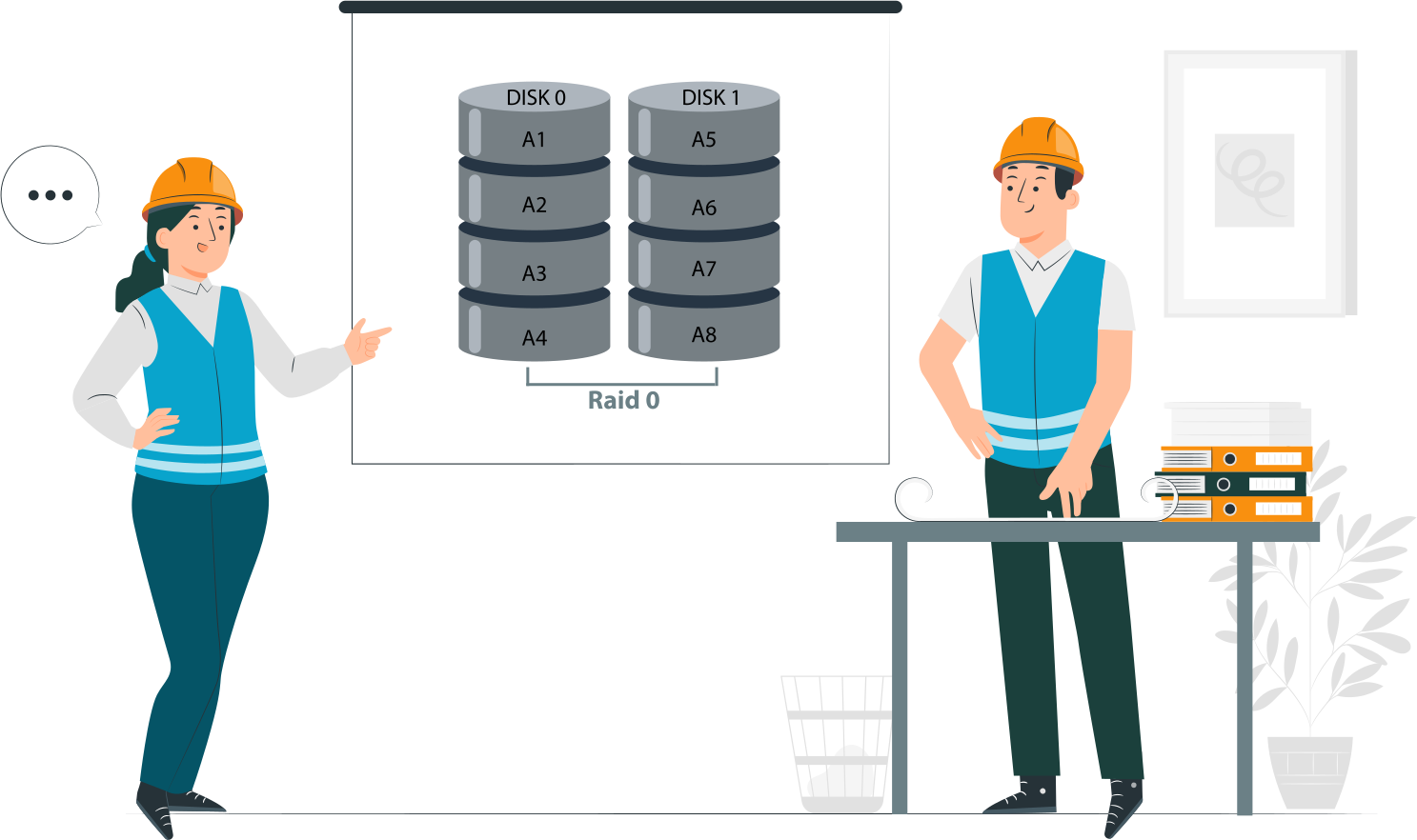
- RAID 0 offers performance, not protection. Striping boosts speed, but it provides no redundancy. A single drive failure means total data loss.
- Versioned backups change the risk profile, not the failure rate. Backups don’t make RAID 0 more reliable; they only reduce the impact of failure by giving recovery points.
- Safety depends on backup design, not on RAID itself. The effectiveness of RAID 0 in practice hinges entirely on how disciplined and well‑structured the backup strategy is. Without strict versioning and verification, RAID 0 remains unsafe.
What RAID 0 Actually Protects — and What It Never Will
What RAID 0 Does Well
- Maximum throughput. RAID 0 stripes data across all available drives, splitting files into blocks and writing them in parallel. This design removes bottlenecks and delivers the highest possible sequential read and write speeds. For workloads like video editing, large file transfers, or scratch disks, RAID 0 can outperform any single drive setup.
- Low latency. Because multiple drives are accessed simultaneously, RAID 0 reduces wait times when retrieving data. Applications that rely on fast access to large datasets—such as rendering, caching, or gaming—benefit from this responsiveness.
- Full capacity utilization. Unlike RAID levels that reserve space for parity or mirroring, RAID 0 uses 100% of the combined drive capacity. Two 2 TB drives in RAID 0 give you 4 TB of usable space, with no overhead for redundancy. This makes it attractive for users who want maximum storage efficiency alongside speed.
What RAID 0 Never Protects Against
- Single‑disk failure. RAID 0 has no redundancy. If one drive fails, the striped data is incomplete and the entire array collapses. Recovery is nearly impossible without external backups. This is the most critical weakness of RAID 0.
- Silent corruption. RAID 0 cannot detect or correct bad sectors, bit rot, or silent data corruption. If corrupted data is written to the array, it will be striped across drives and stored as‑is. Without checksums or error correction, corruption spreads unnoticed until files become unusable.
- Controller or metadata loss. RAID arrays depend on controller metadata to know how data is striped. If the RAID controller fails or metadata becomes corrupted, the array may be unreadable even if all drives are intact. Unlike RAID levels with redundancy, RAID 0 offers no fallback mechanism to rebuild or reconstruct the array.
Is RAID 0 Safe with Versioned Backup?
The Short Answer
- Safe for data you can restore. If every critical file is covered by disciplined, versioned backups, RAID 0’s lack of redundancy is less of a threat. You can recover lost or corrupted data from backup snapshots.
- Unsafe for data you cannot recreate. Any data not included in backups—or data that changes faster than your backup schedule—remains at risk. Once lost, it’s gone for good. RAID 0 does nothing to protect it.
The Long Answer: Backup Maturity Defines Acceptability
- Backup frequency. The shorter the gap between backups, the less data you risk losing when a drive fails. Hourly or continuous backups are far safer than daily or weekly schedules.
- Version depth. A mature backup system keeps multiple restore points. This protects against silent corruption or accidental overwrites, letting you roll back to a clean version even if the latest snapshot is compromised.
- Restore Time Objectives (RTO). RAID 0 failure means complete array loss. Your backup strategy must account for how quickly you can restore data to resume operations. If recovery takes days, RAID 0 may not be acceptable for production workloads.
RAID 0 Acceptable with Versioned Backup: When It Makes Sense
Valid Use Cases
- Scratch data. Temporary working files, such as those used in editing or rendering, benefit from RAID 0’s speed. If lost, they can be recreated from source material or regenerated during the workflow.
- Build artifacts. Compiled binaries or intermediate build outputs are reproducible. Losing them is inconvenient but not critical, since they can be rebuilt from source code.
- Media caches. Cached thumbnails, previews, or transcodes are expendable. RAID 0 accelerates access, and if the cache is lost, it can be rebuilt automatically.
- Temporary datasets. Large datasets used for analysis or testing often exist only for short periods. As long as the original source data is backed up elsewhere, RAID 0 provides performance without unacceptable risk.
Unacceptable Use Cases
- Primary business data. Customer records, financial documents, or operational files must never rely on RAID 0. Losing them could halt operations or cause compliance violations.
- Databases without replicas. Databases require redundancy. Running them on RAID 0 without replication or clustering risks catastrophic data loss.
- Single‑location backups. If backups exist only in one place, RAID 0 adds unnecessary fragility. A single hardware failure could wipe both the live data and the only backup copy.
RAID 0 Versioned Backup Strategy: Design Rules

Backup Frequency Requirements
- Continuous or near‑continuous snapshots. RAID 0 failures are sudden and total. To minimize data loss, backups must capture changes as they happen or at very short intervals. Continuous data protection (CDP) or hourly snapshots are the baseline for safety.
- No daily‑only backups. A once‑per‑day backup leaves too much exposure. If the array fails mid‑day, everything since the last backup is gone. RAID 0 demands tighter backup windows.
Versioning Depth
- Protection against corruption propagation. Silent corruption or accidental overwrites can creep into backups. A shallow version history means corrupted data may overwrite all restore points. Deep versioning ensures you can roll back to a clean state.
- Roll back beyond the last known good state. Mature backup systems allow recovery not just to the latest snapshot but to multiple points. This is critical when corruption or malware is discovered late.
Backup Destination Rules
- Separate physical system. Backups must not reside on the same RAID 0 array. A failure would wipe both live data and backups.
- Different controller and filesystem. Using independent hardware and a separate filesystem reduces the risk of controller bugs or metadata corruption affecting both primary and backup storage.
- Offsite or immutable storage preferred. Storing backups offsite or in immutable formats (e.g., WORM storage, cloud object locks) protects against disasters, ransomware, and accidental deletion.
RAID 0 with versioned backups vs mirrored RAID
| Criterion | RAID 0 + Versioned Backup | RAID 1 / RAID 10 |
| Performance | Maximum | High |
| Disk fault tolerance | None | Yes |
| Recovery time | Backup restore | Immediate |
| Complexity | High | Low |
| Failure impact | Total loss | Degraded mode |
Common Mistakes That Make RAID 0 Unsafe Even With Backups
Single Backup Destination
Relying on RAID 0 plus a single external drive is a recipe for delayed failure. If the external drive fails or becomes corrupted, you lose both the live array and the only backup copy. True resilience requires multiple, independent destinations—ideally offsite or cloud‑based—to avoid a single point of failure.
Non‑Versioned Backups
A backup system without versioning simply mirrors the current state of data. If corruption, malware, or accidental deletion occurs, the bad data is copied into the backup and overwrites the good copy. Without version depth, you have no way to roll back to a clean state, making RAID 0 just as unsafe as running without backups.
Untested Restores
Backups are only as good as their ability to restore. Many administrators assume backups are safe without ever testing recovery. In RAID 0 environments, this is especially dangerous: when the array fails, you must rely entirely on backups. If restore procedures are slow, incomplete, or broken, downtime becomes catastrophic. Regular restore validation is non‑negotiable.
What Happens When RAID 0 Fails Despite Backups
Typical Failure Scenarios
- Disk drop during write. If a drive disconnects or fails mid‑write, the striped data becomes incomplete. The array collapses instantly, leaving files corrupted or inaccessible.
- Power loss. Sudden outages can interrupt writes across multiple disks. Without redundancy, RAID 0 cannot recover partial writes, often resulting in corrupted file systems.
- Controller failure. RAID 0 relies entirely on controller metadata to know how data is striped. If the controller fails or its configuration is lost, the array may be unreadable even if all drives are intact.
Why Backups May Not Be Enough
- Backup gaps. Even disciplined backups leave a window of exposure. Any data created or modified after the last snapshot is lost when the array fails.
- Incomplete sync. If backups are interrupted or not fully synchronized, the restore may miss critical files. RAID 0 magnifies this risk because failure is total, not partial.
- Human error. Misconfigured backup jobs, skipped schedules, or accidental deletions can undermine the safety net. In RAID 0 environments, such mistakes typically mean permanent data loss.
RAID 0 Data Recovery Considerations
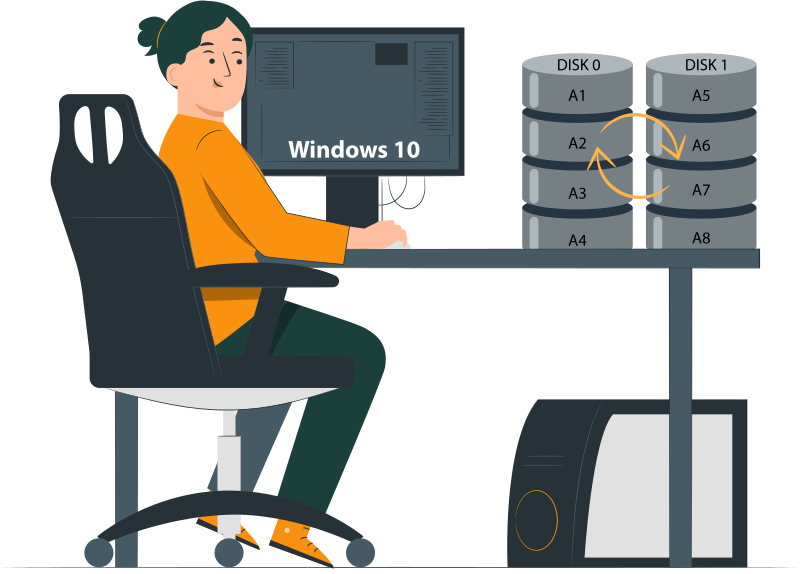
When Software Recovery Is Still Possible
- Partial stripe availability. If most drives in the array remain accessible and only one has failed, recovery software can often reconstruct missing data from the surviving stripes. The more intact the array, the higher the chance of partial recovery.
- No overwrite after failure. Recovery is only viable if the failed array has not been reformatted, rebuilt, or written to after the incident. Any overwrite destroys the original stripe layout, making reconstruction impossible.
Example: DiskInternals RAID Recovery
- Manual RAID 0 reconstruction. Tools like DiskInternals RAID Recovery allow manual rebuilding of RAID 0 arrays by re‑creating the stripe configuration. This is useful when controller metadata is lost or corrupted.
- Stripe size and disk order detection. The software can analyze drives to detect stripe size and disk order automatically, or let administrators input known parameters. Correct identification is critical to reconstructing usable data.
- Read‑only recovery workflow. Professional recovery tools operate in read‑only mode, ensuring no further damage is done to the drives. Data is reconstructed virtually, then copied out to safe storage, preserving the original disks for forensic or secondary attempts.
Ready to get your data back?
To start recovering your data, documents, databases, images, videos, and other files from your RAID 0, RAID 1, 0+1, 1+0, 1E, RAID 4, RAID 5, 50, 5EE, 5R, RAID 6, RAID 60, RAIDZ, RAIDZ2, and JBOD, press the FREE DOWNLOAD button to get the latest version of DiskInternals RAID Recovery® and begin the step-by-step recovery process. You can preview all recovered files absolutely for free. To check the current prices, please press the Get Prices button. If you need any assistance, please feel free to contact Technical Support. The team is here to help you get your data back!
Need to Verify Your RAID Setup?
Use our RAID Calculator to quickly understand your array configuration and find the best recovery approach. It’s simple, accurate, and can save you valuable time before starting data recovery.
Related articles
- RAID Array for Video Editing: How to Choose
- How to set up RAID 1 on Windows 10 and Linux
- Configuring RAID 5: Step-by-Step Guide on How to Configure RAID 5 for Performance
- How to Rebuild RAID 5 Without Losing Your Data
- RAID 1 Recovery: all you can do yourself
- RAID 5 Data Recovery Step by Step
- RAID Recovery Services
- RAID Recovery Software
- RAID 4 Data Recovery: How to Perform It⠀
- RAID 0 vs RAID 1: Performance, Redundancy & Use Cases
- RAID 5 vs RAID 10 comparison: Which one is better for you?⠀
- How to set up RAID in Windows 10 in 2025
- RAID 5 VS RAID 6 - advantages and disadvantages
- The best NAS RAID: how to choose⠀
- HDD Raid Vs SSD Raid Storage Systems - How to move⠀
- NAS vs External Hard Drive: Comprehensive Guide to Choosing the Best Data Storage Solution
- RAID-1 vs RAID-5: Performance, Cost, and Data Protection Compared
- RAID 10 vs RAID 01: Is There Any Difference?
- RAID vs JBOD: performance and cost comparison⠀
- NAS vs SAN storage - Detailed Comparison⠀
- Perform RAID 50 Data Recovery Today!
- Basic Disks vs Dynamic: What is the Difference
- What Is a Hot Spare? Peculiarities of Usage
- Differences Between Software RAID and Hardware RAID
- How to check RAID status? 4 different methods!
- RAID Array Growing: How to Perform It
- How To Create RAID Arrays with mdadm on Ubuntu (22.04)
- How About RAID 1 Reliability?
- Can RAID array have snapshots?
- RAID Array Metadata: What Is Inside?
- RAID 5: How Big Should an Array Be?
- How Does RAID 5 on Windows 10 Work?
- What is FakeRAID?
- Which RAID is Better to Use for 4 Drives
- Hyper-V Manager - what is it?⠀
- Hyper-V: Generation 1 vs Generation 2
- Hyper-V Live Migration - what is it?⠀
- Hyper-V Snapshot Merge
- About Hyper-V clusters
- Hyper-V network adapters⠀
- Back up Active Directory Guide - Step-by-step Instructions⠀
- Effective Btrfs File Recovery: Complete Guide to Btrfs Data Recovery
- Make Sure Your Data is Safe While Using Microsoft Storage
- Set Up and Use Microsoft SQL Server Management Studio
- Guide: Linux Raid and Disk Data Safety
- Btrfs vs. EXT4: A Comprehensive Comparison of File Systems in Linux (2025)
- RAID Redundancy - best performance solutions⠀
- No hard drive detected or disk controller not supported in RAID
- Issue with the RAID after the BIOS update
- Using SSD in RAID Array
- ZFS Recovery software - How to recover deleted ZFS files
- Raid Recovery Qnap⠀
- RAID recovery software for Mac⠀
- How to Recover RAID Array Configuration
- How to Rebuild RAID Without Losing Data
- How to rebuild RAID 1 without losing data
- How to Rebuild RAID 0 Without Losing Data
- Difference and Comparison - RAID 1 and RAID 2
- Difference between RAID 2 and RAID 3
- Difference between RAID 4 and RAID 5
- What is Synology Hybrid RAID (SHR). How to Recover Data from Synology Hybrid RAID
- Recover Data from RAID on Linux
- RAID Foreign Disk: Causes, Solutions, and Best Practices
- Forensic RAID Recovery
- RAID Data Recovery evaluation. What is RAID data recovery?
- What Is a RAID Controller and What Are the Benefits of It?
- Recover Data from Broken/Failed RAID Set
- How to Clone RAID 0, 1, 5 Disk
- Raid Rebuild Vs. Raid Recovery
- RAID vs. backup - differences and benefits (RAID is not a Backup)
- How to Rebuild RAID array
- What is Synology Hybrid RAID? What is the difference between SHR and RAID Drives?
- Recover Data from RAID 5 on mdadm (Linux)
- RAID Rebuild Time: What is and How to Optimize It?
- RAID Disaster Data Recovery: Techniques and Strategies for Handling Catastrophic Events
- How to Repair a Failed RAID?
- How to Set Up RAID in Windows 11: A Step-by-Step Guide
- RAID 50 vs. RAID 60 – Key Differences
- How to Set Up and Configure RAID 10: Step-by-Step Guide
- What Is RAID 6? Definition, function
- RAID 10 vs RAID 6: Which Better?
- RAID 10: How Many Disks Are Needed and How to Set It Up
- How to recover data from a corrupted RAID?
- RAID 1 with 3 Drives: Everything You Need to Know
- NTFS RAID Recovery: Comprehensive Guide to Data Retrieval
- Comprehensive Guide to RAID in Cyber Security: Levels, Recovery, and Best Practices
- What is software RAID? - Comprehensive Guide
- Understanding RAID 0: Benefits, Risks, and Applications
- RAID 3 Explained: Benefits, Limitations, and Data Recovery Guide
- How Many Drives Are Needed for RAID 5? Minimum & Maximum Explained
- Understanding RAID Striping: A Comprehensive Guide to Disk Striping and Its Variants
- ZFS vs Btrfs vs RAID: Comprehensive Storage Comparison for Performance, Reliability, and Scalability
- How to Resize RAID Partitions: Step-by-Step Guide for RAID 1, 5, 6 & 10
- RAID 1 Minimum Drive Requirement: How Many Drives Do You Need?
- Bootable RAID Recovery Software: Complete Guide for RAID 0, 1, 5, 10 Recovery
- RAID Hard Drives Explained: What Is RAID for HDDs and External Drives
- RAID 5 Rebuild Failure Probability: Risks, Factors, and Solutions in 2025
- Understanding RAID 6 Performance: A Comprehensive Guide
- Recovering Data from RAID Drives: Step-by-Step Guide to RAID Recovery
- Adaptec RAID Recovery: Restore Data from Failed Arrays with DiskInternals RAID Recovery™
- SAN RAID Data Recovery: Recover RAID Arrays with Professional SAN Recovery Solutions
- What is a RAID? RAID Systems Explained & How to Recover RAID Arrays with Professional Tools
- Top 10 RAID Recovery Services: Best Solutions for Data Recovery
- RAID Server Data Recovery: Recover and Restore RAID Arrays Fast with Professional Tools
- RAID System Recovery: Essential Steps & Best Software for Safe Data and File Restoration
- What is RAID Connectivity? Essential Guide to RAID Array Setup
- How Many Drives for RAID 6?
- How to Read RAID Drives & Recover RAID Arrays on Windows: A Guide
- Synology RAID 5 Recovery: Recover Your RAID Array with Expert Tools and Tips
- X-RAID Recovery: Expert Guide to Netgear X-RAID and ReadyNAS Data Recovery
- SCSI RAID Recovery Software: Effective Solutions for SCSI RAID Data Recovery
- RAID Data Recovery for Deleted Arrays: Recover RAID Array Safely & Effectively
- What is RAID in Linux? Learn About Software RAID & Recover RAID Arrays Easily
- Change log for RAID Recovery™
- Intel Matrix RAID Recovery: Restore RAID 0, 1, 5, 10 with Reliable Solutions
- ZFS RAID Expansion: How to Expand RAIDZ and ZFS Pools Safely
- RAID 6 Drive Failure Tolerance: How Many Drives Can Fail?
- Windows Storage Spaces vs RAID: Performance, Speed, and Data Protection Comparison
- RAID 2 Array Explained: What Is RAID Level 2, Setup, and Performance Comparison
- RAID 5 RAID 6 RAID 10 - Key Differences and Performance Comparison
- How to Fix Degraded RAID 1: Step-by-Step Guide to Restore RAID 1 Degraded Arrays
- RAID 5 vs RAID 0+1: Key Differences Explained
- Why RAID 1 Is Not a Good Substitute for a Backup
- How to Check Which RAID Is Configured: A Complete Guide for Windows and Linux
- RAID 50 vs. RAID 6 – Key Differences
- Cannot Format Old RAID Drive? Effective RAID Data Recovery Solutions
- RAID 6 with 5 Drives: Configuration, Performance, and Data Protection
- Best RAID for 6 Disks: Compare RAID 0, 5, 6, 10, 50 & 60 for Performance & Redundancy
- RAID 6 with 8 Drives: Configuration, Failures, and Performance Explained
- RAID 6 with 6 Drives: Performance, Redundancy, and Best Use Cases
- RAID 5 with 5 Drives: Configuration, Performance & Recovery | RAID 5 5 Drives Guide
- 15 Best External Hard Drives for RAID in 2026
- Dell RAID 1 Recovery: How to Recover Data from RAID 1 on Dell Servers Safely
- What Is RAID 1E? Performance RAID 10 1E vs RAID-1E Guide for Power Users
- RAID 1E vs RAID 5: Performance, Capacity and Failure Risk Compared
- RAID 1 Speeds: Read, Write & Disk Performance | Speed Up RAID 1 Guide
- XFS RAID Recovery Guide & Best XFS RAID Recovery Software
- RAID Data Recovery Cost: Affordable Solutions for RAID 0, RAID 1, RAID 5, and RAID 10 Failures
- NAS as a File Server: NAS vs. File Server Comparison for Storage and Sharing
- QNAP RAID 5 Recovery Failed? Safe Data Recovery Steps for NAS Users
- ReiserFS RAID Recovery: How to Restore Data from Failed RAID Arrays
- RAID Calculator For Geeks – Estimate Usable Space & Drive Size
- RAID 0 vs RAID 1 vs RAID 5 vs RAID 10 — Performance, Capacity & Recovery
- RAID 1 vs RAID 5 vs RAID 10 Performance Management, Speed & Capacity Guide
- ZFS Minimum Drives — How Many Disks You Need for RAIDZ1, RAIDZ2, RAIDZ3
- ZFS vs mdadm RAID — Why choose ZFS instead of RAID
- Encrypting RAID Arrays — RAID with Full Disk Encryption & Secure Setup
- Best RAID for OLTP: RAID Configuration for OLTP Workloads & Transactional Databases
- Best RAID for MySQL: RAID Configuration & RAID Setup for MySQL Databases
- Best RAID for NVMeoF: NVMe RAID Configuration & NVMe over Fabrics RAID Setup
- Fault Tolerance in NVMe-oF RAID — Rebuild Time, Data Protection & Redundancy
- RAID 0 vs Single Drive — SSD, NVMe & HDD Comparison (Performance vs Risk)
- RAID 0 vs Single Drive Reliability — Failure Risk, SSD Comparison & Recovery
- RAID 0 vs. SSD Performance: PCIe 4.0, PCIe 5.0 Speed Compared
- Does RAID 0 Increase FPS? — RAID 0 vs Single Drive FPS Guide
- RAID 5 Two-Disk Failure Recovery: Parity Recovery Beyond Tolerance
- Best RAID Controller Guide: Hardware RAID Cards Compared for Servers and SSDs
- RAID Controller for ESXi: VMware ESXi RAID Controller Recommendations
- RAID Controller for Linux: Best Linux-Compatible Hardware RAID Controllers
- SATA RAID Controller for ESXi: VMware ESXi Compatible SATA RAID Options
- RAID Calculator Online – Usable Space & Disk Size Calculator for RAID
- NAS Data Recovery Software & Tools for RAID Recovery
- Features
- RAID 0 Data Recovery
- RAID 10 Recovery
- RAID 6 Data Recovery
- RAID 0, 1, 3, 5, 10 data recovery software for Windows 10
- RAID Reconstructor on Broken RAID Arrays
- The Truth about Recovering RAID 5 with 2 Failed Disks
- SSD benefits for RAID array
- RAID 0 failure - How to Fix Failed Raid 0 Array
- Benefits of RAID arrays - what are the advantages of RAID?⠀
- RAID 3 vs RAID 5: which one would you prefer?
- What are RAID 01, RAID 1+0 and RAID 0+1⠀
- Mdadm RAID 1 not activating a spare disk Linux⠀
- What to do if RAID array doesn't reassemble after reboot
- RAID levels 0, 1, 5, 6, and 10
- Minimum disks for RAID 10⠀
- RAID Consistency Check: Ensure Data Integrity & Recover Lost Data
- Global Hot Spare vs Dedicated Hot Spare: Find the Difference
- What Are Some Common Symptoms of RAID Array Failures?⠀
- RAID status degraded - fix it⠀
- RAID 50 vs RAID 10 - What is the difference
- How to downsize hardware RAID partition and protect data
- What is RAID-Z? Its Difference Between RAID-Z2 vs RAID-Z3
- RAID 6: Replace Two Dead Drives
- Do You Need to Defragment RAID?
- How to Recover RAID partition - step by step guide⠀
- Does chunk size influence the speed of RAID?
- RAID 0, 5, 6, 10 Performance
- RAID Configuration Explained: Types, Setup, and Best Practices
- What Is RAID Redundancy? | RAID Redundancy Explained for Data Protection
- Perform Hyper-V Data Recovery Today
- How to Install Hyper-V in Your Environment in 2025
- Hyper-V Virtual Machine Replication⠀
- Difference Between Type 1 and Type 2 Hypervisor?⠀
- Hyper-V Server Core installation vs GUI - let's compare⠀
- How to Run Linux on a Hyper-V VM in 2025
- What is nutanix ahv?⠀
- What is System Center Virtual Machine Manager⠀
- What is Microsoft SQL Server and How Can You Use it Safely?
- Microsoft SQL Server Express Guide
- Use Microsoft Windows Server Safely
- What to do if you get Microsoft SQL Server error 18456?
- Microsoft Storage Spaces
- Xserve RAID data safety
- Apple RAID Card Data Recovery
- Here is Everything You Need to Know About RAID-Z Technology
- What is JBOD?
- Is it worth using RAID 5E/5EE?
- Let's compare: Synology vs QNAP
- Here is How to Backup RAID in 2025
- Synology RAID Set That Is Broken or Crashed? RAID data recovery
- Here is How to add drive to RAID 5 in 2025
- Best NAS hard drive recovery in 2026 | Top RAID network-attached storage Hard Drives
- SQL Server Database in Recovery Pending - How to fix it (2025)
- RAID Hard Disk Data Recovery Software (2025)
- Best RAID Data Recovery Software for Linux
- Difference between RAID 3 and RAID 4
- Buffalo Data Recovery
- Rapid RAID Recovery Software
- RAID Server Data Recovery
- How to Recover RAID Crash Data
- Raid Drive Array Recovery
- How to Setup Raid 0 Windows 10 (11)?
- How Many Disks Can Fail in RAID 5?
- What is RAID 5? Overview and Key Functions
- How to Remove software RAID device using mdadm
- AHCI vs. RAID: Pros, Cons & Differences
- Recover Data from RAID 1 on mdadm (Linux)
- Difference & Comparison: RAID vs. non-RAID System
- Ultimate Guide to RAID Data Recovery: Tips & Techniques
- Guide to Recovering a Failed RAID Array | Step-by-Step Recovery Process
- Open Source RAID Recovery Software Explained and Comparison
- HDD RAID vs SSD RAID and Combining Both: Everything You Need to Know
- RAID 0: How Many Drives Are Needed?
- RAID 1: How Many Drives Are Needed for Data Redundancy?
- What is RAID 1? RAID Mirroring
- Recovering RAID 5 After Controller Failure
- What is Xserve RAID? Comprehensive Guide and Overview
- Complete Guide to RAID Controller Failure and Recovery: Expert Tips
- Understanding Hardware RAID: Comprehensive Guide to RAID Levels and Benefits
- Understanding RAID 60: Architecture, Advantages, and Data Recovery
- RAID 10: How Many Drives Can Fail? | Comprehensive Guide to Failure Tolerance
- ZFS RAID Setup Guide: Configuration, Management & Expansion
- A Comprehensive Review of RAID Recovery Software: Choosing the Right Tool
- DiskInternals RAID Recovery vs EaseUS Data Recovery Wizard | Comprehensive Comparison
- Comprehensive Guide to ZFS RAID Levels, Types, and Configurations
- ZFS vs RAID: Comprehensive Comparison of Performance, Reliability, and Features
- RAID Drives Explained: Learn How RAID Storage Enhances Performance
- HP RAID Recovery Tool | How to Recover Data with DiskInternals RAID Recovery Software
- Recover Striped RAID: Professional RAID 0 Data Recovery with DiskInternals RAID Recovery™
- BTRFS Restore File: How to Undelete Files and Restore Deleted Data Easily
- Recover Data from a RAID Array: Effective Solutions for Fast and Secure Data Retrieval
- Windows 7 RAID Recovery: How to Recover Data from RAID 1, RAID 5, and RAID 10 Arrays
- What is RAID Data Recovery? | Recover RAID Arrays with RAID Recovery Software
- What is a RAID Volume? Understanding RAID Volumes and Recovery Solutions
- Best RAID Software for Mac | Top Free & Paid RAID Tools for macOS 2026
- RAID Recovery Volume: Effective RAID Array Recovery Solutions for Data Loss Prevention
- Intel RAID 0 Recovery & RAID 1 Recovery: Solutions for Data Loss & Recovery Tools
- Optimize RAID for Redundancy and Performance - Expert Guide
- RAID 0 vs RAID 5: Speed, Performance & Key Differences (2026)
- Synology RAID 1 Recovery: Recover RAID Array with Trusted Tools and Expert Solutions
- Interim Recovery RAID 5: Expert Guide to Data Recovery and RAID Array Repair
- MDADM RAID 0 Recovery: Expert Guide to Fix and Recover Your RAID Array
- RAID Level 4: What Is RAID 4, How It Works
- RAID Restorer – Recover Data from Failed RAID Arrays with Reliable Software
- ZFS RAID with Different Size Drives – Setup, Limitations, and Best Practices
- RAID 0, 1, 5, 10 Explained: Performance, Redundancy & Best RAID Configurations
- How to Recover Data from a Broken RAID 1 Set – Step-by-Step Guide
- RAID 50: Drive Failure Tolerance and Data Recovery Solutions
- RAID 5 with 3 Disks: Configuration, Benefits, and Performance Insights
- How to Create RAID 5 with 6 Disks: Complete Setup Guide and Performance Tips
- RAID 6 Double Parity Calculation Explained – Data Protection Insights
- How to Add a Disk to mdadm RAID 5: Step-by-Step Guide
- RAID 0 vs RAID 10 and RAID 10 vs RAID 0 Performance Comparison
- RAID 50 vs. RAID 5 – Performance, Speed, and Data Protection Comparison
- Configure RAID on Ubuntu – Step-by-Step Guide for RAID 0, 1, 5, and 10
- RAID 0 vs. JBOD – Key Differences, Performance, and Speed Comparison
- RAID Array Rebuild: How to Rebuild a RAID Array Safely and Recover Lost Data
- Recover Data from Old RAID Drives | Best Methods & Software for RAID Recovery
- Dell RAID 5 Recovery - Safely and Fast
- RAID 1E vs RAID 10: Performance, Capacity, Cost & Failure Risk Guide
- Ext3 RAID Recovery Guide - Data Recovery RAID Ext3
- ASUS RAID Recovery Guide - Fix Failed ASUS RAID
- ZFS Recovery Tools — Data Recovery ZFS Guide & Best Software
- RAIDZ1 vs RAID 5 — Performance, Integrity & Recovery Comparison
- ZFS Mirror vs RAIDZ — Performance, Capacity & Recovery Guide
- RAID Degraded: What to Do | Warning Fixes and Steps After a Failed Rebuild
- RAID 7 — What It Is? Origins, Risks & Recovery Options
- RAID in Cloud Storage Systems — SDS, Virtual RAID & Erasure Coding Guide
- RAID 10 with 8 Disks — Configuration, Performance, Rebuilds & Best Practices
- Is RAID 0 Worth It in 2026? Risk, Performance, SSD & NVMe Guidance
- Best Practices for RAID over NVMe-oF — Tuning, Monitoring & DR
- RAID 0 for Gaming — Is RAID 0 Good for Gaming? Performance & Risk Guide
- RAID 0 for 4K Editing — Is RAID 0 Good for 4K Video Editing?
- RAID 0 for Large File Workloads: Scratch Disks, NVMe, When It Makes Sense
- Is RAID 0 Obsolete? RAID 0 with SSD and NVMe — Still Worth It?
- RAID 0 Redundancy vs No Redundancy — Does RAID 0 Have Redundancy?
- RAID 5 Interrupted Rebuild Recovery: Fix Stopped or Aborted Rebuilds
- RAID 0 Failure Probability with N Disks Explained
- RAID 1 Corrupted Mirror Recovery: How to Recover a Damaged RAID 1 Mirror
- When RAID 0 Is Acceptable: Use Cases, Risks, and When You Should Use RAID 0
- RAID Best Practices for VMware: Best RAID Configuration for VMware ESXi
- RAID 10 Best for VMware: Why RAID 10 Is the Recommended RAID for ESXi
- Best PCIe RAID Controller: Top Hardware PCI Express RAID Cards Compared
- SAS RAID Controller for VMware ESXi: Best Hardware RAID Options
- Best FREE RAID Data Recovery Software (2026)
- DiskInternals RAID Recovery vs ReclaiMe: Comprehensive RAID Recovery Solutions Compared