
Configuring RAID 5 – How to Set Up RAID 5 for Performance and Redundancy
To configure RAID 5, select at least three eligible drives and use either a hardware controller or a software RAID implementation. This guide covers creating the array on supported Windows and Linux systems, checking its health, and replacing a failed member. With equal-sized disks, usable capacity is approximately (N-1) times one drive's capacity. RAID 5 tolerates one failed member while the remaining data and parity stay readable; it does not replace a backup.
What Is RAID 5 and Why Use It?

Understanding RAID 5 – Benefits and Drawbacks
RAID 5 is a commonly used RAID level because it combines data striping with distributed parity, balancing performance, storage capacity, and data protection. When you configure RAID 5, data blocks are written across all member drives, and parity, which is error-correcting information calculated from the data, is also distributed across the array. Because parity is spread across every disk rather than stored on a dedicated disk, the array can survive the failure of any single drive: the controller or operating system reconstructs missing blocks from the remaining data and parity. For more background on the hardware involved, see What is a RAID hard drive?
The main benefits of RAID 5 are fast read performance, fault tolerance, and efficient capacity use. Because data is striped across multiple disks, the array can serve read requests in parallel, which makes RAID 5 well suited to file-serving and NAS workloads. If one drive fails, the array can continue operating in a degraded state while the remaining data and parity stay readable, giving you time to replace the member. Capacity efficiency is another advantage: with N equal-sized drives, you get N-1 drives of usable space, which is more economical than mirroring.
RAID 5 also has drawbacks to consider before committing. Small updates often require read-modify-write parity operations, although full-stripe writes and caching can avoid some reads. This parity work can reduce write performance. Rebuilds after drive replacement can be slow because they require substantial reads from surviving members, and the array has no redundancy during that period. A second member failure exceeds RAID 5's redundancy. An unrecoverable read error can prevent recovery of the affected stripe and may interrupt the rebuild. For arrays built from large-capacity disks, many administrators now prefer RAID 6.
Compared with other RAID levels, RAID 5 can be a suitable choice when you need a balance of performance, redundancy, and cost per terabyte. It is not the best fit for write-intensive environments such as databases or heavily virtualized hosts, where parity overhead can become a bottleneck. RAID 10 may suit write-heavy workloads, while RAID 6 tolerates two failed members but also incurs parity work.
Ideal Use Cases for RAID 5
RAID 5 suits workloads where balanced read performance and data redundancy matter more than raw write speed. It is commonly used for business file servers, network-attached storage (NAS), media libraries, backup targets, and general-purpose workstations that mostly read data. In these scenarios, the array provides quick access to large volumes of data while protecting against a single drive failure.
RAID 5 is a poor match for write-intensive workloads because parity updates can add latency to small writes. Consider RAID 10 for write-heavy workloads and RAID 6 when additional drive-failure tolerance matters, then test the selected layout. When planning a RAID 5 array for your environment, start with the workload: measure the read/write ratio, then select the RAID level and number of drives that match it.
Tip: RAID 5 vs RAID 0Prerequisites for Configuring RAID 5

Hardware and Software Requirements
To configure RAID 5, you need at least three drives, ideally with the same model and capacity. Mixed sizes work, but each member is limited to the capacity of the smallest disk, wasting the difference. You must also choose between a hardware RAID controller and a software RAID implementation. A hardware controller has its own processor and cache, offloads parity calculations from the CPU, and typically supports hot-swappable drives and battery- or flash-backed cache. Software RAID uses the CPU and system memory, adds no extra cost, and is easier to move between machines. Match the choice to your performance needs and budget, and read more about what is a RAID controller before you buy.
Operating system support matters as well. Windows Server can create RAID 5 volumes natively in Disk Management, while client editions of Windows 10 and 11 require Storage Spaces with parity resiliency. Linux provides the mature mdadm layer in every mainstream distribution. macOS Disk Utility does not support RAID 5 creation, so Mac users typically need a hardware controller or third-party software such as SoftRAID. Confirm platform support before purchasing hardware.
Key Considerations Before Setup
Back up existing data before doing anything else. Creating, initializing, or formatting an array can overwrite existing data and make it inaccessible, so a verified backup is essential. RAID 5 protects against a drive failure, not setup mistakes.
Understand the performance and redundancy trade-off you are accepting. RAID 5 provides one drive's worth of fault tolerance and N-1 drives of capacity, but every write incurs a parity penalty. If your workload is write-heavy, or you plan to use very large disks with rebuilds that take days, RAID 6's double parity is often the safer engineering choice.
Be aware of the RAID 5 write hole. If power is lost or the system crashes during a write, the data and parity on disk can fall out of sync and silently corrupt affected stripes. Hardware controllers address this with battery-backed or flash-backed cache. On Linux, mdadm can address it with partial parity logging (PPL), while write-intent bitmaps at least speed up resynchronization after a crash. Pair either approach with a UPS for the best protection.
Configuring RAID 5 – Step-by-Step Guide
Configuring RAID 5 Using a Hardware RAID Controller
- Accessing the RAID BIOS/UEFI: Boot the machine and press the controller's hot key during POST to open its configuration utility, such as 'Ctrl+R' on Dell PERC controllers or 'Ctrl+I' on Intel RST. Use the controller or motherboard manual to identify the correct interface. Changing an installed system's SATA mode can prevent booting, so verify the supported procedure before making the change.
- Selecting RAID 5 and Choosing Drives: In the controller menu, select the option to create a new array, often called 'Create Virtual Drive' or 'Array Configuration'. Set the RAID level to 5 and select the member disks. Use drives with the same model and firmware where possible, and double-check slot and serial numbers so you do not include a disk that still contains data.
- Setting Stripe Size and Initializing the Array: Select the stripe or chunk size based on the controller's guidance and workload measurements; no single size is safe for every array. Start array creation and allow the controller's required initialization and background parity initialization to finish. Confirm that the virtual drive reports as optimal before using the array for production data.
- Verifying RAID Status: After initialization, check the array state in the controller utility. It should read 'Optimal' or 'OK' with all members present. Verify that the virtual drive's capacity equals N-1 drives, enable email or SNMP alerts if the controller supports them, and only then install an operating system or copy data to the array.
Configuring RAID 5 in Windows (Software RAID)
- Using Windows Disk Management: Press Win+R, type diskmgmt.msc, and press Enter, or right-click 'This PC' -> 'Manage' -> 'Disk Management'. The 'New RAID-5 Volume' wizard is available in Windows Server editions; on Windows 10/11 client editions, use Storage Spaces with parity resiliency instead. Both approaches require at least three eligible disks.
- Creating a RAID 5 Volume: Right-click 'Unallocated space' on a dynamic disk and select 'New RAID-5 Volume'. Follow the wizard to select additional disks, set the volume size, and assign a drive letter or mount point. In Storage Spaces, create a storage pool from three or more disks, then create a storage space with 'Parity' resiliency for equivalent protection.
- Formatting and Assigning a Drive Letter: Format the new volume with your preferred file system. NTFS is the standard choice on Windows. Assign it a drive letter, then confirm that File Explorer reports the expected usable capacity before moving data to it.
Configuring RAID 5 in Linux (mdadm)
- Installing mdadm: Install the mdadm utility with your distribution's package manager, e.g. sudo apt-get install mdadm on Debian-based systems or sudo dnf install mdadm on Fedora/RHEL. Then run lsblk to identify the exact device names of the disks you plan to use, and confirm once more that none of them holds data you need.
- Creating a RAID 5 Array: Create the array with a single mdadm command that specifies the level, chunk size, and member devices, e.g. sudo mdadm --create --verbose /dev/md0 --level=5 --chunk=256 --raid-devices=3 /dev/sda /dev/sdb /dev/sdc. Adjust the device names to match your system, never paste example device names into a production host, and use cat /proc/mdstat to monitor initial synchronization.
- Mounting and Verifying the RAID Volume: Format the array with a suitable file system, e.g. sudo mkfs.ext4 /dev/md0, mount it at a directory such as /mnt/raid5, and add a UUID-based entry to /etc/fstab so it mounts at boot. On Debian-based systems, save the array definition with sudo mdadm --detail --scan | sudo tee -a /etc/mdadm/mdadm.conf, then run sudo update-initramfs -u. On other distributions, use the documented mdadm configuration path and initramfs procedure. Verify the setup with mdadm --detail /dev/md0 and a controlled reboot.
Monitoring and Managing RAID 5
Checking RAID 5 Health and Performance
Using SMART Diagnostics: Self-Monitoring, Analysis, and Reporting Technology (SMART) can flag some drive problems, but it cannot reliably predict every failure. Monitor attributes such as reallocated and pending sectors along with array status and system logs. On Linux, smartmontools exposes this data (smartctl -a /dev/sda); on Windows, use the controller's utility or dedicated software to read SMART data from each member disk.
Monitoring Tools for Windows and Linux: On Windows, Disk Management shows basic volume status, while CrystalDiskInfo and HD Sentinel report per-disk health, temperatures, and SMART warnings. On Linux, mdadm --detail /dev/md0 and cat /proc/mdstat show array state and sync progress. Applications such as GSmartControl or Nagios can be configured for continuous health checks and notifications. Whatever stack you use, ensure alerts reach a responsible person; an unmonitored degraded array can lead to data loss.
Replacing a Failed Drive in RAID 5
Identifying the Failed Drive: When a member fails, the RAID management interface, system logs, or chassis LED will identify it. Identify the drive by serial number or bay number rather than guesswork, and check the health of the surviving members before proceeding. Replacing a disk when a second member is already marginal can result in array loss.
Replacing and Rebuilding the Array: If the drive bay, controller, firmware, and operating system support hot-swapping and the manufacturer's replacement procedure permits it, remove the failed drive and insert the replacement while the system is running. Otherwise, shut down cleanly first. A controller may start rebuilding automatically after an eligible replacement is inserted. For mdadm, prepare the replacement as required by the original layout and add it explicitly (e.g. sudo mdadm /dev/md0 --add /dev/sdd). Verify the device name before running the command. The rebuild regenerates lost data from parity and can take many hours on large arrays. During that time, performance drops and the array has no redundancy, so keep the workload light and monitor progress until the array returns to a clean state.
Note: RAID server disaster data recoveryRAID 5 Data Recovery – What to Do If Disaster Strikes
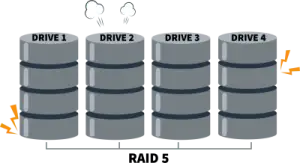
Can You Recover Data from a Failed RAID 5?
RAID 5's redundancy protects against a single drive failure, but the risk rises sharply when more than one member is lost. After one failure, recovery is usually straightforward: replace the drive and let the array rebuild from parity. With two unavailable members, RAID 5 cannot reconstruct all missing data from parity alone. Recovery depends on readable portions of the failed members or an independent backup; software cannot recreate blocks missing from every available source.
Common complications include parity corruption, mistakes during manual recovery attempts, and additional drives failing during a rebuild. Because every write to a damaged array can overwrite recoverable data, stop writing to it and use images or read-only recovery tools. Regular, tested backups remain the only complete safety net.
RAID 5 Recovery with DiskInternals RAID Recovery™
Step-by-Step Recovery Process Using DiskInternals RAID Recovery™: DiskInternals RAID Recovery™ is a specialized tool designed to facilitate the recovery of data from compromised RAID 5 arrays. Here's a simplified step-by-step approach to using the software:
- 1. Install and Open DiskInternals RAID Recovery™: Begin by installing the software on a separate, healthy computer to avoid overwriting any potentially recoverable data on your RAID 5 array.
- 2. Select Your RAID Disks: Launch the program and allow it to detect the available RAID disks. Manually add or confirm the disks that constituted your RAID 5 array.
- 3. Analyze the RAID Configuration: The software provides an option to automatically or manually reconstruct the RAID configuration. Verify the detected parameters to ensure accuracy.
- 4. Scan for Recoverable Data: Initiate a scan to locate lost or corrupted files. This step may take time depending on the size of the array and the extent of the damage.
- 5. Preview and Recover Files: Once the scan completes, preview the recoverable files to verify their integrity. Select and recover important files, saving them to a secure location separate from the original RAID disks.
Ready to get your data back?
To rebuild RAID array without losing data, press the FREE DOWNLOAD button to get the latest version of DiskInternals RAID Recovery® and begin the step-by-step recovery process. You can preview all recovered files absolutely for free. To check the current prices, please press the Get Prices button. If you need any assistance, please feel free to contact Technical Support. The team is here to help you to recover data from a RAID drive!
RAID 5 Configuration – Summary and Best Practices
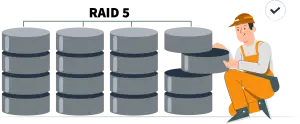
Knowing how to configure RAID 5 is only half the job; the other half is operating the array so it can withstand real-world failures. The configuration balances performance, redundancy, and cost-effectiveness, and these practices help maintain that balance throughout the array's lifetime:
- Ensure Proper Backups Before Setup: Always create and verify a comprehensive backup before configuring or changing your RAID 5 array. RAID 5 is not a backup; it does not protect against deletion, corruption, ransomware, or a double failure. Keep an independent copy on separate media and test that you can restore it.
- Use High-Quality Hardware or Reliable Software RAID Solutions: Use a reputable hardware controller with battery- or flash-backed cache, or a proven software stack such as mdadm or Storage Spaces. Use matched, ideally enterprise-grade drives, and keep controller and drive firmware current to avoid known bugs during rebuilds.
- Monitor RAID Health Regularly to Avoid Unexpected Failures: Use SMART diagnostics and monitoring tools to check member health, array status, and rebuild progress on a schedule, and configure alerts that reach a responsible person. Detecting a degraded array early can mean the difference between a routine drive swap and an emergency recovery.
- Have a Recovery Plan in Place: Document, before you need it, how to identify a failed member, where replacement drives come from, how to start the rebuild, and which recovery software to use if the array is lost. A rehearsed plan helps turn a potential disaster into a controlled procedure and minimizes downtime.
FAQ
-
Depending on your Intel Desktop Board model, enable RAID by following either of the steps below:
- Press F2 after the Power-On-Self-Test (POST) memory test begins.
- Select the Configuration menu, then the SATA Drives menu.
- Set the RAID Mode to RAID.
- Press F10 to save the BIOS settings and exit the BIOS Setup program.
These menu names apply only to the stated Intel Desktop Board models; follow the manual for your motherboard or controller. Back up data first. Changing the storage-controller mode can prevent an existing Windows installation from booting. Enabling RAID mode alone does not create an array: select eligible member drives in the controller utility and verify the proposed RAID 5 configuration before confirming any operation that initializes disks.
-
In a RAID 5 array, the overhead associated with storing this parity information is the equivalent to one full disk. If, for example, a RAID 5 array contains three 1 TB hard disks, then the array's usable capacity will be 2 TB, not 3 TB.
-
A standard RAID 5 array requires at least three member disks for its striped-data and distributed-parity layout. The reason is the layout, not an inability to calculate parity from one data block. With only two disks, one data block and its parity would duplicate the same information, which is equivalent to mirroring rather than the usual RAID 5 layout.
Related articles
- RAID Array for Video Editing: How to Choose
- How to set up RAID 1 on Windows 10 and Linux
- How to Rebuild RAID 5 Without Losing Your Data
- RAID 1 Recovery: all you can do yourself
- RAID 5 Data Recovery Step by Step
- RAID Recovery Services
- RAID Recovery Software
- RAID 4 Data Recovery: How to Perform It⠀
- RAID 0 vs RAID 1: Performance, Redundancy & Use Cases
- RAID 5 vs RAID 10 comparison: Which one is better for you?⠀
- How to set up RAID in Windows 10 in 2025
- RAID 5 VS RAID 6 - advantages and disadvantages
- The best NAS RAID: how to choose⠀
- HDD Raid Vs SSD Raid Storage Systems - How to move⠀
- NAS vs External Hard Drive: Comprehensive Guide to Choosing the Best Data Storage Solution
- RAID-1 vs RAID-5: Performance, Cost, and Data Protection Compared
- RAID 10 vs RAID 01: Is There Any Difference?
- RAID vs JBOD: performance and cost comparison⠀
- NAS vs SAN storage - Detailed Comparison⠀
- Perform RAID 50 Data Recovery Today!
- Basic Disks vs Dynamic: What is the Difference
- What Is a Hot Spare? Peculiarities of Usage
- Differences Between Software RAID and Hardware RAID
- How to check RAID status? 4 different methods!
- RAID Array Growing: How to Perform It
- How To Create RAID Arrays with mdadm on Ubuntu (22.04)
- How About RAID 1 Reliability?
- Can RAID array have snapshots?
- RAID Array Metadata: What Is Inside?
- RAID 5: How Big Should an Array Be?
- How Does RAID 5 on Windows 10 Work?
- What is FakeRAID?
- Which RAID is Better to Use for 4 Drives
- Hyper-V Manager - what is it?⠀
- Hyper-V: Generation 1 vs Generation 2
- Hyper-V Live Migration - what is it?⠀
- Hyper-V Snapshot Merge
- About Hyper-V clusters
- Hyper-V network adapters⠀
- Back up Active Directory Guide - Step-by-step Instructions⠀
- Effective Btrfs File Recovery: Complete Guide to Btrfs Data Recovery
- Make Sure Your Data is Safe While Using Microsoft Storage
- Set Up and Use Microsoft SQL Server Management Studio
- Guide: Linux Raid and Disk Data Safety
- Btrfs vs. EXT4: A Comprehensive Comparison of File Systems in Linux (2025)
- RAID Redundancy - best performance solutions⠀
- No hard drive detected or disk controller not supported in RAID
- Issue with the RAID after the BIOS update
- Using SSD in RAID Array
- ZFS Recovery software - How to recover deleted ZFS files
- Raid Recovery Qnap⠀
- RAID recovery software for Mac⠀
- How to Recover RAID Array Configuration
- How to Rebuild RAID Without Losing Data
- How to rebuild RAID 1 without losing data
- How to Rebuild RAID 0 Without Losing Data
- Difference and Comparison - RAID 1 and RAID 2
- Difference between RAID 2 and RAID 3
- Difference between RAID 4 and RAID 5
- What is Synology Hybrid RAID (SHR). How to Recover Data from Synology Hybrid RAID
- Recover Data from RAID on Linux
- RAID Foreign Disk: Causes, Solutions, and Best Practices
- Forensic RAID Recovery
- RAID Data Recovery evaluation. What is RAID data recovery?
- What Is a RAID Controller and What Are the Benefits of It?
- Recover Data from Broken/Failed RAID Set
- How to Clone RAID 0, 1, 5 Disk
- Raid Rebuild Vs. Raid Recovery
- RAID vs. backup - differences and benefits (RAID is not a Backup)
- How to Rebuild RAID array
- What is Synology Hybrid RAID? What is the difference between SHR and RAID Drives?
- Recover Data from RAID 5 on mdadm (Linux)
- RAID Rebuild Time: What is and How to Optimize It?
- RAID Disaster Data Recovery: Techniques and Strategies for Handling Catastrophic Events
- How to Repair a Failed RAID?
- How to Set Up RAID in Windows 11: A Step-by-Step Guide
- RAID 50 vs. RAID 60 – Key Differences
- How to Set Up and Configure RAID 10: Step-by-Step Guide
- What Is RAID 6? Definition, function
- RAID 10 vs RAID 6: Which Better?
- RAID 10: How Many Disks Are Needed and How to Set It Up
- How to recover data from a corrupted RAID?
- RAID 1 with 3 Drives: Everything You Need to Know
- NTFS RAID Recovery: Comprehensive Guide to Data Retrieval
- Comprehensive Guide to RAID in Cyber Security: Levels, Recovery, and Best Practices
- What is software RAID? - Comprehensive Guide
- Understanding RAID 0: Benefits, Risks, and Applications
- RAID 3 Explained: Benefits, Limitations, and Data Recovery Guide
- How Many Drives Are Needed for RAID 5? Minimum & Maximum Explained
- Understanding RAID Striping: A Comprehensive Guide to Disk Striping and Its Variants
- ZFS vs Btrfs vs RAID: Comprehensive Storage Comparison for Performance, Reliability, and Scalability
- How to Resize RAID Partitions: Step-by-Step Guide for RAID 1, 5, 6 & 10
- RAID 1 Minimum Drive Requirement: How Many Drives Do You Need?
- Bootable RAID Recovery Software: Complete Guide for RAID 0, 1, 5, 10 Recovery
- RAID Hard Drives Explained: What Is RAID for HDDs and External Drives
- RAID 5 Rebuild Failure Probability: Risks, Factors, and Solutions in 2025
- Understanding RAID 6 Performance: A Comprehensive Guide
- Recovering Data from RAID Drives: Step-by-Step Guide to RAID Recovery
- Adaptec RAID Recovery: Restore Data from Failed Arrays with DiskInternals RAID Recovery™
- SAN RAID Data Recovery: Recover RAID Arrays with Professional SAN Recovery Solutions
- What is a RAID? RAID Systems Explained & How to Recover RAID Arrays with Professional Tools
- Top 10 RAID Recovery Services: Best Solutions for Data Recovery
- RAID Server Data Recovery: Recover and Restore RAID Arrays Fast with Professional Tools
- RAID System Recovery: Essential Steps & Best Software for Safe Data and File Restoration
- What is RAID Connectivity? Essential Guide to RAID Array Setup
- How Many Drives for RAID 6?
- How to Read RAID Drives & Recover RAID Arrays on Windows: A Guide
- Synology RAID 5 Recovery: Recover Your RAID Array with Expert Tools and Tips
- X-RAID Recovery: Expert Guide to Netgear X-RAID and ReadyNAS Data Recovery
- SCSI RAID Recovery Software: Effective Solutions for SCSI RAID Data Recovery
- RAID Data Recovery for Deleted Arrays: Recover RAID Array Safely & Effectively
- What is RAID in Linux? Learn About Software RAID & Recover RAID Arrays Easily
- Change log for RAID Recovery™
- Intel Matrix RAID Recovery: Restore RAID 0, 1, 5, 10 with Reliable Solutions
- ZFS RAID Expansion: How to Expand RAIDZ and ZFS Pools Safely
- RAID 6 Drive Failure Tolerance: How Many Drives Can Fail?
- Windows Storage Spaces vs RAID: Performance, Speed, and Data Protection Comparison
- RAID 2 Array Explained: What Is RAID Level 2, Setup, and Performance Comparison
- RAID 5 RAID 6 RAID 10 - Key Differences and Performance Comparison
- How to Fix Degraded RAID 1: Step-by-Step Guide to Restore RAID 1 Degraded Arrays
- RAID 5 vs RAID 0+1: Key Differences Explained
- Why RAID 1 Is Not a Good Substitute for a Backup
- How to Check Which RAID Is Configured: A Complete Guide for Windows and Linux
- RAID 50 vs. RAID 6 – Key Differences
- Cannot Format Old RAID Drive? Effective RAID Data Recovery Solutions
- RAID 6 with 5 Drives: Configuration, Performance, and Data Protection
- Best RAID for 6 Disks: Compare RAID 0, 5, 6, 10, 50 & 60 for Performance & Redundancy
- RAID 6 with 8 Drives: Configuration, Failures, and Performance Explained
- RAID 6 with 6 Drives: Performance, Redundancy, and Best Use Cases
- RAID 5 with 5 Drives: Configuration, Performance & Recovery | RAID 5 5 Drives Guide
- 15 Best External Hard Drives for RAID in 2026
- Dell RAID 1 Recovery: How to Recover Data from RAID 1 on Dell Servers Safely
- What Is RAID 1E? Performance RAID 10 1E vs RAID-1E Guide for Power Users
- RAID 1E vs RAID 5: Performance, Capacity and Failure Risk Compared
- RAID 1 Speeds: Read, Write & Disk Performance | Speed Up RAID 1 Guide
- XFS RAID Recovery Guide & Best XFS RAID Recovery Software
- RAID Data Recovery Cost: Affordable Solutions for RAID 0, RAID 1, RAID 5, and RAID 10 Failures
- NAS as a File Server: NAS vs. File Server Comparison for Storage and Sharing
- QNAP RAID 5 Recovery Failed? Safe Data Recovery Steps for NAS Users
- ReiserFS RAID Recovery: How to Restore Data from Failed RAID Arrays
- RAID Calculator For Geeks – Estimate Usable Space & Drive Size
- RAID 0 vs RAID 1 vs RAID 5 vs RAID 10 — Performance, Capacity & Recovery
- RAID 1 vs RAID 5 vs RAID 10 Performance Management, Speed & Capacity Guide
- ZFS Minimum Drives — How Many Disks You Need for RAIDZ1, RAIDZ2, RAIDZ3
- ZFS vs mdadm RAID — Why choose ZFS instead of RAID
- Encrypting RAID Arrays — RAID with Full Disk Encryption & Secure Setup
- Best RAID for OLTP: RAID Configuration for OLTP Workloads & Transactional Databases
- Best RAID for MySQL: RAID Configuration & RAID Setup for MySQL Databases
- Best RAID for NVMeoF: NVMe RAID Configuration & NVMe over Fabrics RAID Setup
- Fault Tolerance in NVMe-oF RAID — Rebuild Time, Data Protection & Redundancy
- RAID 0 vs Single Drive — SSD, NVMe & HDD Comparison (Performance vs Risk)
- RAID 0 vs Single Drive Reliability — Failure Risk, SSD Comparison & Recovery
- RAID 0 vs. SSD Performance: PCIe 4.0, PCIe 5.0 Speed Compared
- Does RAID 0 Increase FPS? — RAID 0 vs Single Drive FPS Guide
- RAID 5 Two-Disk Failure Recovery: Parity Recovery Beyond Tolerance
- Best RAID Controller Guide: Hardware RAID Cards Compared for Servers and SSDs
- RAID Controller for ESXi: VMware ESXi RAID Controller Recommendations
- RAID Controller for Linux: Best Linux-Compatible Hardware RAID Controllers
- SATA RAID Controller for ESXi: VMware ESXi Compatible SATA RAID Options
- RAID Calculator Online – Usable Space & Disk Size Calculator for RAID
- NAS Data Recovery Software & Tools for RAID Recovery
- Features
- RAID 0 Data Recovery
- RAID 10 Recovery
- RAID 6 Data Recovery
- RAID 0, 1, 3, 5, 10 data recovery software for Windows 10
- RAID Reconstructor on Broken RAID Arrays
- The Truth about Recovering RAID 5 with 2 Failed Disks
- SSD benefits for RAID array
- RAID 0 failure - How to Fix Failed Raid 0 Array
- Benefits of RAID arrays - what are the advantages of RAID?⠀
- RAID 3 vs RAID 5: which one would you prefer?
- What are RAID 01, RAID 1+0 and RAID 0+1⠀
- Mdadm RAID 1 not activating a spare disk Linux⠀
- What to do if RAID array doesn't reassemble after reboot
- RAID levels 0, 1, 5, 6, and 10
- Minimum disks for RAID 10⠀
- RAID Consistency Check: Ensure Data Integrity & Recover Lost Data
- Global Hot Spare vs Dedicated Hot Spare: Find the Difference
- What Are Some Common Symptoms of RAID Array Failures?⠀
- RAID status degraded - fix it⠀
- RAID 50 vs RAID 10 - What is the difference
- How to downsize hardware RAID partition and protect data
- What is RAID-Z? Its Difference Between RAID-Z2 vs RAID-Z3
- RAID 6: Replace Two Dead Drives
- Do You Need to Defragment RAID?
- How to Recover RAID partition - step by step guide⠀
- Does chunk size influence the speed of RAID?
- RAID 0, 5, 6, 10 Performance
- RAID Configuration Explained: Types, Setup, and Best Practices
- What Is RAID Redundancy? | RAID Redundancy Explained for Data Protection
- Perform Hyper-V Data Recovery Today
- How to Install Hyper-V in Your Environment in 2025
- Hyper-V Virtual Machine Replication⠀
- Difference Between Type 1 and Type 2 Hypervisor?⠀
- Hyper-V Server Core installation vs GUI - let's compare⠀
- How to Run Linux on a Hyper-V VM in 2025
- What is nutanix ahv?⠀
- What is System Center Virtual Machine Manager⠀
- What is Microsoft SQL Server and How Can You Use it Safely?
- Microsoft SQL Server Express Guide
- Use Microsoft Windows Server Safely
- What to do if you get Microsoft SQL Server error 18456?
- Microsoft Storage Spaces
- Xserve RAID data safety
- Apple RAID Card Data Recovery
- Here is Everything You Need to Know About RAID-Z Technology
- What is JBOD?
- Is it worth using RAID 5E/5EE?
- Let's compare: Synology vs QNAP
- Here is How to Backup RAID in 2025
- Synology RAID Set That Is Broken or Crashed? RAID data recovery
- Here is How to add drive to RAID 5 in 2025
- Best NAS hard drive recovery in 2026 | Top RAID network-attached storage Hard Drives
- SQL Server Database in Recovery Pending - How to fix it (2025)
- RAID Hard Disk Data Recovery Software (2025)
- Best RAID Data Recovery Software for Linux
- Difference between RAID 3 and RAID 4
- Buffalo Data Recovery
- Rapid RAID Recovery Software
- RAID Server Data Recovery
- How to Recover RAID Crash Data
- Raid Drive Array Recovery
- How to Setup Raid 0 Windows 10 (11)?
- How Many Disks Can Fail in RAID 5?
- What is RAID 5? Overview and Key Functions
- How to Remove software RAID device using mdadm
- AHCI vs. RAID: Pros, Cons & Differences
- Recover Data from RAID 1 on mdadm (Linux)
- Difference & Comparison: RAID vs. non-RAID System
- Ultimate Guide to RAID Data Recovery: Tips & Techniques
- Guide to Recovering a Failed RAID Array | Step-by-Step Recovery Process
- Open Source RAID Recovery Software Explained and Comparison
- HDD RAID vs SSD RAID and Combining Both: Everything You Need to Know
- RAID 0: How Many Drives Are Needed?
- RAID 1: How Many Drives Are Needed for Data Redundancy?
- What is RAID 1? RAID Mirroring
- Recovering RAID 5 After Controller Failure
- What is Xserve RAID? Comprehensive Guide and Overview
- Complete Guide to RAID Controller Failure and Recovery: Expert Tips
- Understanding Hardware RAID: Comprehensive Guide to RAID Levels and Benefits
- Understanding RAID 60: Architecture, Advantages, and Data Recovery
- RAID 10: How Many Drives Can Fail? | Comprehensive Guide to Failure Tolerance
- ZFS RAID Setup Guide: Configuration, Management & Expansion
- A Comprehensive Review of RAID Recovery Software: Choosing the Right Tool
- DiskInternals RAID Recovery vs EaseUS Data Recovery Wizard | Comprehensive Comparison
- Comprehensive Guide to ZFS RAID Levels, Types, and Configurations
- ZFS vs RAID: Comprehensive Comparison of Performance, Reliability, and Features
- RAID Drives Explained: Learn How RAID Storage Enhances Performance
- HP RAID Recovery Tool | How to Recover Data with DiskInternals RAID Recovery Software
- Recover Striped RAID: Professional RAID 0 Data Recovery with DiskInternals RAID Recovery™
- BTRFS Restore File: How to Undelete Files and Restore Deleted Data Easily
- Recover Data from a RAID Array: Effective Solutions for Fast and Secure Data Retrieval
- Windows 7 RAID Recovery: How to Recover Data from RAID 1, RAID 5, and RAID 10 Arrays
- What is RAID Data Recovery? | Recover RAID Arrays with RAID Recovery Software
- What is a RAID Volume? Understanding RAID Volumes and Recovery Solutions
- Best RAID Software for Mac | Top Free & Paid RAID Tools for macOS 2026
- RAID Recovery Volume: Effective RAID Array Recovery Solutions for Data Loss Prevention
- Intel RAID 0 Recovery & RAID 1 Recovery: Solutions for Data Loss & Recovery Tools
- Optimize RAID for Redundancy and Performance - Expert Guide
- RAID 0 vs RAID 5: Speed, Performance & Key Differences (2026)
- Synology RAID 1 Recovery: Recover RAID Array with Trusted Tools and Expert Solutions
- Interim Recovery RAID 5: Expert Guide to Data Recovery and RAID Array Repair
- MDADM RAID 0 Recovery: Expert Guide to Fix and Recover Your RAID Array
- RAID Level 4: What Is RAID 4, How It Works
- RAID Restorer – Recover Data from Failed RAID Arrays with Reliable Software
- ZFS RAID with Different Size Drives – Setup, Limitations, and Best Practices
- RAID 0, 1, 5, 10 Explained: Performance, Redundancy & Best RAID Configurations
- How to Recover Data from a Broken RAID 1 Set – Step-by-Step Guide
- RAID 50: Drive Failure Tolerance and Data Recovery Solutions
- RAID 5 with 3 Disks: Configuration, Benefits, and Performance Insights
- How to Create RAID 5 with 6 Disks: Complete Setup Guide and Performance Tips
- RAID 6 Double Parity Calculation Explained – Data Protection Insights
- How to Add a Disk to mdadm RAID 5: Step-by-Step Guide
- RAID 0 vs RAID 10 and RAID 10 vs RAID 0 Performance Comparison
- RAID 50 vs. RAID 5 – Performance, Speed, and Data Protection Comparison
- Configure RAID on Ubuntu – Step-by-Step Guide for RAID 0, 1, 5, and 10
- RAID 0 vs. JBOD – Key Differences, Performance, and Speed Comparison
- RAID Array Rebuild: How to Rebuild a RAID Array Safely and Recover Lost Data
- Recover Data from Old RAID Drives | Best Methods & Software for RAID Recovery
- Dell RAID 5 Recovery - Safely and Fast
- RAID 1E vs RAID 10: Performance, Capacity, Cost & Failure Risk Guide
- Ext3 RAID Recovery Guide - Data Recovery RAID Ext3
- ASUS RAID Recovery Guide - Fix Failed ASUS RAID
- ZFS Recovery Tools — Data Recovery ZFS Guide & Best Software
- RAIDZ1 vs RAID 5 — Performance, Integrity & Recovery Comparison
- ZFS Mirror vs RAIDZ — Performance, Capacity & Recovery Guide
- RAID Degraded: What to Do | Warning Fixes and Steps After a Failed Rebuild
- RAID 7 — What It Is? Origins, Risks & Recovery Options
- RAID in Cloud Storage Systems — SDS, Virtual RAID & Erasure Coding Guide
- RAID 10 with 8 Disks — Configuration, Performance, Rebuilds & Best Practices
- Is RAID 0 Worth It in 2026? Risk, Performance, SSD & NVMe Guidance
- Best Practices for RAID over NVMe-oF — Tuning, Monitoring & DR
- RAID 0 for Gaming — Is RAID 0 Good for Gaming? Performance & Risk Guide
- RAID 0 for 4K Editing — Is RAID 0 Good for 4K Video Editing?
- RAID 0 for Large File Workloads: Scratch Disks, NVMe, When It Makes Sense
- Is RAID 0 Obsolete? RAID 0 with SSD and NVMe — Still Worth It?
- RAID 0 Redundancy vs No Redundancy — Does RAID 0 Have Redundancy?
- RAID 5 Interrupted Rebuild Recovery: Fix Stopped or Aborted Rebuilds
- RAID 0 Failure Probability with N Disks Explained
- RAID 1 Corrupted Mirror Recovery: How to Recover a Damaged RAID 1 Mirror
- When RAID 0 Is Acceptable: Use Cases, Risks, and When You Should Use RAID 0
- RAID Best Practices for VMware: Best RAID Configuration for VMware ESXi
- RAID 0 Backed by Versioned Backup: Is RAID 0 Safe with Versioned Backups?
- RAID 10 Best for VMware: Why RAID 10 Is the Recommended RAID for ESXi
- Best PCIe RAID Controller: Top Hardware PCI Express RAID Cards Compared
- SAS RAID Controller for VMware ESXi: Best Hardware RAID Options
- Best FREE RAID Data Recovery Software (2026)
- DiskInternals RAID Recovery vs ReclaiMe: Comprehensive RAID Recovery Solutions Compared