
Is RAID 0 worth it — is RAID 0 worth using, is RAID 0 worth it in 2026?
This article examines whether RAID 0 is still a viable choice today, weighing its benefits against the risks. Is RAID 0 worth using in a landscape where both data speed and reliability are crucial? Let's find out.
Executive Summary — Short Answer
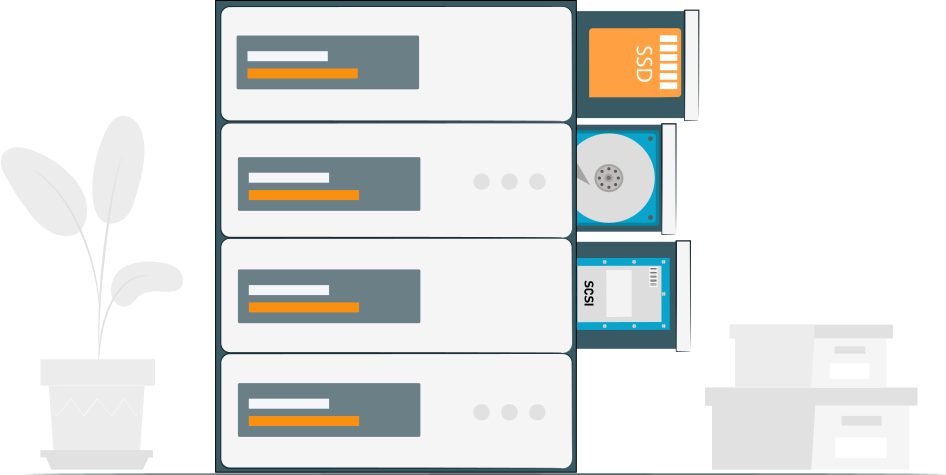
RAID 0 continues to offer raw sequential throughput gains, yet it entirely lacks redundancy. For modern NVMe/SSD platforms, the practical benefits are modest: a single fast NVMe drive often matches or surpasses RAID 0 in typical user workloads, while the risk of total data loss from a single drive failure persists. Consider RAID 0 solely for temporary, non-critical high-bandwidth tasks, or when you can accept full data loss risk and have strong backup solutions in place.
Tip: How to set up RAID 0?What RAID 0 Does — The Technical Quick of It
How Striping Works
RAID 0, often referred to simply as "striping," distributes data evenly across multiple hard drives or SSDs. By dividing data into small segments or blocks, RAID 0 writes these segments to different drives in parallel. This configuration is designed to increase data throughput, as it leverages the combined bandwidth of all the drives involved. Each read and write operation is split across the drives, which can significantly improve the overall data transfer rate for large files.
However, RAID 0 does not employ redundancy measures such as parity checking or mirroring. This lack of redundancy means that if even one drive in the array fails, all data in the entire RAID 0 array is lost. This inherent risk makes RAID 0 unsuitable for critical data storage where data availability and integrity are priorities.
Performance Profile
The performance gains in RAID 0 are most pronounced in scenarios that involve large, sequential read and write operations. By enabling parallel data transfer, RAID 0 significantly boosts the speed at which large files can be read from or written to the disk array. This makes it an attractive option for tasks that require high-speed data access, such as video editing, rendering, and certain scientific computations that utilize large datasets.
For small, random I/O operations—typical in everyday computer tasks or workloads involving many small files—the benefits of RAID 0 can be less noticeable. Modern SSDs and NVMe drives are already highly optimized for random access due to their low latency and advanced control logic. Additionally, factors like controller and queue depth limitations, as well as OS-level caching, can diminish the perceived performance improvements of RAID 0 for these types of operations.
Note: RAID 0 vs RAID 10Is RAID 0 Worth It in 2026? — Modern Context
NVMe and Single-Drive Performance
Modern NVMe drives, particularly those utilizing PCIe 4.0 and 5.0 interfaces, offer exceptional sequential and random IOPS performance. These drives have revolutionized storage by providing speeds that often exceed the requirements of most consumer workloads. In many cases, users encounter limitations imposed by CPUs, system buses, or application engines before reaching the storage bottleneck. Benchmarking in typical desktop and gaming scenarios reveals diminishing returns when employing RAID 0, as single NVMe drives sufficiently handle these demands without the added complexity and risk of a RAID 0 setup.
When RAID 0 Can Still Win in 2026
RAID 0 still holds value in very particular high-bandwidth scenarios. Workflows that involve multi-stream 8K video editing, managing substantial scratch working sets, or handling high-concurrency media ingest can benefit from RAID 0's capabilities. These tasks can push the limits of a single NVMe drive, making RAID 0 an attractive proposition for squeezing out extra performance. However, even in these scenarios, achieving optimal results with NVMe RAID requires meticulous platform tuning to ensure that bus saturation, thermal management, and drive compatibility do not impede performance enhancements. Thus, although RAID 0 may still find niche applications, its adoption must be carefully weighed against the inherent risks and technological advancements in storage solutions.
Is RAID 0 Worth the Risk? — Risk vs Reward Checklist

Risk Factors
The primary risk of RAID 0 lies in its lack of redundancy. The probability of data loss is effectively the sum of the failure probabilities of each drive in the array. As the number of drives increases, so does the risk of total array failure. With RAID 0, a single drive's failure results in complete data loss for the entire array, underscoring the critical need for careful consideration before implementation.
Mitigations if You Accept RAID 0
To mitigate the risks associated with RAID 0, consider the following strategies:
- Maintain Current Backups and Automated Replication: Ensure that robust backup systems are in place and automatically replicate critical data to secure locations.
- Use RAID 0 Only for Scratch or Ephemeral Data: Reserve RAID 0 for temporary or non-critical data that can be easily recreated or restored from other sources.
- Schedule Frequent Snapshotting/Backup of Critical Output: Implement regular snapshots or backups for any critical outputs to enable quick recovery in the event of data loss.
- Consider RAID 10 or Mirrored Pools for Persistent Data: For data that requires persistence or is mission-critical, opt for RAID configurations that offer redundancy, such as RAID 10 or mirrored storage pools, which provide a balance of performance and data protection.
Is RAID 0 Worth It for SSD/NVMe?
SSD (SATA/SAS) Cases
For SATA SSDs, RAID 0 can markedly enhance sequential throughput, especially when using older controllers. This improvement can be beneficial for users looking to maximize their drive performance without replacing existing hardware. However, for most everyday users, a single, high-end SSD might offer a more straightforward and efficient solution. The performance is often comparable or superior to a RAID 0 setup without introducing the added complexity and risk of data loss associated with the array.
NVMe Cases
NVMe drives already offer exceptional throughput on a per-device basis. While RAID 0 can produce higher sequential numbers—often highlighted in synthetic benchmarks—the real-world performance benefits for desktop applications such as gaming or booting are typically marginal. Nonetheless, for professional workflows that require streaming large files concurrently, such as 4K or 8K video editing, RAID 0 can still provide a meaningful boost in performance. To capitalize on these gains, careful planning around PCIe lanes and thermal management is crucial, ensuring that the NVMe devices can operate without hitting system-level bottlenecks.
Is RAID 0 Worth It for Gaming?
Gaming performance thrives on low latency and fast random read speeds. In this context, modern games benefit significantly more from a single fast NVMe drive than from a RAID 0 setup. While synthetic tests might show slight improvements in load times with RAID 0, these gains rarely translate into noticeable enhancements in gameplay or frame rates.
For a gaming rig, opting for a high-speed NVMe drive is generally the best choice. RAID 0 doesn't typically offer substantial advantages unless there's a specific loading bottleneck identified and proven through testing. Thus, for most gamers, the simplicity and reliability of a single NVMe drive outweigh the complexities and risks associated with RAID 0.
Is RAID 0 Worth It for Video Editing?
Video editing workflows involving extensive codec-DAT streams, such as multi-camera 8K, RAW, or high-bitrate proxies, can indeed see benefits from employing RAID 0. This configuration can be advantageous when used for scratch space and export targets, where high throughput is crucial.
However, it's important to use RAID 0 strictly for non-critical scratch volumes, as its lack of redundancy means any drive failure results in total data loss. Ensure that your project files and export backups are stored elsewhere to safeguard against potential data loss. For persistent storage needs, consider alternatives like RAID 10 or high-performance NAS solutions, which offer better balance between performance and data protection.
Practical Alternatives to RAID 0

- Single Larger NVMe or Enterprise SSD with High IOPS: Opt for a single, high-capacity NVMe or enterprise-grade SSD that offers excellent IOPS. This can streamline storage management while delivering impressive performance without the complexity and risk of RAID 0.
- NVMe + Fast Local Cache for Hot Data: Utilize a single NVMe drive in conjunction with a fast local cache system for frequently accessed data. This setup can enhance access speeds and reduce latency for key applications.
- RAID 10 for Mixed Performance + Redundancy Needs: For those who require both performance and data protection, RAID 10 offers a compelling solution. It combines the benefits of striping for speed and mirroring for redundancy, providing robust performance and reliability.
- Storage-Tiering (Fast NVMe Scratch + Mirrored Persistent Store): Implement a tiered storage approach, using fast NVMe drives for scratch tasks and mirrored setups for persistent data storage. This ensures high-speed access where needed while maintaining secure data integrity.
Recovery & What Happens When RAID 0 Fails

Recovery Reality
RAID 0's architecture is built for speed, not safety, as it distributes data across multiple drives without any form of redundancy. When a drive in a RAID 0 array fails, the array as a whole is compromised, resulting in potential data loss. The chances of recovering data depend heavily on the integrity of the surviving data fragments and any available backups. In the absence of backups, recovery becomes a daunting task.
If the failure does not affect the physical disks and metadata structures are preserved, specialized data recovery labs can sometimes reconstruct the lost data. This involves using advanced techniques to retrieve and reassemble data fragments from the residual information on working drives. Given the high cost and complexity involved, it's best to consider such services as a last resort.
Software-First Recovery Option — DiskInternals
For those wanting to attempt recovery via software, DiskInternals RAID Recovery free RAID recovery tool provides a viable solution. This tool can detect existing arrays and offers RAID 0 recovery features to reconstruct and preview files prior to export. Here's a step-by-step approach to recover data from a RAID drive with DiskInternals:
- 1. Disk Imaging: Begin by creating an image of the original disks. This step is crucial to ensure that you're working with replicas, thereby preserving the original data from accidental overwrite during recovery attempts.
- 2. Use Non-Destructive Tools: Before trying any software that writes data back to the drives, use non-destructive recovery tools. This helps minimize the risk of causing additional damage to your data during the recovery process.
- 3. Detect and Reconstruct: Use DiskInternals to detect the RAID 0 setup and begin reconstructing the array using the tool's algorithms.
- 4. Preview and Export: Once the data is reconstructed, DiskInternals allows you to preview the recovered files before final storage. Make sure that data is exported to a separate, secure storage location.
- 5. Assess Results: Evaluate the recovered data for integrity and completeness. If the recovery isn't satisfactory, you may need to escalate to a professional service.
Decision matrix — when to use RAID 0 (cheat sheet)
| Scenario | Use RAID 0? | Rationale |
| Temporary scratch for 8K video editing | Yes (with backups) | High sequential throughput for scratch |
| Gaming desktop | No | Single NVMe sufficient; risk > benefit. |
| Photo editing with large files | Maybe | Some export speed gains; backup mandatory |
| Boot/system drive | No | Complexity and risk not justified |
| Large-scale media ingest server | Yes (in tightly controlled environments) | Multi-stream throughput gains possible |
Conclusion
In conclusion, the choice of RAID configuration is paramount in aligning storage solutions with specific performance, reliability, and capacity needs. Whether optimizing for high throughput, ensuring maximum data redundancy, or tailoring solutions for specialized applications like video editing or large-scale data ingestion, the correct RAID setup can significantly enhance overall system efficiency. While RAID 10 offers a balance of performance and fault tolerance, RAID 0 can deliver speed at the expense of reliability. Ultimately, understanding the specific requirements and risks associated with each option is crucial for making informed decisions in the deployment of storage infrastructures.
FAQ
-
RAID 0 can improve loading times in games by increasing the sequential read and write speeds, which benefits large file operations such as game loading screens and asset streaming. However, once a game is loaded and running, frame rate performance is primarily determined by the CPU and GPU, not the storage speed. Thus, while RAID 0 might reduce initial load times, it typically doesn't have a significant impact on in-game FPS. Additionally, RAID 0 lacks redundancy, meaning a single drive failure can result in total data loss, which poses a risk for critical game data. Overall, investing in a fast NVMe SSD is often more effective for both quick storage access and reliability in gaming scenarios.
-
RAID 0 itself provides no redundancy, meaning data is split across multiple drives with no protection against drive failure. This makes it inherently risky since the failure of any single drive results in the loss of all data in the array. However, having a robust backup strategy can mitigate this risk, ensuring that data loss from a RAID 0 failure doesn't result in permanent loss. Regular and reliable backups allow for data restoration in the event of drive failure, making the use of RAID 0 more viable if the primary goal is performance. Nonetheless, the effectiveness of this setup depends on the frequency and quality of the backups, emphasizing the need for a disciplined backup regime.
-
Recovering from a RAID 0 failure can be challenging since data is striped across multiple drives with no redundancy, meaning the loss of a single drive usually results in the inability to access the data in a straightforward manner. However, recovery might be possible if the failure is due to logical errors or if the drives are still intact and accessible individually. Specialized RAID recovery software can sometimes reconstruct the striped data by analyzing the remaining drives, but this process can be complex and isn't guaranteed to be successful. It's crucial to avoid writing new data to the drives to prevent overwriting the data that needs recovery. For the most reliable recovery, especially with critical data, consulting a professional data recovery service is often recommended.
Related articles
- Configure RAID on Ubuntu – Step-by-Step Guide for RAID 0, 1, 5, and 10
- RAID 10 with 8 Disks — Configuration, Performance, Rebuilds & Best Practices
- Encrypting RAID Arrays — RAID with Full Disk Encryption & Secure Setup
- Effective Btrfs File Recovery: Complete Guide to Btrfs Data Recovery
- Best RAID Data Recovery Software for Linux
- Recover Data from RAID 5 on mdadm (Linux)
- ZFS RAID Setup Guide: Configuration, Management & Expansion
- A Comprehensive Review of RAID Recovery Software: Choosing the Right Tool
- DiskInternals RAID Recovery vs ReclaiMe: Comprehensive RAID Recovery Solutions Compared
- DiskInternals RAID Recovery vs EaseUS Data Recovery Wizard | Comprehensive Comparison
- How to Rebuild RAID 5 Without Losing Your Data
- RAID 1 Recovery: all you can do yourself
- RAID 10 Recovery
- RAID 5 Data Recovery Step by Step
- RAID 6 Data Recovery
- RAID 0, 1, 3, 5, 10 data recovery software for Windows 10
- RAID Recovery Services
- The Truth about Recovering RAID 5 with 2 Failed Disks
- RAID 4 Data Recovery: How to Perform It⠀
- RAID 0 vs RAID 1: Performance, Redundancy & Use Cases
- RAID 5 vs RAID 10 comparison: Which one is better for you?⠀
- SSD benefits for RAID array
- How to set up RAID in Windows 10 in 2025
- RAID 5 VS RAID 6 - advantages and disadvantages
- RAID 0 failure - How to Fix Failed Raid 0 Array
- The best NAS RAID: how to choose⠀
- HDD Raid Vs SSD Raid Storage Systems - How to move⠀
- Benefits of RAID arrays - what are the advantages of RAID?⠀
- NAS vs External Hard Drive: Comprehensive Guide to Choosing the Best Data Storage Solution
- RAID-1 vs RAID-5: Performance, Cost, and Data Protection Compared
- RAID 3 vs RAID 5: which one would you prefer?
- RAID 10 vs RAID 01: Is There Any Difference?
- RAID vs JBOD: performance and cost comparison⠀
- What are RAID 01, RAID 1+0 and RAID 0+1⠀
- Mdadm RAID 1 not activating a spare disk Linux⠀
- NAS vs SAN storage - Detailed Comparison⠀
- Perform RAID 50 Data Recovery Today!
- Basic Disks vs Dynamic: What is the Difference
- What to do if RAID array doesn't reassemble after reboot
- RAID levels 0, 1, 5, 6, and 10
- Minimum disks for RAID 10⠀
- RAID Consistency Check: Ensure Data Integrity & Recover Lost Data
- What Is a Hot Spare? Peculiarities of Usage
- Global Hot Spare vs Dedicated Hot Spare: Find the Difference
- Differences Between Software RAID and Hardware RAID
- What Are Some Common Symptoms of RAID Array Failures?⠀
- RAID status degraded - fix it⠀
- How to check RAID status? 4 different methods!
- RAID 50 vs RAID 10 - What is the difference
- RAID Array Growing: How to Perform It
- How to downsize hardware RAID partition and protect data
- How To Create RAID Arrays with mdadm on Ubuntu (22.04)
- How About RAID 1 Reliability?
- What is RAID-Z? Its Difference Between RAID-Z2 vs RAID-Z3
- Can RAID array have snapshots?
- RAID Array Metadata: What Is Inside?
- RAID 6: Replace Two Dead Drives
- Do You Need to Defragment RAID?
- How to Recover RAID partition - step by step guide⠀
- RAID 5: How Big Should an Array Be?
- Does chunk size influence the speed of RAID?
- RAID 0, 5, 6, 10 Performance
- How Does RAID 5 on Windows 10 Work?
- RAID Configuration Explained: Types, Setup, and Best Practices
- What is FakeRAID?
- Which RAID is Better to Use for 4 Drives
- What Is RAID Redundancy? | RAID Redundancy Explained for Data Protection
- RAID Array for Video Editing: How to Choose
- Perform Hyper-V Data Recovery Today
- How to Install Hyper-V in Your Environment in 2025
- Hyper-V Manager - what is it?⠀
- Hyper-V: Generation 1 vs Generation 2
- Hyper-V Live Migration - what is it?⠀
- Hyper-V Snapshot Merge
- Hyper-V Virtual Machine Replication⠀
- About Hyper-V clusters
- Difference Between Type 1 and Type 2 Hypervisor?⠀
- Hyper-V Server Core installation vs GUI - let's compare⠀
- How to Run Linux on a Hyper-V VM in 2025
- Back up Active Directory Guide - Step-by-step Instructions⠀
- What is nutanix ahv?⠀
- What is System Center Virtual Machine Manager⠀
- Make Sure Your Data is Safe While Using Microsoft Storage
- What is Microsoft SQL Server and How Can You Use it Safely?
- Set Up and Use Microsoft SQL Server Management Studio
- Microsoft SQL Server Express Guide
- Use Microsoft Windows Server Safely
- What to do if you get Microsoft SQL Server error 18456?
- Microsoft Storage Spaces
- Xserve RAID data safety
- Apple RAID Card Data Recovery
- Guide: Linux Raid and Disk Data Safety
- Here is Everything You Need to Know About RAID-Z Technology
- What is JBOD?
- Btrfs vs. EXT4: A Comprehensive Comparison of File Systems in Linux (2025)
- RAID Redundancy - best performance solutions⠀
- Is it worth using RAID 5E/5EE?
- Let's compare: Synology vs QNAP
- Here is How to Backup RAID in 2025
- No hard drive detected or disk controller not supported in RAID
- Issue with the RAID after the BIOS update
- Using SSD in RAID Array
- Synology RAID Set That Is Broken or Crashed? RAID data recovery
- Here is How to add drive to RAID 5 in 2025
- ZFS Recovery software - How to recover deleted ZFS files
- Raid Recovery Qnap⠀
- RAID recovery software for Mac⠀
- Best FREE RAID Data Recovery Software (2026)
- Best NAS hard drive recovery in 2026 | Top RAID network-attached storage Hard Drives
- SQL Server Database in Recovery Pending - How to fix it (2025)
- RAID Hard Disk Data Recovery Software (2025)
- How to Recover RAID Array Configuration
- How to Rebuild RAID Without Losing Data
- How to rebuild RAID 1 without losing data
- How to Rebuild RAID 0 Without Losing Data
- Difference and Comparison - RAID 1 and RAID 2
- Difference between RAID 2 and RAID 3
- Difference between RAID 3 and RAID 4
- Difference between RAID 4 and RAID 5
- Buffalo Data Recovery
- Rapid RAID Recovery Software
- What is Synology Hybrid RAID (SHR). How to Recover Data from Synology Hybrid RAID
- RAID Server Data Recovery
- Recover Data from RAID on Linux
- RAID Foreign Disk: Causes, Solutions, and Best Practices
- How to Recover RAID Crash Data
- Forensic RAID Recovery
- RAID Data Recovery evaluation. What is RAID data recovery?
- Raid Drive Array Recovery
- How to Setup Raid 0 Windows 10 (11)?
- How to set up RAID 1 on Windows 10 and Linux
- How Many Disks Can Fail in RAID 5?
- What is RAID 5? Overview and Key Functions
- What Is a RAID Controller and What Are the Benefits of It?
- Recover Data from Broken/Failed RAID Set
- How to Clone RAID 0, 1, 5 Disk
- How to Remove software RAID device using mdadm
- Raid Rebuild Vs. Raid Recovery
- RAID vs. backup - differences and benefits (RAID is not a Backup)
- How to Rebuild RAID array
- What is Synology Hybrid RAID? What is the difference between SHR and RAID Drives?
- AHCI vs. RAID: Pros, Cons & Differences
- Recover Data from RAID 1 on mdadm (Linux)
- Difference & Comparison: RAID vs. non-RAID System
- Ultimate Guide to RAID Data Recovery: Tips & Techniques
- RAID Rebuild Time: What is and How to Optimize It?
- RAID Disaster Data Recovery: Techniques and Strategies for Handling Catastrophic Events
- How to Repair a Failed RAID?
- How to Set Up RAID in Windows 11: A Step-by-Step Guide
- RAID 50 vs. RAID 60 – Key Differences
- Guide to Recovering a Failed RAID Array | Step-by-Step Recovery Process
- HDD RAID vs SSD RAID and Combining Both: Everything You Need to Know
- How to Set Up and Configure RAID 10: Step-by-Step Guide
- What Is RAID 6? Definition, function
- RAID 10 vs RAID 6: Which Better?
- RAID 0: How Many Drives Are Needed?
- RAID 10: How Many Disks Are Needed and How to Set It Up
- How to recover data from a corrupted RAID?
- What is RAID 1? RAID Mirroring
- Recovering RAID 5 After Controller Failure
- NTFS RAID Recovery: Comprehensive Guide to Data Retrieval
- What is Xserve RAID? Comprehensive Guide and Overview
- Comprehensive Guide to RAID in Cyber Security: Levels, Recovery, and Best Practices
- Complete Guide to RAID Controller Failure and Recovery: Expert Tips
- Understanding Hardware RAID: Comprehensive Guide to RAID Levels and Benefits
- What is software RAID? - Comprehensive Guide
- Understanding RAID 0: Benefits, Risks, and Applications
- RAID 3 Explained: Benefits, Limitations, and Data Recovery Guide
- How Many Drives Are Needed for RAID 5? Minimum & Maximum Explained
- Understanding RAID 60: Architecture, Advantages, and Data Recovery
- Understanding RAID Striping: A Comprehensive Guide to Disk Striping and Its Variants
- RAID 10: How Many Drives Can Fail? | Comprehensive Guide to Failure Tolerance
- ZFS vs Btrfs vs RAID: Comprehensive Storage Comparison for Performance, Reliability, and Scalability
- How to Resize RAID Partitions: Step-by-Step Guide for RAID 1, 5, 6 & 10
- Comprehensive Guide to ZFS RAID Levels, Types, and Configurations
- ZFS vs RAID: Comprehensive Comparison of Performance, Reliability, and Features
- RAID 1 Minimum Drive Requirement: How Many Drives Do You Need?
- Bootable RAID Recovery Software: Complete Guide for RAID 0, 1, 5, 10 Recovery
- RAID Hard Drives Explained: What Is RAID for HDDs and External Drives
- RAID 5 Rebuild Failure Probability: Risks, Factors, and Solutions in 2025
- Understanding RAID 6 Performance: A Comprehensive Guide
- RAID Drives Explained: Learn How RAID Storage Enhances Performance
- HP RAID Recovery Tool | How to Recover Data with DiskInternals RAID Recovery Software
- Recovering Data from RAID Drives: Step-by-Step Guide to RAID Recovery
- Recover Striped RAID: Professional RAID 0 Data Recovery with DiskInternals RAID Recovery™
- BTRFS Restore File: How to Undelete Files and Restore Deleted Data Easily
- Recover Data from a RAID Array: Effective Solutions for Fast and Secure Data Retrieval
- Windows 7 RAID Recovery: How to Recover Data from RAID 1, RAID 5, and RAID 10 Arrays
- Adaptec RAID Recovery: Restore Data from Failed Arrays with DiskInternals RAID Recovery™
- What is RAID Data Recovery? | Recover RAID Arrays with RAID Recovery Software
- SAN RAID Data Recovery: Recover RAID Arrays with Professional SAN Recovery Solutions
- What is a RAID Volume? Understanding RAID Volumes and Recovery Solutions
- What is a RAID? RAID Systems Explained & How to Recover RAID Arrays with Professional Tools
- Best RAID Software for Mac | Top Free & Paid RAID Tools for macOS 2026
- Top 10 RAID Recovery Services: Best Solutions for Data Recovery
- RAID Server Data Recovery: Recover and Restore RAID Arrays Fast with Professional Tools
- RAID System Recovery: Essential Steps & Best Software for Safe Data and File Restoration
- RAID Recovery Volume: Effective RAID Array Recovery Solutions for Data Loss Prevention
- What is RAID Connectivity? Essential Guide to RAID Array Setup
- Intel RAID 0 Recovery & RAID 1 Recovery: Solutions for Data Loss & Recovery Tools
- How Many Drives for RAID 6?
- Optimize RAID for Redundancy and Performance - Expert Guide
- How to Read RAID Drives & Recover RAID Arrays on Windows: A Guide
- RAID 0 vs RAID 5: Speed, Performance & Key Differences (2026)
- Synology RAID 5 Recovery: Recover Your RAID Array with Expert Tools and Tips
- Synology RAID 1 Recovery: Recover RAID Array with Trusted Tools and Expert Solutions
- X-RAID Recovery: Expert Guide to Netgear X-RAID and ReadyNAS Data Recovery
- Interim Recovery RAID 5: Expert Guide to Data Recovery and RAID Array Repair
- MDADM RAID 0 Recovery: Expert Guide to Fix and Recover Your RAID Array
- SCSI RAID Recovery Software: Effective Solutions for SCSI RAID Data Recovery
- RAID Data Recovery for Deleted Arrays: Recover RAID Array Safely & Effectively
- What is RAID in Linux? Learn About Software RAID & Recover RAID Arrays Easily
- Change log for RAID Recovery™
- Intel Matrix RAID Recovery: Restore RAID 0, 1, 5, 10 with Reliable Solutions
- RAID Level 4: What Is RAID 4, How It Works
- RAID Restorer – Recover Data from Failed RAID Arrays with Reliable Software
- ZFS RAID with Different Size Drives – Setup, Limitations, and Best Practices
- RAID 0, 1, 5, 10 Explained: Performance, Redundancy & Best RAID Configurations
- How to Recover Data from a Broken RAID 1 Set – Step-by-Step Guide
- ZFS RAID Expansion: How to Expand RAIDZ and ZFS Pools Safely
- RAID 6 Drive Failure Tolerance: How Many Drives Can Fail?
- RAID 50: Drive Failure Tolerance and Data Recovery Solutions
- Windows Storage Spaces vs RAID: Performance, Speed, and Data Protection Comparison
- RAID 2 Array Explained: What Is RAID Level 2, Setup, and Performance Comparison
- RAID 5 RAID 6 RAID 10 - Key Differences and Performance Comparison
- RAID 5 with 3 Disks: Configuration, Benefits, and Performance Insights
- How to Create RAID 5 with 6 Disks: Complete Setup Guide and Performance Tips
- RAID 6 Double Parity Calculation Explained – Data Protection Insights
- How to Add a Disk to mdadm RAID 5: Step-by-Step Guide
- RAID 0 vs RAID 10 and RAID 10 vs RAID 0 Performance Comparison
- How to Fix Degraded RAID 1: Step-by-Step Guide to Restore RAID 1 Degraded Arrays
- RAID 5 vs RAID 0+1: Key Differences Explained
- Why RAID 1 Is Not a Good Substitute for a Backup
- How to Check Which RAID Is Configured: A Complete Guide for Windows and Linux
- RAID 50 vs. RAID 5 – Performance, Speed, and Data Protection Comparison
- RAID 50 vs. RAID 6 – Key Differences
- Configuring RAID 5: Step-by-Step Guide on How to Configure RAID 5 for Performance
- Cannot Format Old RAID Drive? Effective RAID Data Recovery Solutions
- RAID 6 with 5 Drives: Configuration, Performance, and Data Protection
- Best RAID for 6 Disks: Compare RAID 0, 5, 6, 10, 50 & 60 for Performance & Redundancy
- RAID 6 with 8 Drives: Configuration, Failures, and Performance Explained
- RAID 6 with 6 Drives: Performance, Redundancy, and Best Use Cases
- RAID 0 vs. JBOD – Key Differences, Performance, and Speed Comparison
- RAID Array Rebuild: How to Rebuild a RAID Array Safely and Recover Lost Data
- Recover Data from Old RAID Drives | Best Methods & Software for RAID Recovery
- RAID 5 with 5 Drives: Configuration, Performance & Recovery | RAID 5 5 Drives Guide
- 15 Best External Hard Drives for RAID in 2026
- Dell RAID 1 Recovery: How to Recover Data from RAID 1 on Dell Servers Safely
- Dell RAID 5 Recovery - Safely and Fast
- RAID 1E vs RAID 10: Performance, Capacity, Cost & Failure Risk Guide
- What Is RAID 1E? Performance RAID 10 1E vs RAID-1E Guide for Power Users
- RAID 1E vs RAID 5: Performance, Capacity and Failure Risk Compared
- RAID 1 Speeds: Read, Write & Disk Performance | Speed Up RAID 1 Guide
- Ext3 RAID Recovery Guide - Data Recovery RAID Ext3
- XFS RAID Recovery Guide & Best XFS RAID Recovery Software
- ASUS RAID Recovery Guide - Fix Failed ASUS RAID
- RAID Data Recovery Cost: Affordable Solutions for RAID 0, RAID 1, RAID 5, and RAID 10 Failures
- NAS as a File Server: NAS vs. File Server Comparison for Storage and Sharing
- QNAP RAID 5 Recovery Failed? Safe Data Recovery Steps for NAS Users
- ReiserFS RAID Recovery: How to Restore Data from Failed RAID Arrays
- RAID 0 vs RAID 1 vs RAID 5 vs RAID 10 — Performance, Capacity & Recovery
- ZFS Recovery Tools — Data Recovery ZFS Guide & Best Software
- RAID 1 vs RAID 5 vs RAID 10 Performance Management, Speed & Capacity Guide
- RAIDZ1 vs RAID 5 — Performance, Integrity & Recovery Comparison
- ZFS Mirror vs RAIDZ — Performance, Capacity & Recovery Guide
- ZFS Minimum Drives — How Many Disks You Need for RAIDZ1, RAIDZ2, RAIDZ3
- RAID Degraded — What to Do | Warning Fixes & Rebuild Failed Steps
- RAID 7 — What It Is? Origins, Risks & Recovery Options
- ZFS vs mdadm RAID — Why choose ZFS instead of RAID
- RAID in Cloud Storage Systems — SDS, Virtual RAID & Erasure Coding Guide
- Best RAID for OLTP: RAID Configuration for OLTP Workloads & Transactional Databases
- Best RAID for MySQL: RAID Configuration & RAID Setup for MySQL Databases
- Best RAID for NVMeoF: NVMe RAID Configuration & NVMe over Fabrics RAID Setup
- Fault Tolerance in NVMe-oF RAID — Rebuild Time, Data Protection & Redundancy
- Best Practices for RAID over NVMe-oF — Tuning, Monitoring & DR
- RAID 0 vs Single Drive — SSD, NVMe & HDD Comparison (Performance vs Risk)
- RAID 0 vs Single Drive Reliability — Failure Risk, SSD Comparison & Recovery
- RAID 0 for Gaming — Is RAID 0 Good for Gaming? Performance & Risk Guide
- RAID 0 for 4K Editing — Is RAID 0 Good for 4K Video Editing?
- RAID 0 for Large File Workloads: Scratch Disks, NVMe, When It Makes Sense
- Is RAID 0 Obsolete? RAID 0 with SSD and NVMe — Still Worth It?
- RAID 0 vs. SSD Performance: PCIe 4.0, PCIe 5.0 Speed Compared
- RAID 0 Redundancy vs No Redundancy — Does RAID 0 Have Redundancy?
- Does RAID 0 Increase FPS? — RAID 0 vs Single Drive FPS Guide
- RAID 5 Interrupted Rebuild Recovery: Fix Stopped or Aborted Rebuilds
- RAID 0 Failure Probability with N Disks Explained
- RAID 5 Two-Disk Failure Recovery: Parity Recovery Beyond Tolerance
- RAID 1 Corrupted Mirror Recovery: How to Recover a Damaged RAID 1 Mirror
- When RAID 0 Is Acceptable: Use Cases, Risks, and When You Should Use RAID 0
- RAID Best Practices for VMware: Best RAID Configuration for VMware ESXi
- RAID 0 Backed by Versioned Backup: Is RAID 0 Safe with Versioned Backups?
- RAID 10 Best for VMware: Why RAID 10 Is the Recommended RAID for ESXi
- Best RAID Controller Guide: Hardware RAID Cards Compared for Servers and SSDs
- Best PCIe RAID Controller: Top Hardware PCI Express RAID Cards Compared
- RAID Controller for ESXi: VMware ESXi RAID Controller Recommendations
- RAID Controller for Linux: Best Linux-Compatible Hardware RAID Controllers
- SATA RAID Controller for ESXi: VMware ESXi Compatible SATA RAID Options
- SAS RAID Controller for VMware ESXi: Best Hardware RAID Options
- NAS Data Recovery Software & Tools for RAID Recovery
- Features
- RAID 0 Data Recovery
- RAID Reconstructor on Broken RAID Arrays
- RAID Recovery Software
- Hyper-V network adapters⠀
- Open Source RAID Recovery Software Explained and Comparison
- RAID 1: How Many Drives Are Needed for Data Redundancy?
- RAID 1 with 3 Drives: Everything You Need to Know
- RAID Calculator For Geeks – Estimate Usable Space & Drive Size
- RAID Calculator Online – Usable Space & Disk Size Calculator for RAID