
NVMe RAID Configuration & NVMe over Fabrics RAID Setup (Best RAID for NVMeoF)
Explore how to configure RAID for NVMe over Fabrics (NVMe-oF), maximizing storage performance and reliability. This guide offers straightforward steps to set up NVMe RAID, enhancing your data handling capabilities with speed and efficiency.
How NVMe-oF Changes RAID Requirements
The integration of NVMe over Fabrics (NVMe-oF) into the storage ecosystem fundamentally alters the approach to RAID configurations. By extending NVMe's blazing speed and low latency over fabrics like Ethernet or Fibre Channel, NVMe-oF allows for network-attached storage that rivals and often exceeds the performance of traditional direct-attached storage models.
What Happens When RAID Meets Network-Attached NVMe
When RAID is combined with network-attached NVMe, several key changes occur:
- Performance Paradigm Shift: NVMe-oF delivers high data transfer rates with minimal latencies across networks. Traditional RAID levels, which were optimized for mechanical drives with slower access times, need to adapt to harness the full potential of these speeds. This often means revisiting RAID configurations to avoid becoming a performance bottleneck.
- Scalability and Flexibility: NVMe-oF enables storage solutions that are not constrained by physical location. RAID setups can now span across geographically distributed storage arrays, offering unprecedented levels of flexibility and scalability.
Latency, Queue Depth, and Fabric Transport Impact
- Latency: The ultra-low latency of NVMe-oF allows data to be read and written at speeds previously unattainable. RAID configurations must adjust, as any added latency from RAID logic can significantly impact overall performance. Techniques such as striping (RAID 0) or using NVMe-based caching layers can help maintain this low-latency environment.
- Queue Depth: NVMe's ability to handle large volumes of IO operations in parallel (a high queue depth) is substantially higher than traditional interfaces. RAID implementations need to be designed to handle increased queue depths to capitalize on NVMe’s strengths, without being undermined by RAID overhead.
- Fabric Transport: The type of fabric transport protocol used (such as RDMA, Fibre Channel, or TCP) also affects how RAID setups perform. These protocols can introduce additional latency or require specific configuration strategies to achieve optimal performance. Solutions like RDMA offer near-direct memory access speeds, pushing the need for highly efficient RAID configurations.
Why Traditional RAID Logic Struggles at NVMe Speeds
Traditional RAID architectures often bottleneck under the high-throughput demands of NVMe:
- Bottlenecks in Throughput: Mechanisms designed to optimize for the limitations of HDD technology, such as extensive error checking, parity computation, and rebuild algorithms, can become bottlenecks when data can be accessed so quickly.
- Hardware Limitations: Older RAID controllers may not be equipped to handle the data flow rates of NVMe drives, leading to suboptimal performance. Upgrading to modern, NVMe-optimized RAID controllers becomes essential.
- Software Adaptations: The software layer of RAID should be adapted or replaced with new algorithms and logic that align with NVMe’s advantages. This includes leveraging features like multi-threading and advanced caching strategies to ensure that the RAID logic itself does not impede performance.
Core Principles of RAID with NVMe-oF
As NVMe over Fabrics (NVMe-oF) reshapes the storage landscape, understanding the core principles of RAID in this context becomes crucial for maximizing performance and reliability.
Throughput vs Latency Trade-offs in NVMe Fabrics
In the NVMe-oF world, throughput and latency are critical considerations that often require trade-offs:
- Throughput: Refers to the total volume of data that can be processed in a given time frame. NVMe-oF maximizes throughput by allowing multiple parallel requests, but the RAID configuration must be optimized to handle this without creating bottlenecks.
- Latency: The time taken to process a single data request. NVMe-oF is designed to minimize latency, but RAID functions like parity calculation or reconstruction can add to it. Balancing these factors involves choosing RAID levels that align with the specific needs of applications—higher throughput may involve using more drives or focusing on RAID levels like RAID 0, whereas minimal latency can be addressed by lower overhead configurations.
Local vs Distributed Redundancy Models
RAID's core function includes data redundancy:
- Local Redundancy: Traditional RAID setups that utilize drives within a single server or storage array can provide high speed due to proximity but lack scalability.
- Distributed Redundancy: With NVMe-oF, RAID models can employ distributed redundancy across networked NVMe resources. This enables high availability and data protection across multiple locations, making it possible to enhance both resilience and performance with strategies like distributed parity or erasure coding.
Controller Placement: Host-Based, Target-Based, or SDS Layer
The placement of the RAID controller influences performance and flexibility:
- Host-Based: RAID processing occurs at the host, allowing for direct, low-latency access to disks. This model is efficient for local storage but may introduce overhead when managing networked resources.
- Target-Based: RAID functions are managed by the storage target, centralizing the RAID logic and freeing host resources. This is effective for numerous clients but may require powerful systems to manage increased workload.
- Software-Defined Storage (SDS) Layer: Employs a more flexible approach by integrating RAID management into an overarching SDS platform. This allows for dynamic and scalable resource allocation and advanced management features, aligning well with cloud infrastructure.
Fabric Types: RDMA, TCP, RoCE and How They Affect RAID Design
The choice of fabric significantly impacts RAID design:
- RDMA (Remote Direct Memory Access): Provides low-latency, high-throughput access but requires specific hardware support and careful management of RAID logic to prevent overhead delays.
- TCP (Transmission Control Protocol): Offers broad compatibility and ease of implementation at the cost of slightly higher latency compared to more specialized protocols. RAID strategies might focus on optimizing for volatility and consistency rather than sheer speed.
- RoCE (RDMA over Converged Ethernet): Combines RDMA's advantages with Ethernet’s widespread use, presenting a balanced option when designing RAID setups that need to be both high performance and broadly deployable.
Need to Verify Your RAID Setup?
Use our RAID Calculator to quickly understand your array configuration and find the best recovery approach. It’s simple, accurate, and can save you valuable time before starting data recovery.
Best RAID for NVMe-oF (Primary Query Section)
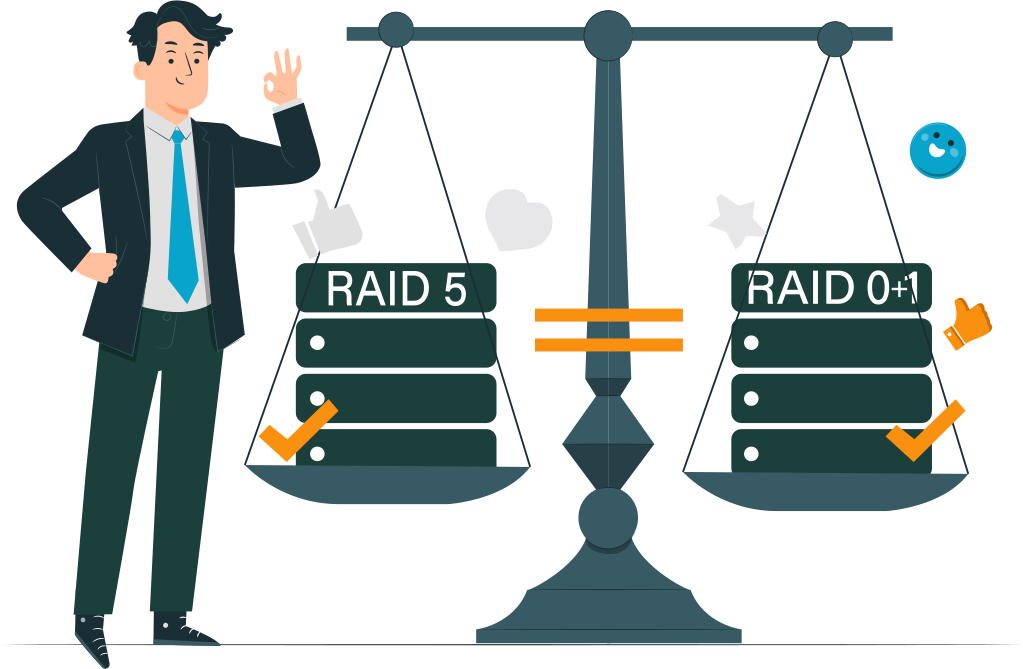
When integrating RAID with NVMe over Fabrics (NVMe-oF), choosing the right RAID level is crucial. Different RAID configurations offer varying benefits and challenges, depending on the specific use case and performance requirements.
RAID 10 — The Performance Baseline for NVMe-oF
RAID 10 combines the benefits of both striping (RAID 0) and mirroring (RAID 1), making it an excellent choice for NVMe-oF environments:
- High Parallelism: RAID 10 allows for simultaneous access to multiple disks, enabling high data throughput, which is a hallmark of NVMe-oF.
- Predictable Latency: By minimizing the computational overhead associated with parity calculations, RAID 10 offers consistent and low latency, aligning perfectly with NVMe-oF's capabilities.
- Stable Rebuilds Across Fabrics: The mirroring aspect of RAID 10 ensures that rebuilds are straightforward and more predictable, even across complex fabric networks.
RAID 1 — For Latency-Sensitive, Low-Level Volumes
RAID 1, or mirroring, is particularly suited for scenarios where low latency and redundancy are paramount:
- Ideal for Metadata or Log Stores: RAID 1 is perfect for storing critical data such as metadata or transaction logs, where speed and reliability are crucial.
- Lowest Overhead: With no parity calculations involved, RAID 1 offers the lowest overhead, making it ideal for latency-sensitive applications.
RAID 5 — Limited Use in NVMe-oF
RAID 5 employs striping with parity, which introduces several challenges in high-speed NVMe-oF environments:
- Parity Penalty Magnified at NVMe Speeds: The need to compute and store parity data significantly impacts performance, more so at the high speeds of NVMe.
- High CPU Load for Reconstruction: The reconstruction of data involves heavy CPU processing, further limiting RAID 5's practicality in NVMe-oF setups.
RAID 6 — Rarely Viable for Fabric-Attached NVMe
RAID 6 adds an extra level of parity for additional protection, but this comes at a steep cost:
- Double Parity Cost + Long Rebuild Windows: The additional parity not only increases write overhead but also extends rebuild times, which can be particularly challenging across fabrics. This makes RAID 6 a rare choice for NVMe-oF deployments.
NVMe-oF RAID Configuration (Main Query Section)
Configuring RAID for NVMe over Fabrics (NVMe-oF) involves strategic decisions regarding RAID layer placement, throughput scaling, and fabric tuning to achieve optimal performance and reliability.
Choosing RAID Layer Placement
Deciding where to implement RAID logic within the network architecture is critical to optimizing performance and resource utilization:
- Host-Side RAID (mdadm, ZFS RAID): Implementing RAID directly on the host offers direct control over data redundancy and storage management. Tools like
mdadmand ZFS RAID provide flexibility and control, ideal for environments requiring customized RAID configurations and minimal latency. - Target-Side RAID (Storage Array Controllers): RAID processing at the storage target centralizes management and offloads host resources, leveraging advanced storage array controllers to maintain performance and reliability.
- SDS-Based RAID (Ceph, BeeGFS, Lustre, vSAN): A software-defined storage approach integrates RAID within orchestration platforms like Ceph, BeeGFS, Lustre, or vSAN, providing enhanced scalability and flexibility. This is particularly beneficial for dynamic and large-scale environments where storage needs can quickly evolve.
Throughput Scaling with Parallel RAID Engines
Maximizing throughput in NVMe-oF environments requires attention to scaling strategies:
- Number of Queues vs. Stripes: Efficiently coordinating the number of I/O queues and data stripes across disks helps optimize throughput. More queues allow for increased parallelism, crucial in NVMe environments, while balanced striping ensures effective data distribution.
- Avoiding Bottlenecks at Target Nodes: Strategic placement of RAID engines and careful load balancing across target nodes mitigate bottlenecks, ensuring that the entire system can sustain the high throughput NVMe-oF offers.
Fabric Tuning for Stable RAID Performance
To maintain stable RAID performance over fabrics, specific tuning practices are necessary:
- MTU, RDMA Tuning, CPU Pinning: Adjusting the Maximum Transmission Unit (MTU) for network packets, fine-tuning RDMA parameters for reduced latency, and using CPU pinning to dedicate processing resources specifically to I/O operations enhance overall system stability and performance.
- Transport Selection: RDMA vs. TCP: The choice between RDMA and TCP impacts RAID performance significantly. RDMA offers lower latency and overhead, making it well-suited for high-speed environments, while TCP is more universally compatible and easier to integrate but may introduce slightly higher latencies.
NVMe Over Fabrics RAID Setup (Main Query Section)
Setting up RAID in an NVMe over Fabrics (NVMe-oF) environment encompasses several key considerations, focusing on effective mapping, pooling, redundancy, and path management.
Mapping NVMe Namespaces Across Fabrics
Mapping NVMe namespaces effectively across network fabrics ensures optimal utilization and accessibility:
- Namespace Coordination: By aligning NVMe namespaces with the fabric's architecture, you can ensure seamless data access and management. This involves configuring the NVMe-oF network to recognize and properly distribute namespaces, allowing for efficient storage utilization and scalability.
Creating Virtual RAID Groups for Distributed NVMe Pools
Virtual RAID groups enable efficient organization and management of distributed NVMe resources:
- Distributed Storage Organization: Creating virtual RAID groups across multiple NVMe pools allows for flexible and efficient use of resources. This setup enables data to be distributed across different physical locations, enhancing redundancy and parallelism.
- Resource Allocation: Virtualizing RAID groups helps in allocating storage based on application requirements, ensuring that performance and redundancy needs are met while exploiting NVMe’s high-speed capabilities.
Balancing Redundancy Across Targets and Paths
Ensuring data redundancy across different network paths and storage targets is essential for reliability:
- Cross-Target Redundancy: Implementing redundancy strategies that account for multiple storage targets ensures data availability even in case of target failure. This involves designing redundancy mechanisms to cover all potential points of failure within the network fabric.
- Path Redundancy: Having multiple paths to each storage target reduces the risk of data access disruptions caused by network issues, balancing load and maintaining data flow consistency across the system.
Integrating Multipathing Into RAID Design
Incorporating multipathing strategies is crucial for optimizing data access and fault tolerance:
- Enhanced Data Path Efficiency: Multipathing allows for multiple data pathways between storage and clients, ensuring load balancing and increased fault tolerance. When integrated into RAID design, it enhances system resilience against path failures or congestion.
- Failover and Recovery: Implementing multipath techniques within RAID setups ensures automatic failover capabilities, minimizing downtime and ensuring continuous data access even if one path becomes unavailable.
Ready to get your data back?

To start recovering your data, documents, databases, images, videos, and other files from your RAID 0, RAID 1, 0+1, 1+0, 1E, RAID 4, RAID 5, 50, 5EE, 5R, RAID 6, RAID 60, RAIDZ, RAIDZ2, and JBOD, press the FREE DOWNLOAD button to get the latest version of DiskInternals RAID Recovery® and begin the step-by-step recovery process. You can preview all recovered files absolutely for free. To check the current prices, please press the Get Prices button. If you need any assistance, please feel free to contact Technical Support. The team is here to help you get your data back!
RAID for NVMe Over Fabrics Storage
Selecting the appropriate RAID configuration for NVMe over Fabrics (NVMe-oF) storage is essential to match specific workload requirements while optimizing performance and efficiency.
High-IOPS Workloads
These workloads benefit from RAID configurations that can handle numerous read and write operations quickly:
- Databases: With their intense read/write requirements, databases thrive on RAID setups like RAID 10, which offers high I/O performance and redundancy crucial for data integrity.
- Analytics Engines: The need for rapid data processing in analytics engines makes high IOPS a priority, supported by RAID configurations that boil down to speed and reliability.
- High-frequency Trading: Demanding ultra-fast transaction speeds, high-frequency trading systems require RAID solutions that minimize latency, such as RAID 1 or 10, to ensure data consistency and rapid access.
High-throughput Workloads
These scenarios require RAID configurations optimized for handling large amounts of data moving through the system:
- Media Processing: Media files often require the sustained throughput that RAID configurations like RAID 0 can provide, making it suitable for non-critical data where redundancy isn't the main concern.
- AI Training: AI workloads benefit from RAID setups that optimize data flow for high throughput, like RAID 5 or 6, balancing storage efficiency and data protection despite parity overhead.
- Scientific Computing: RAID configurations in this sector prioritize throughput to handle massive data sets, aiming for solutions like RAID 0 that maximize speed over redundancy in certain scenarios.
When to Avoid RAID Entirely
Certain situations and architectures may benefit from sidestepping RAID in favor of alternative data management strategies:
- Stateless Processing Nodes: When nodes do not rely on persistent storage, using RAID may be unnecessary. Stateless architectures focus on performance and rapid deployment without the redundancy RAID provides.
- Caching Tiers: As caches store transient data, RAID’s redundancy benefits are often redundant here. Instead, maximizing response speed takes precedence over data integrity.
- Replication-First Architectures: In environments where data is continuously replicated across systems for redundancy, leveraging RAID can be superfluous. Cloud-native designs frequently prioritize replication over traditional redundancy methods like RAID.
Comparison Tables
Table 1: RAID Performance Behavior in NVMeoF Environments
| RAID Level | Latency | Fabric Load | Rebuild Time | Best Use Case |
| RAID 10 | Low | Moderate | Fast | Databases, heavy OLTP, HPC |
| RAID 1 | Lowest | Low | Fast | Metadata/log volumes |
| RAID 5 | High | High | Slow | Capacity-first SDS |
| RAID 6 | High | Highest | Slowest | Cold NVMe storage |
Table 2: RAID Layer Placement for NVMeoF
| Layer | Pros | Cons | Use Case |
| Host RAID | Low-latency | CPU-heavy | Single-host apps |
| Target RAID | Hardware acceleration | Vendor lock-in | Centralized arrays |
| SDS RAID | Scalable | Higher latency | Multi-node clusters |
RAID Recovery in NVMe-oF Environments
RAID recovery in NVMe over Fabrics (NVMe-oF) environments presents unique challenges and opportunities due to the distinct failure patterns and architecture.
Failure Patterns Unique to NVMe-oF
RAID configurations in NVMe-oF environments may encounter specific failure modes:
- Namespace Loss: Loss or corruption of NVMe namespaces can occur due to various network or hardware issues, affecting access to data.
- Path Instability: Network path fluctuations can lead to inconsistencies in data flow, causing disruptions and potential access problems.
- Multi-Target Desync: When data is spread across multiple storage targets, synchronization issues can arise, leading to inconsistent data states and recovery challenges.
When to Use DiskInternals RAID Recovery™
DiskInternals RAID Recovery™ offers specialized solutions for RAID recovery in NVMe-oF settings:
- Corrupted RAID Metadata on NVMe Nodes: If RAID metadata becomes corrupted, the tool can help recover and rebuild data integrity on affected nodes.
- Failed Rebuilds Across Fabric Nodes: Rebuild failures may occur due to NVMe-oF’s networked nature. DiskInternals RAID Recovery™ assists in addressing these failures by accurately reconstructing data.
- Accidental Namespace Removal: Inadvertent deletion of namespaces can lead to data loss. The tool provides mechanisms to recover such namespaces effectively.
- Supports RAID 0/1/10/5/6 and Hybrid Topologies: DiskInternals RAID Recovery™ is compatible with a wide range of RAID configurations and hybrid setups, ensuring versatile application in diverse environments.
Learn more:
Final Guidance: Best RAID for NVMe-oF
Selecting the right RAID configuration for NVMe over Fabrics (NVMe-oF) is crucial for achieving optimal performance and reliability in various use cases:
- RAID 10 is the Top Choice for NVMe-oF Performance and Reliability: RAID 10 offers a perfect blend of speed and redundancy, making it ideally suited for NVMe-oF by providing high parallelism and low latency.
- RAID 1 Remains Essential for Logs and Metadata: For applications where data integrity and low latency are critical, such as logs and metadata storage, RAID 1 provides the necessary reliability with minimal performance overhead.
- RAID 5/6 Belong Only in Capacity-Driven SDS Clusters: These RAID levels, with their emphasis on capacity and economic storage solutions, are best suited for software-defined storage (SDS) clusters where cost efficiency and high data volumes are priorities, despite the overhead.
- Fabric Tuning Matters More Than the RAID Level Itself: In NVMe-oF environments, the importance of appropriate fabric tuning—such as configuring MTU sizes, optimizing RDMA settings, and selecting the right transport protocols—can outweigh the choice of RAID level by ensuring that the network infrastructure supports the storage strategies effectively.