Hardware RAID Enterprise Usage vs. Software RAID in Enterprise: Controllers, Performance, and the Right Choice for 2026
Choosing between hardware RAID and software RAID is a core decision in enterprise storage design. Hardware RAID uses dedicated controller cards with onboard processors and cache, delivering predictable performance and advanced features but at higher cost. Software RAID relies on the host CPU and operating system, offering flexibility and lower expense but with performance overhead and fewer enterprise‑grade options. The difference impacts scalability, fault tolerance, and recovery workflows across datacenters.
This guide provides a clear, side‑by‑side analysis of hardware RAID vs software RAID for enterprise usage, helping IT teams select the right approach for their workloads.
RAID Fundamentals: What Both Approaches Protect Against — and What They Don't

What RAID Does
RAID (Redundant Array of Independent Disks) is designed to combine multiple physical drives into a single logical volume that can deliver:
- Redundancy: Certain RAID levels (RAID 1, RAID 5, RAID 6, RAID 10) allow the system to survive one or more disk failures without losing data.
- Performance: Striping (RAID 0, RAID 10) spreads read and write operations across multiple drives, increasing throughput and reducing latency.
- Capacity optimization: RAID aggregates disks into a larger pool, simplifying management and maximizing usable space depending on the level chosen.
What RAID Does Not Do
Despite its strengths, RAID is not a substitute for backup or disaster recovery. It cannot protect against:
- Human error: Accidental file deletion or overwriting is instantly replicated across the array.
- Malware and ransomware: Encrypted or corrupted files are mirrored or striped just like healthy data.
- Catastrophic events: Fire, flood, or datacenter outages destroy all disks simultaneously.
- Controller or firmware failure: A RAID controller crash can make the entire array inaccessible.
- Logical corruption: Filesystem errors or array‑wide corruption propagate across all disks.
RAID Levels Used in Enterprise Environments
| RAID Level | Mechanism | Min Drives | Fault Tolerance | Read Perf | Write Perf | Enterprise Use Case |
|---|---|---|---|---|---|---|
| RAID 0 | Striping | 2 | None | Highest | Highest | Staging, scratch space, non-critical high-speed storage |
| RAID 1 | Mirroring | 2 | 1 drive | High | Moderate | OS volumes, boot drives, small critical databases |
| RAID 5 | Striping + single parity | 3 | 1 drive | High | Moderate | Read-intensive applications, file servers, NAS |
| RAID 6 | Striping + dual parity | 4 | 2 drives | High | Lower | Large drive arrays, archival, backup repositories |
| RAID 10 | Mirrored stripes | 4 | 1 per mirror pair | Highest | Highest | OLTP databases, virtualization platforms, mission-critical apps |
| RAID 50 | RAID 5 sets striped | 6 | 1 per set | High | Moderate | Enterprise NAS, large-capacity arrays |
| RAID 60 | RAID 6 sets striped | 8 | 2 per set | High | Moderate | Critical large-capacity arrays, compliance storage |
Hardware vs. Software RAID in Enterprise: Architecture and How Each Works
How Hardware RAID Works
A hardware RAID controller is a dedicated PCIe card or integrated SoC on enterprise server motherboards. It contains its own processor, DRAM cache, and firmware, sitting between the host and physical drives. The controller presents a single logical volume to the operating system, completely abstracting the underlying drives. All RAID functions — parity generation, stripe management, error correction — run on the controller’s processor, consuming zero host CPU or RAM.
Key enterprise features include:
- Battery Backup Units (BBU) or flash‑backed cache: Protects in‑flight write data during power loss.
- Write‑back caching: Data is acknowledged to the host immediately, then flushed to disk later, delivering major performance gains.
- Advanced firmware options: Hot‑spare management, rebuild prioritization, and predictive failure alerts.
This architecture makes hardware RAID the performance leader, especially under heavy transactional workloads.
How Software RAID Works
Software RAID embeds RAID logic in the operating system or a software layer. Examples include mdadm on Linux, RAID‑Z in ZFS, and Storage Spaces on Windows. Here, the host CPU performs all parity calculations, striping, and error correction.
Characteristics:
- CPU overhead: RAID tasks consume processing resources that could otherwise serve applications.
- Direct OS visibility: Drives are presented directly to the OS; RAID metadata lives on the disks themselves.
- Portability: Arrays can be moved to another system running the same OS and RAID software without dependency on proprietary controllers.
- Flexibility: Easier to configure and adapt, especially in environments with mixed hardware.
Software RAID is cost‑effective and portable but less performant under heavy enterprise workloads compared to hardware RAID.
Virtual RAID (VROC / Hybrid RAID)
A third category, Virtual RAID on CPU (VROC), represents a hybrid approach. Built into Intel Xeon Scalable processors, VROC uses the server’s CPU and firmware layer to provide RAID without a dedicated controller card.
Highlights:
- No controller hardware cost: Eliminates the need for PCIe RAID cards.
- Firmware‑level offload: RAID calculations are handled outside the OS, reducing software overhead.
- Optimized for NVMe: VROC is the primary RAID mechanism for NVMe‑based direct‑attached storage in modern Intel platforms.
- Convergence point: Combines the simplicity of software RAID with some performance benefits of hardware RAID.
This makes VROC particularly relevant in enterprises adopting NVMe storage at scale, where traditional controllers may bottleneck throughput.
Hardware vs. Software RAID in Enterprise: Head-to-Head Comparison
📊 Comprehensive Comparison Table: Hardware RAID vs Software RAID in Enterprise
| Feature | Hardware RAID | Software RAID |
|---|---|---|
| Processor consumption | Zero (dedicated controller CPU) | Yes — consumes host CPU cycles |
| Write-back cache with power protection | Yes (BBU/flash-backed cache) | No — write-back without BBU risks data loss |
| OS independence | Full — presents single logical disk to any OS | OS-dependent — tied to specific RAID driver/utility |
| Data recovery from OS crash | Yes — controller operates independently | No — OS crash can corrupt RAID state |
| RAID levels supported | 0/1/5/6/10/50/60 | 0/1/5/6/10 (mdadm); 0/1/10 (Storage Spaces) |
| Hot spare types | Dedicated + global hot spares; revertible | Global only (mdadm); limited in Windows |
| Online Capacity Expansion (OCE) | Yes — add drives without downtime | No (mdadm limited; ZFS has online expansion) |
| RAID Level Migration (RLM) | Yes — change RAID level live | No |
| Max drives per controller | Up to 240 (enterprise cards) | OS-dependent; typically limited |
| Max outstanding I/Os | 1024 (hardware) | 16 (software) |
| Variable stripe size | Yes (up to 1 MB) | 64 KB fixed (most implementations) |
| SSD read caching | Yes (CacheCade, FastPath) | ZFS ARC/L2ARC (Linux); limited (Windows) |
| Controller failover (RAID vendors) | Yes (dual-controller SAN arrays) | No |
| Drive temperature monitoring | Yes | Limited (OS-level smartmontools) |
| External enclosure support | Yes (SAS expanders, JBODs) | Limited |
| Portability on controller failure | Replace with identical/compatible controller | Plug drives into any system with same OS |
| Upfront cost | High (enterprise cards: $500–$5,000+) | Low |
| Management interface | Proprietary RAID management software | OS tools (mdadm, ZFS, Storage Spaces) |
| Performance under NVMe | Limited (controller bottleneck) | Excellent (xiRAID, ZFS for NVMe native) |
Data Protection: Where Hardware RAID Holds a Structural Advantage
The Broadcom/LSI technical brief highlights the critical gap: software RAID runs inside the OS, so a kernel panic, blue screen, or system reset can instantly corrupt the RAID state. Hardware RAID firmware, by contrast, operates independently on the controller. Even if the host OS crashes, the controller maintains RAID consistency and data integrity.
Additional hardware RAID protections include:
- Copy Back Hot Spare — automatically restores data from a hot spare to a repaired drive.
- Dedicated hot spare assignment — ensures specific volumes have guaranteed redundancy.
- Firmware isolation from OS crashes — RAID state remains intact regardless of host instability.
- BBU‑protected write‑back cache — secures in‑flight writes during power loss.
These features reduce exposure during rebuilds, the riskiest period in any RAID deployment.
Performance: Hardware RAID Leads Under High I/O, Software RAID Competitive with HDDs
Hardware RAID controllers support queue depths up to 1,024 I/Os, compared to just 16 for software RAID — a decisive advantage for OLTP workloads with thousands of concurrent transactions. Variable stripe sizes (up to 1 MB) optimize sequential I/O for streaming. Write‑back cache with BBU protection allows sustained high write throughput without risking data loss.
Exception — NVMe: Most hardware RAID controllers were designed for SAS/SATA speeds and bottleneck modern NVMe drives. Software RAID solutions optimized for NVMe (e.g., ZFS RAID‑Z, xiRAID) outperform hardware controllers by eliminating this bottleneck.
- For SAS/SATA enterprise workloads: Hardware RAID remains superior.
- For NVMe arrays: Software RAID or VROC is the correct choice.
Scalability: Hardware RAID Designed for Data Center Scale
Enterprise hardware RAID controllers scale far beyond software RAID limits:
- Up to 240 physical drives per controller
- 32 SAS expanders for JBOD expansion
- 64 virtual disks per controller
- 32 hot spares per controller
- 16 disk groups per controller
By contrast, software RAID tools like Linux mdadm cap at lower limits and lack native support for external SAS enclosures. For data centers managing hundreds of drives with granular per‑volume configuration, hardware RAID is the only viable option.
Enterprise RAID Controllers: Leading Hardware and Selection Criteria
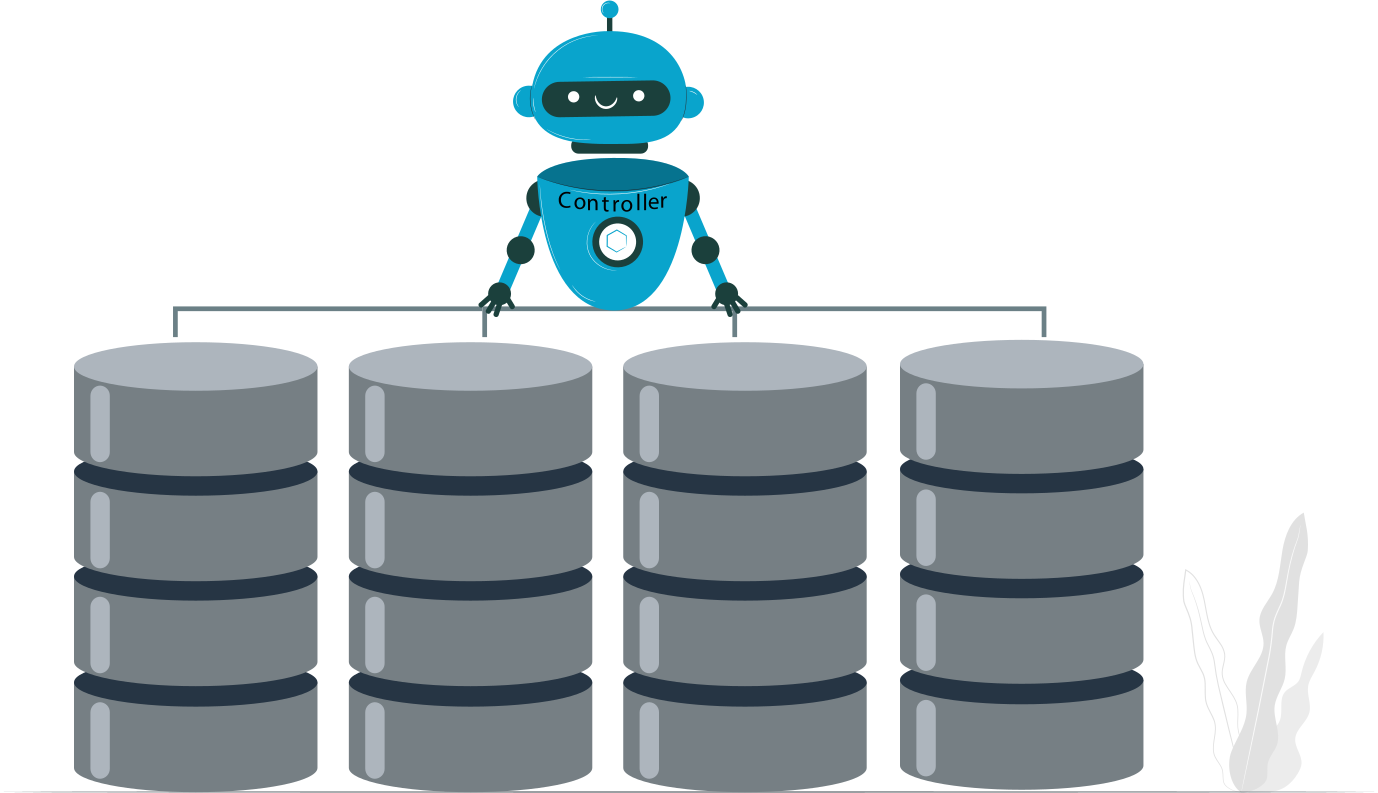
Major Enterprise RAID Controller Vendors and Product Lines
Broadcom (formerly LSI/Avago)
- MegaRAID series — the dominant enterprise RAID controller line.
- Key models: MegaRAID 9560 (PCIe 4.0, tri‑mode SAS/SATA/NVMe), MegaRAID 9460 (PCIe 3.5, 8‑port SAS/SATA), MegaRAID 9380 (PCIe 3.0, 8‑port).
- Features: support for all enterprise RAID levels, Online Capacity Expansion (OCE), RAID Level Migration (RLM), FastPath SSD optimization, CacheCade SSD caching.
- Broadcom controllers are the reference standard in VMware‑certified server hardware.
HPE Smart Array
- Integrated into HPE ProLiant and Synergy server lines.
- Models: Smart Array P816i‑a (16‑port, PCIe 3.0), P408i‑a, P100i.
- Deep integration with HPE OneView management platform.
- Battery/capacitor‑backed write cache for data protection.
- Certified for VMware and Microsoft enterprise environments.
Dell PERC (PowerEdge RAID Controller)
- Dell’s OEM‑branded MegaRAID derivatives.
- Models: PERC H755, H355, H745 series.
- Tight integration with Dell EMC OpenManage.
- Standard in Dell PowerEdge server lines, ensuring seamless lifecycle management.
Microchip (Microsemi/Adaptec)
- Product lines: SmartRAID 3200 series and Adaptec HBA series.
- Known for strong ZFS compatibility and JBOD pass‑through support.
- Often chosen in environments where open‑source storage stacks (ZFS, Ceph) are deployed alongside enterprise hardware.
📊 Enterprise RAID Controller Selection Checklist
| Criterion | Hardware RAID Requirement | Why It Matters |
|---|---|---|
| Supported RAID levels | Must support RAID 6 and RAID 10 minimum | Base data protection requirements for enterprise workloads |
| Cache size | 1 GB–8 GB onboard cache | Larger cache improves write performance under burst I/O |
| Cache protection | BBU (battery) or capacitor/flash-backed | Mandatory for write-back mode without data loss risk |
| Interface | PCIe 4.0 for NVMe; SAS 12Gb/s for SAS/SATA | Interface speed caps maximum array throughput |
| Port count | 8–24 ports direct; expandable via SAS | Match to drive count requirements with room to grow |
| Hot spare support | Dedicated + global | Multiple hot spare types reduce rebuild exposure time |
| Management software | Cross-platform (Linux + Windows) | Required for virtual environment management consistency |
| Hypervisor certification | VMware HCL, Hyper-V certified | Mandatory for production VMware vSphere deployments |
| RAID Level Migration | Yes | Allows live RAID level changes as requirements evolve |
| Online Capacity Expansion | Yes | Required for non-disruptive storage growth |
Do Enterprises Still Use Hardware RAID?
The Current State: Hardware RAID Persists, But the Market Has Segmented
Yes — enterprises still use hardware RAID, but its role has become more specialized. Hardware RAID remains dominant in SAS‑connected storage arrays, VMware vSphere host local storage, and server platforms requiring OS independence, write‑back cache protection, and hot‑spare automation. It is also favored in compliance‑driven environments where certified controller/drive combinations are mandatory, and in high‑I/O transactional workloads where controller queue depth and dedicated cache deliver measurable performance gains.
Hardware RAID has retreated from NVMe all‑flash environments (where controller speed becomes a bottleneck), cloud‑native infrastructure (where storage is abstracted into distributed software‑defined layers like Ceph, vSAN, or Storage Spaces Direct), hyperconverged platforms (which push RAID logic into the software layer), and cost‑sensitive deployments where ZFS or Linux mdadm provide sufficient protection without controller expense.
Community and Industry Consensus: Hardware RAID Is Not Dead, But Its Role Has Narrowed
Across IT forums and professional communities — Reddit r/homelab, ServerFault, Spiceworks — the consensus is clear: hardware RAID persists where its unique advantages are irreplaceable. Enterprises with SAS DAS, VMware clusters, and mission‑critical databases continue to deploy hardware RAID controllers. Meanwhile, teams building ZFS NAS systems, Ceph clusters, and cloud‑native stacks rely exclusively on software RAID.
The transition is not about hardware RAID disappearing; it is about concentration. Hardware RAID now occupies the niches where write‑back cache protection, OS independence, deep queue depth, and certified compatibility with enterprise platforms make a decisive difference.
RAID Use Cases in Enterprise: Where Each Type Belongs
Database Servers: RAID 10 with Hardware Controller
OLTP workloads such as Oracle, SQL Server, and PostgreSQL demand high write throughput, low latency, and maximum fault tolerance. RAID 10 on a hardware controller with BBU‑protected write‑back cache is the reference configuration. The controller’s deep queue depth (up to 1,024 I/Os) absorbs concurrent transaction bursts without saturating host CPU resources. Automatic hot spare rebuilds minimize downtime and DBA intervention. Write‑back cache ensures synchronous write peaks are absorbed, delivering consistent sub‑millisecond latency.
VMware vSphere Host Local Storage: Hardware RAID Required
VMware ESXi hosts rely on VMFS datastores and VMDK files stored on local DAS. VMware’s Hardware Compatibility List (HCL) certifies specific controller/drive combinations, and unsupported controllers create operational risk. Hardware RAID controllers present VMFS datastores as single logical volumes, abstracting physical drives from ESXi. This architecture ensures OS independence, certified compatibility, and predictable performance. For VMware hosts with local DAS, hardware RAID is the operationally correct choice.
NAS and File Servers: RAID 6 or RAID‑Z2 (ZFS)
NAS workloads are where software RAID has displaced hardware RAID. ZFS RAID‑Z2 provides dual‑drive fault tolerance equivalent to RAID 6, plus copy‑on‑write integrity, inline checksums, self‑healing, and snapshots — features hardware RAID cannot match. For Linux‑based NAS platforms (TrueNAS, OpenMediaVault), ZFS on a JBOD HBA is the preferred architecture. On Windows Server NAS, Storage Spaces with ReFS provides comparable functionality. Software RAID dominates here due to its data integrity features and flexibility.
Virtualized Environments and HCI: Software‑Defined Storage
Hyperconverged infrastructure platforms (VMware vSAN, Nutanix AHV, Microsoft S2D, Proxmox Ceph) abstract storage at the cluster software layer across distributed nodes. Hardware RAID on individual nodes creates a redundant “double RAID” configuration with no benefit and possible performance penalty. HCI platforms recommend JBOD pass‑through controllers (HBA mode) instead of hardware RAID. In these environments, software‑defined storage replaces RAID entirely at the node level.
Backup and Archive Storage: RAID 6 or RAID 60
Backup repositories and archival storage prioritize capacity and dual‑drive fault tolerance. RAID 6 or RAID 60 on high‑capacity drives (16–20 TB) delivers cost‑efficient resilience. Hardware RAID is preferred for bare‑metal Windows backup appliances, where software RAID performance is limited. Linux‑based backup targets increasingly adopt ZFS RAID‑Z2, valued for its data integrity verification and self‑healing capabilities.
RAID, VMFS, and VM Data Recovery: When RAID Fails in VMware Environments
How RAID Failure Affects VMware VMFS Datastores
VMware ESXi hosts store VMFS datastores — and the VMDK virtual disks inside them — on RAID arrays. When a RAID array degrades beyond its fault tolerance (e.g., multiple simultaneous drive failures), the logical volume goes offline and the VMFS datastore becomes inaccessible. Every VMX configuration file and VMDK on that datastore is unreachable, even though the raw data still exists on the drives. Recovery at the VMFS level cannot begin until the RAID array is reconstructed or the drives are accessed individually.
Hardware RAID Controller Failure: The Portability Problem
A hardware RAID controller stores configuration metadata in its NVRAM and on reserved sectors of each drive. If the controller fails, replacing it with an incompatible model often prevents the new controller from importing the existing RAID configuration — even if all drives are intact. This is hardware RAID’s most serious operational liability: controller failure can render an otherwise healthy array unreadable. Enterprises should always document controller model, firmware version, RAID level, and stripe size before deployment to mitigate this risk.
Recovering VMware VMDK Data After RAID Failure with DiskInternals VMFS Recovery™
When a RAID array hosting VMFS datastores fails — whether from controller failure, multiple drive loss, or rebuild corruption — DiskInternals VMFS Recovery™ provides a recovery path for the virtual machine layer above the RAID. Purpose‑built for VMware environments, it can:
- Mount VMDK files without a running ESXi host.
- Reconstruct VMFS volumes with damaged or partially overwritten metadata.
- Recover deleted VMX configuration files.
- Connect remotely to ESXi servers via IP and credentials for direct datastore scanning.
In practice: once the RAID array is reconstructed (or drives are accessed individually via JBOD HBA), VMFS Recovery™ scans the datastore, locates VMX and VMDK files, previews integrity, and extracts them to a safe destination. The recovered files can then be re‑registered on a healthy ESXi host. RAID reconstruction restores the physical layer; VMFS Recovery™ restores the virtual machine layer above it.
Ready to get your data back?
To recover data from a RAID disk (documents, databases, images, videos, and other files), press the FREE DOWNLOAD button below to get the latest version of DiskInternals VMFS Recovery® and begin the step-by-step recovery process. You can preview all recovered files absolutely for FREE. To check the current prices, please press the Get Prices button. If you need any assistance, please feel free to contact Technical Support. The team is here to help you get your data back!
Prevention: RAID Best Practices for Enterprise VMware Environments

Always Use BBU‑Protected Write‑Back Cache for VMDK Workloads
VMware VMDK performance depends heavily on write‑back cache. A controller in write‑through mode delivers IOPS far below drive capability, crippling VM performance. Always configure write‑back mode with BBU or flash‑backed cache protection to safeguard in‑flight writes. Check BBU charge status weekly — an uncharged BBU forces the controller into write‑through mode automatically, silently degrading performance until replaced.
Monitor RAID Array Health Continuously
Continuous monitoring is essential to avoid silent degradation. Configure alerts for:
- Drive degradation (predictive SMART failures)
- Patrol read errors
- Rebuild progress
- BBU charge status
- Controller temperature
Enterprise controllers (Broadcom MegaRAID, HPE Smart Array, Dell PERC) integrate with vCenter alarms, SNMP platforms, and email alerting. A degraded array running on a hot spare has zero fault tolerance until rebuild completes — monitoring ensures administrators act before the risk window becomes critical.
Document Controller Configuration Before Failure Occurs
Controller failure is one of the most disruptive RAID risks. To prepare, document and store:
- Controller model and firmware version
- RAID configuration (level, stripe size, cache policy, hot spare assignments)
- Drive slot assignments with model and serial numbers
- Virtual disk identifiers
Maintain this in a configuration management database and update after every change. This documentation becomes the recovery blueprint when a controller replacement is required, ensuring the array can be reconstructed accurately.
FAQ
-
Is hardware RAID still worth using in enterprise environments?
Yes — for SAS-connected DAS, VMware vSphere local storage, and high-IOPS database workloads where write-back cache protection, dedicated queue depth, and OS independence justify the controller cost. For NVMe arrays, HCI platforms, and Linux-based NAS, software RAID or ZFS is the correct choice. -
What RAID level do enterprises use for databases?
RAID 10 is the standard for OLTP database servers. It combines the highest write performance (striping) with full drive mirroring redundancy and faster rebuild times than any parity-based RAID level. RAID 6 is used where storage efficiency matters more than write performance. -
Why does VMware recommend hardware RAID over software RAID?
VMware recommends hardware RAID over software RAID because hardware controllers operate independently of the host OS, preserving RAID state even if the OS crashes. Hardware RAID provides BBU‑protected write‑back cache, which dramatically improves VMDK write performance while safeguarding in‑flight data. Certified hardware RAID controllers are listed on VMware’s HCL, ensuring compatibility and support in enterprise environments. They also deliver deeper queue depths and advanced rebuild features that software RAID cannot match. In short, hardware RAID offers higher reliability, performance, and operational consistency for VMware datastores. -
What happens to VMDK data when a hardware RAID controller fails?
When a hardware RAID controller fails, the VMDK data itself usually remains intact on the physical drives, but the array becomes inaccessible because the RAID configuration metadata is tied to the controller. Without the exact same model and firmware, a replacement controller may not be able to import the existing RAID configuration. This creates a portability problem: even though the disks are healthy, the logical volume that VMware relies on cannot be reconstructed. Until the RAID configuration is restored, the VMFS datastore and its VMDK files remain unreadable. In practice, recovery requires either an identical controller replacement or specialized tools that can rebuild the array and then extract VMFS/VMDK data. -
Can I replace a failed hardware RAID controller with a different model?
You generally cannot replace a failed hardware RAID controller with a different model and expect the array to import cleanly. RAID configuration metadata is stored in the controller’s NVRAM and on the drives, but the format is proprietary and often incompatible across models. In practice, recovery requires the exact same controller model and firmware version to ensure the array is recognized. Using a different model risks the controller failing to read the metadata, leaving the array inaccessible even if the drives are healthy. For enterprise deployments, documenting controller details before failure is critical to avoid this portability problem. -
Is RAID a substitute for backup in enterprise VMware environments?
No — RAID is not a substitute for backup in enterprise VMware environments. RAID protects against individual disk failures by maintaining redundancy, but it does not safeguard against accidental deletion, ransomware, controller failure, or datastore corruption. If a VMFS datastore is damaged or a VMDK file is deleted, RAID will faithfully replicate that loss across all drives. Backup systems provide the point‑in‑time recovery that RAID cannot. In VMware deployments, RAID ensures uptime, while backups ensure recoverability.