
What Is a Port Group in VMware & What Is a Distributed Port Group in VMware
In VMware networking, a port group defines how virtual machines connect to the underlying network through a vSwitch. It acts as a logical container that applies consistent settings — such as VLAN IDs, security policies, and traffic shaping — across multiple VM network adapters.
For larger environments, VMware introduces the Distributed Port Group, which extends these settings across all hosts in a vSphere cluster. This ensures uniform networking policies, simplifies management, and reduces configuration drift between ESXi hosts.
This article explains what a port group is in VMware, how it differs from a distributed port group, and why both are critical for stable, scalable virtualization networking.
VMware Port Group Explained — Core Networking Concept
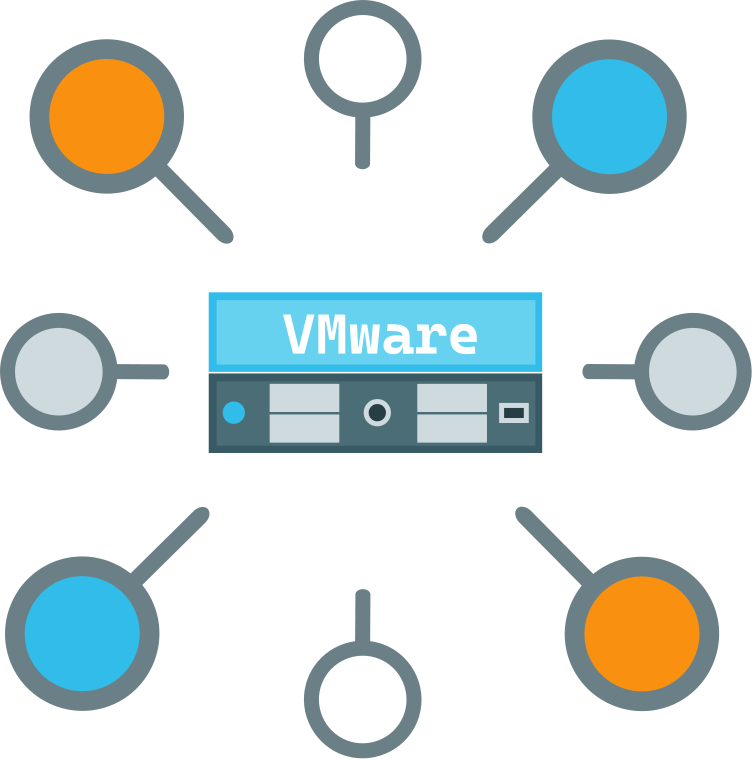
A port group in VMware is a fundamental networking construct that defines how virtual machines connect to the network through a vSwitch.
- Logical container for VM network connectivity: It groups multiple virtual switch ports under a single configuration.
- Maps virtual switch ports to VLAN / network policy: Port groups assign VLAN IDs and enforce consistent network segmentation.
- Controls traffic rules, security, and NIC teaming: Administrators can apply security policies, traffic shaping, and failover rules at the port group level.
- Acts as VM network attachment point: Virtual machines attach their network adapters to a port group, inheriting its policies and connectivity.
How a Port Group Works Inside VMware vSphere Networking
A port group is the bridge between virtual machines and the physical network, built on top of VMware’s virtual switch architecture.
- Virtual Switch (vSS): The foundation of VMware networking. A vSwitch provides virtual ports that connect VM network adapters to the host’s physical NICs.
- Port group → VLAN mapping: Each port group defines VLAN IDs and policies, ensuring traffic is segmented and isolated according to network design.
- VM virtual NIC → port → uplink → physical NIC: A VM’s virtual NIC attaches to a port in the port group, which then forwards traffic through the vSwitch uplink to the host’s physical NIC and out to the external network.
- Traffic isolation and segmentation: By assigning VLANs and policies at the port group level, administrators enforce consistent rules across multiple VMs, preventing cross‑traffic leakage and ensuring secure multi‑tenant environments.
Key Components of a VMware Port Group

A VMware port group is more than just a connection point — it defines the rules and policies that shape how virtual machines interact with the network.
VLAN ID and Network Segmentation
- Assigns a VLAN ID to the port group, ensuring traffic is properly segmented.
- Provides logical separation between different workloads or tenants on the same physical infrastructure.
- Critical for isolating sensitive VM traffic from general network traffic.
Security Policies (Promiscuous Mode, MAC Changes, Forged Transmits)
- Promiscuous Mode: Controls whether a VM can see all traffic on the network or only its own.
- MAC Address Changes: Determines if a VM can change its MAC address after initial assignment.
- Forged Transmits: Governs whether outbound frames with a different source MAC are allowed.
- These policies protect against spoofing and unauthorized traffic capture.
Traffic Shaping and Bandwidth Control
- Defines average bandwidth, peak bandwidth, and burst size for VM traffic.
- Prevents a single VM from consuming excessive bandwidth and impacting others.
- Useful for balancing workloads in multi‑tenant or resource‑constrained environments.
NIC Teaming and Failover Order
- Allows multiple physical NICs to be grouped for redundancy and load balancing.
- Failover order ensures traffic is rerouted to backup NICs if a primary link fails.
- Provides resilience and higher throughput for critical VMware workloads.
Standard Port Group vs Distributed Port Group — Critical Differences
| Feature | Standard Port Group | Distributed Port Group |
|---|---|---|
| Switch type | vSS (host local) | vDS (cluster-wide) |
| Configuration scope | Single ESXi host | Multiple hosts |
| Central management | No | Yes |
| Network consistency | Manual | Automatic |
| Advanced features | Limited | NIOC, Port mirroring, NetFlow |
| vMotion network persistence | Limited | Full |
What Is a Distributed Port Group in VMware — Deep Technical Explanation
A Distributed Port Group (DPG) is the advanced counterpart to a standard port group, designed to operate on the vSphere Distributed Switch (vDS).
- Runs on vSphere Distributed Switch (vDS): Unlike a standard port group tied to a single vSwitch on one ESXi host, a distributed port group is part of a vDS that spans multiple hosts in a vSphere cluster.
- Centralized network policy across ESXi hosts: Administrators define VLANs, security rules, traffic shaping, and NIC teaming once, and those settings are automatically applied cluster‑wide.
- Required for enterprise networking and automation: Distributed port groups are essential for large VMware environments, enabling consistent policy enforcement, streamlined automation, and reduced configuration drift.
- Maintains VM network identity during vMotion: When a VM migrates between hosts, its network identity (VLAN, policies, security settings) remains intact because the distributed port group is managed centrally by the vDS.
When to Use Standard vs Distributed Port Groups
| Scenario | Recommended Choice |
|---|---|
| Single ESXi host | Standard Port Group |
| Small lab / testing | Standard |
| Production cluster | Distributed |
| vMotion / HA / DRS environments | Distributed |
| Network automation required | Distributed |
Port Group vs VLAN — Understanding the Difference
It’s common to see confusion between VLANs and port groups in VMware discussions, but they serve distinct roles in networking.
- VLAN = Layer 2 segmentation on the physical network. VLANs are defined at the switch level, segmenting traffic into isolated broadcast domains. They exist independently of VMware and apply to all devices connected to the physical network.
- Port Group = VMware network container applying VLAN + policies. A port group is a VMware construct on a vSwitch or vDS. It applies a VLAN ID to virtual NICs and enforces additional policies such as security, traffic shaping, and NIC teaming.
- One VLAN can map to multiple port groups. Administrators can create multiple port groups that reference the same VLAN but apply different policies. For example, one port group may enforce strict security rules while another allows more flexibility, even though both connect to VLAN 10.
Common VMware SAS RAID Misconfigurations and Networking Issues
Even with proper hardware and VMware certification, networking misconfigurations at the port group or vDS level can cause VM isolation, degraded performance, or instability.
Wrong VLAN ID Causing VM Network Isolation
- Issue: Assigning the wrong VLAN ID in a port group prevents VMs from communicating with the intended network segment.
- Impact: VMs appear powered on but remain isolated, unable to reach gateways or other hosts.
- Best practice: Always validate VLAN IDs against physical switch configurations.
Security Policy Blocking Traffic
- Issue: Strict port group security settings (e.g., rejecting MAC changes or forged transmits) can block legitimate VM traffic.
- Impact: Network adapters inside guest OS may fail to connect or drop packets unexpectedly.
- Best practice: Align VMware port group security policies with application requirements.
Incorrect NIC Teaming / Failover Order
- Issue: Misconfigured NIC teaming or failover order can send traffic through inactive or unintended uplinks.
- Impact: Loss of redundancy, uneven load balancing, or complete VM network disconnection.
- Best practice: Test failover scenarios and ensure NIC teaming matches physical switch design.
Port Binding Issues in Distributed Port Groups
- Issue: Distributed port groups support different binding types (static, dynamic, ephemeral). Misuse can cause VM network attachment failures.
- Impact: VMs may fail to connect during vMotion or cluster operations.
- Best practice: Use static binding for most enterprise workloads to ensure predictable VM‑to‑port assignments.
Advanced Distributed Port Group Features (Enterprise)
Distributed Port Groups on a vSphere Distributed Switch (vDS) unlock advanced networking capabilities that go far beyond basic VLAN and security policies. These features are critical for large VMware environments where performance, visibility, and automation matter.
- Network I/O Control (NIOC). Prioritizes and allocates bandwidth across different traffic types (VM, vMotion, management, fault tolerance). Ensures critical workloads always receive guaranteed throughput.
- Port Mirroring for Diagnostics. Allows administrators to mirror traffic from one or more ports to a monitoring VM or appliance. Useful for packet analysis, troubleshooting, and intrusion detection.
- NetFlow Traffic Monitoring. Provides visibility into traffic patterns by exporting flow data to external collectors. Helps analyze bandwidth usage, detect anomalies, and plan capacity.
- LACP and Advanced Uplink Control. Supports Link Aggregation Control Protocol (LACP) for dynamic NIC teaming. Enables load balancing across multiple uplinks and improves redundancy.
- Private VLANs (PVLAN). Extends VLAN segmentation by isolating traffic between VMs within the same VLAN. Useful for multi‑tenant environments where isolation is required without consuming additional VLAN IDs.
Impact of Port Group Misconfiguration on VM Availability
Port group misconfigurations can have serious consequences in VMware environments, directly affecting VM connectivity and cluster stability.
- VM loses network connectivity. A wrong VLAN ID or incorrect security policy can isolate a VM, leaving it unable to reach gateways, other VMs, or external networks.
- vMotion failure. If port groups are inconsistent across hosts, vMotion migrations fail because the destination host cannot provide the same network identity.
- HA isolation events. Misconfigured port groups can prevent ESXi hosts from communicating with vCenter or each other, triggering false isolation responses and unnecessary VM restarts.
- Cluster‑wide outage from vDS misconfiguration. Errors in distributed port group or vDS settings propagate across all hosts in the cluster, potentially disconnecting every VM at once.
Recovering Virtual Machines After Network or Datastore Failure
When VMware networking or storage fails, virtual machines can become inaccessible or even appear lost. Understanding the risks and applying professional recovery methods is critical.
- VM becomes inaccessible after port group or switch failure. Misconfigured or failed port groups can cut off VM connectivity, leaving workloads isolated from the cluster or external network.
- Datastore damage after network outage. In environments using shared storage, a network outage can interrupt I/O, leading to datastore corruption or incomplete writes.
- Lost VM configuration / VMDK files. Improper recovery attempts or storage instability may result in missing VMX configuration files or corrupted VMDK disks.
Professional Recovery Approach
When standard VMware tools cannot restore access, specialized recovery software is required before attempting to rebuild networking or storage.
DiskInternals VMFS Recovery™ restores:
- Deleted or corrupted virtual machines
- VM configuration files (VMX) and virtual disks (VMDK)
- Data from damaged VMFS datastores
- Virtual machines prior to rebuilding vSphere networking
Ready to get your data back?
To recover VM (data, documents, databases, images, videos, and other files), press the FREE DOWNLOAD button below to get the latest version of DiskInternals VMFS Recovery® and begin the step-by-step recovery process. You can preview all recovered files absolutely for FREE. To check the current prices, please press the Get Prices button. If you need any assistance, please feel free to contact Technical Support. The team is here to help you restore VM!
Best Practices for Managing VMware Port Groups
Proper management of port groups ensures stable, secure, and predictable networking across VMware environments. These practices help prevent misconfigurations and outages.
- Standardize VLAN naming. Use consistent, descriptive names for VLANs and port groups to avoid confusion and reduce human error.
- Separate management, VM, storage, and vMotion networks. Isolate traffic types into dedicated port groups and VLANs to improve performance and security.
- Use distributed port groups in clusters. Apply centralized policies across all ESXi hosts with vDS, ensuring uniform configuration and seamless VM mobility.
- Backup vDS configuration regularly. Export and store vDS settings so they can be quickly restored in case of misconfiguration or failure.
- Validate VLAN before deploying production VMs. Always confirm VLAN IDs and switch configurations to prevent VM isolation or connectivity issues.
Conclusion — Choosing the Right VMware Port Group Strategy
- Standard port group → local, simple deployments.b Best suited for standalone ESXi hosts or small environments where networking policies don’t need to span multiple servers.
- Distributed port group → scalable, centralized networking. Essential for clusters, enterprise workloads, and environments requiring consistent policies, automation, and seamless vMotion across hosts.
- Protect VM data before major network changes. Always back up vDS configurations and safeguard VMFS datastores before reconfiguring port groups or distributed switches to avoid outages or data loss.
FAQ
Can multiple VLANs exist in one port group?
No, a single VMware port group cannot directly span multiple VLANs — it is tied to one VLAN ID at a time. A VLAN is a Layer 2 segmentation mechanism on the physical network, while a port group is a VMware construct that applies a VLAN ID plus policies to VM traffic. If you need VMs to connect to different VLANs, you must create separate port groups for each VLAN. However, you can have multiple port groups referencing the same VLAN, each with different security or traffic policies. This design ensures clarity, segmentation, and predictable VM networking behavior.
Does a VM keep network identity during vMotion?
Yes, a VM keeps its network identity during vMotion. When a VM migrates between ESXi hosts, its MAC address, VLAN assignment, and port group policies remain intact. This consistency is achieved through the vSphere Distributed Switch (vDS) and distributed port groups, which apply centralized policies across all hosts. As a result, the VM continues to communicate seamlessly on the same network after migration. This design ensures that vMotion does not disrupt connectivity or cause IP conflicts.
What happens if a distributed switch fails?
If a vSphere Distributed Switch (vDS) fails or is misconfigured, the impact can be severe because it controls networking across all ESXi hosts in the cluster.
- VMs lose connectivity: Since distributed port groups are tied to the vDS, a failure can disconnect every VM attached to it.
- Cluster‑wide outage risk: Unlike a standard vSwitch (local to one host), a vDS spans multiple hosts, so errors propagate cluster‑wide.
- Management disruption: ESXi hosts may show “out of sync” with vCenter, leading to dvPort conflicts and broken communication between hosts and vCenter.
- vMotion and HA failures: Without a functioning vDS, vMotion migrations and HA responses can fail because the VM’s network identity cannot be maintained.
- Recovery requires re‑sync or rollback: Administrators often need to restore vDS configuration from backup or re‑sync hosts with vCenter to recover networking.
Can I convert a standard port group to distributed?
Yes, you can migrate from a standard port group on a vSphere Standard Switch (vSS) to a distributed port group on a vSphere Distributed Switch (vDS). The process involves creating a vDS in vCenter, adding ESXi hosts to it, and then migrating the existing standard switch configurations — including port groups, VLANs, and NIC teaming settings — to the distributed switch. VMware provides a guided migration wizard in the vSphere Client to help ensure policies match between the source and destination. It’s important to back up or document the original vSwitch setup before migration to avoid mismatches. Once complete, VMs will attach to distributed port groups, gaining centralized management and cluster‑wide consistency.