
How to Recover Deleted or Lost Movies
Do you have a favorite movie? The one that is your favorite, or the one that you have may directed yourself.
Imagine that? Great!
Now imagine that you have lost it… Isn’t it awful?
But how bad is it when it is for real and not just your imagination!
If you have lost your movie, then you are not on the right track!
Keep reading and you will get back your videos!
Need to know
So, if you suddenly deleted or lost your favorite movie and want to retrieve it, the first and the best thing you can do is stop using your gadget immediately.
This way, you are more likely to recover your deleted movie. Otherwise, it can be overwritten by new data and then it will be hard or even impossible to return the films.
It is best to not format the device or use the command line to restore the file system, because that may harm your lost data, including the deleted movie.
Check your Recycle Bin; your movie file may still be there. If it is empty, do not worry. You can use software for deleted movies recovery.
It is very easy to use a special tool for this case!
Video Recovery: deleted movie recovery software
Do you want to know how to recover deleted movies with software quickly and easily?
Choose Video Recovery and you will not lose a thing!
You can retrieve video from a memory card, flash drive, digital camera, video camera, Recycle Bin, hard disk, or other storage devices. For Video Recovery, the reason for the loss of your movies is not important; it will handle any task you want.
The software supports all video formats: AVI, MP4, MOV, MPG, M4V, 3GP, MPEG, RM, etc. So whatever format your movie was in, you can recover it!

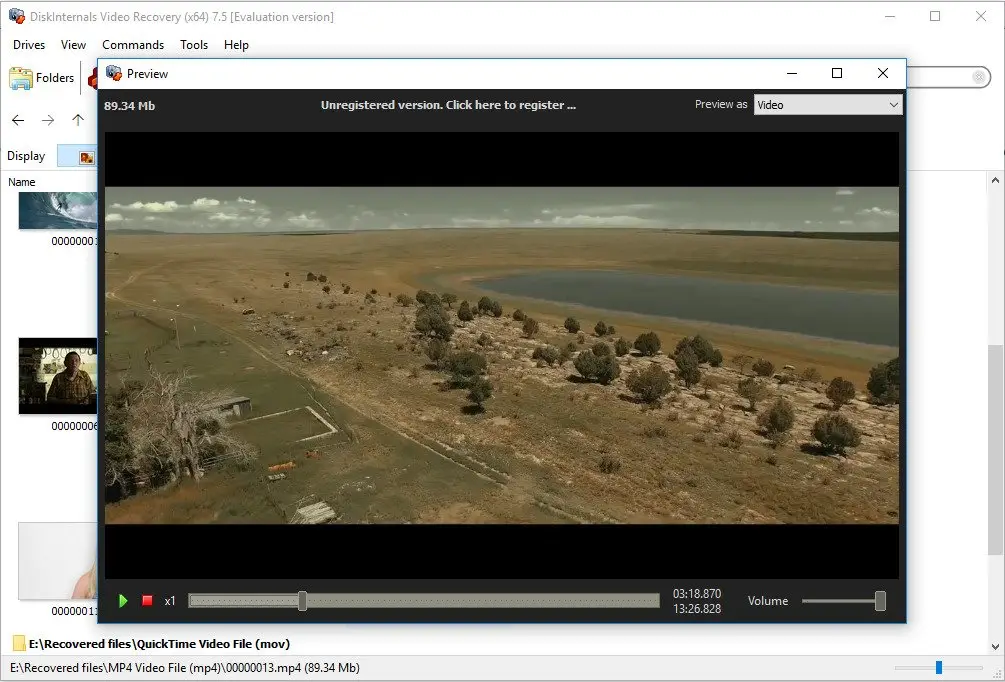
This tool is equipped with a convenient and simple built-in wizard that will help you at all stages of the operation to recover lost movies. With the Preview feature, you can play the deleted movie and make sure that it can be restored and is working properly.
You need to purchase a license if you are satisfied with the result and want to save the video; everything else is free.
In addition, you can use the trial version at no cost, which makes Video Recovery software even more accessible. The software allows you to recover files in Windows 10, 8, 7 and even in older versions. You just need to download and install DiskInternals Video Recovery and follow the guide, which is below.
You will see that you can retrieve the movie easily, simply and without leaving home. Isn't it great?
Manual: how to retrieve deleted movies
Using DiskInternals Video Recovery will be even easier if you follow the step-by-step instructions on how to restore permanently deleted videos from Android device.
- 1. Download and launch DiskInternals Video Recovery software to recover your deleted movie.
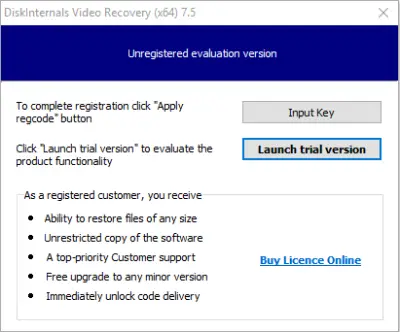
- 2. The installation of the application will be completed after a few clicks on the Next button.
- 3. In the new welcome window you will see the icon for the wizard; click on it. Then click the Next button.
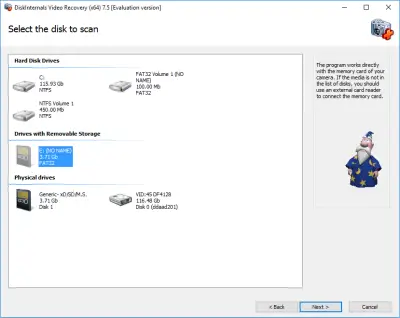
- 4. The program will automatically detect all devices connected to your computer. These can be hard drives, solid-state drives, flash drives and memory cards (including SD cards, USB drives, external hard drives, etc.). Select the device where your movies were located.
- 5. The scanning process will start. The duration will depend on the size of your disk. Therefore, there is no reason to worry; relax, because very soon you will recover your lost movies.
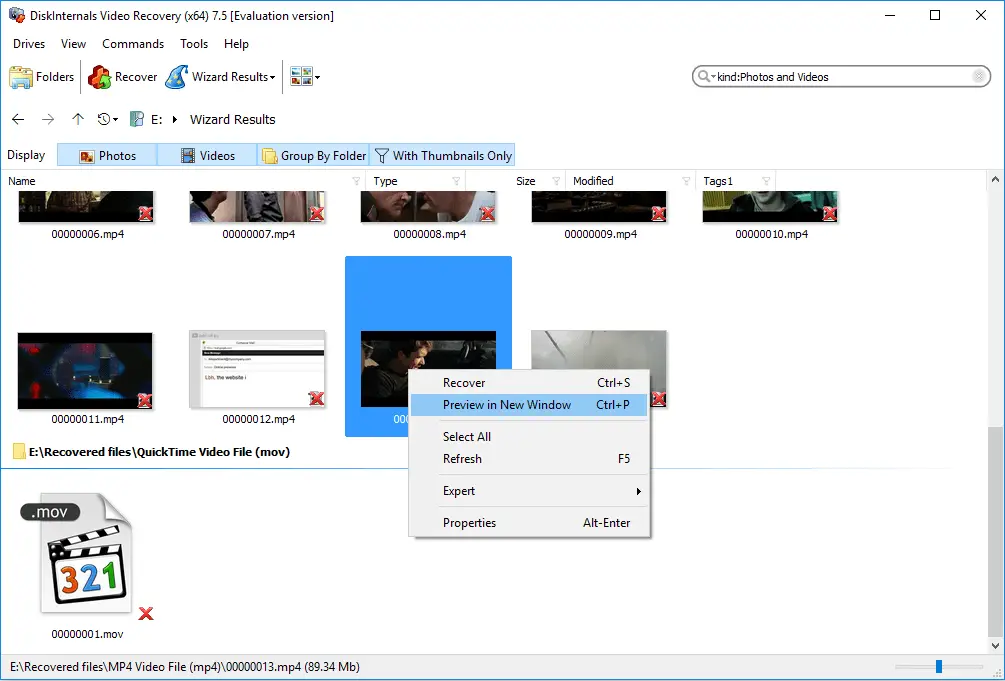
- 6. In the new window, after the scan is completed, you will see files that can be recovered. Right-click on your long-awaited movie and select Preview. If you can play the video, you can restore it.
- 7. With one simple click of the Recovery button, you will retrieve your video, because this process is fully automated.
- 8. In order to save the found movies on your computer or upload to a FTP site, you need to purchase a license and enter the license key.
It is better to save the recovered movies in a new place, different from the original.
Instead of P.S.:
Have you ever accidentally deleted videos from your Android device and desperately wished you could recover them? Well, we have great news for you! DiskInternals has the ultimate solution you've been searching for.
Discover the power of DiskInternals and learn how to recover recently deleted videos from Android. Our cutting-edge technology and user-friendly interface make the recovery process a breeze, even for the non-tech-savvy.
Don't let those cherished memories fade away. Take action now and dive into our comprehensive guide on how to get deleted videos back on Android with DiskInternals. Unlock the potential of your device and reclaim those irreplaceable moments.
Related articles
- 4 Ways to Recover Deleted or Lost PS4 Video Games
- AVI Recovery: Recover AVI Files Right Now!
- How to Recover Deleted Videos from a Laptop
- How to recover deleted videos from Windows 7
- Mp4 Recovery: All that you need to repair Mp4 file
- Recover Deleted Videos from SD card
- [Solved] 4K Video Recovery and All You Need for It
- Recover .3gp Video Files Effortless!
- Video error 0xc00d36c4? Fix it today!
- The best methods on how to recover webcam videos!
- Recover FLV video files effortless and fast!
- How to perform MPG recovery? Find out it here!
- MOV vs MP4: what is more practical?
- WMV file recovery - all you need to know
- Deleted GoPro video? Recover GoPro Files Today!
- Recover MKV files: everything you need to know
- WebM file recovery - make it today!
- What is H.264 video files and how to restore it
- MXF video recovery: all you need to know
- If Your PS4 Won't Turn On
- How to recover files from DJI Drone
- What is an .swf file?
- What is the missing codec error 0xc00d5212?
- If you have video lagging
- How to Fix Music Video Error 0xc00d36b4 on Windows 10
- If you get Video memory management internal error
- If Audio and video going out of sync on Windows 10
- Mp4 repair: restore your favorite videos
- If you get 0xc10100be error
- How to edit your MP4 and prevent dealing harm to it?
- Workable guide on how to convert MKV to MP4?
- 0xc00d36e5 error occurs: your actions
- Windows Media Player encountered a problem while playing the file
- 0xc10100bf error occurs: your actions?
- How to extract audio from video. Top-3 services
- Convert MP3 to MP4
- Convert WebM to MP4
- Best iMovie Alternatives For Windows
- Editing MP3 files with the trimmers for Windows
- Deal with the Most Common Windows Movie Maker Problems
- Here is How to Remove Audio From Video
- How to rotate a video in Windows 10
- Here is How to Compress MOV File
- Here is How to Convert MKV Files
- Here is how to convert AVI to MP4 safely
- How to Recover TikTok Draft Videos or Deleted Videos?
- How to Recover Deleted Videos on your device [2026]
- How to Recover Deleted Videos - Best Ways [2026]
- Recover Deleted MTS Video Files on Windows
- Adult Content Detection
- Recover deleted videos YouTube