
Recover MKV files: everything you need to know is here!
Here you will find out:
- what peculiarities of the MKV video are
- why MKV video can be lost
- how DiskInternals Photo & Video Recovery can help you
Are you ready? Let's read!
What is the MKV file extension?

The MKV file format is used less frequently, although it is gradually gaining increasing popularity. It is especially interesting to fans of anime, as it includes video, subtitles, and audio. The MKV format was released in 2002 and is also known as the Matroska video format (from the Matryoshka doll, originally from Russia). You can play this format with special players, as well as the standard players like Windows Media Player, only with certain codecs.
In a few more years, the popularity of MKV files will be comparable to that of the MP4 format. At least the creators of the MKV files rely on this and, for sure, they are right in their beliefs.
Why does an MKV video file become lost?
MKV files, like any other files, can be lost and the reasons for this are the most simple and, at the same time, diverse.
- You can accidentally delete them while formatting a disk, emptying the recycle bin or just when selectively cleaning the information storage device.
- Viruses ... They can darken your life at any time, and you don’t know which way they will fit. Therefore, virus coding of files is in second place.
- System crashes and errors. For example, damage to the hard drive, file system, registry, all this will damage files of any type.
- Mechanical damage to a solid-state drive due to improper use.
These are the most common causes of losing MKV files. Now, knowing what an MKV file is and why they can disappear, you need to know: is MKV recovery possible in principle or not?
Recoverable MKV video files or not?
In most cases, repair MKV files are possible. But avoid overwriting data. How to do this, you ask?
First, once the data has been deleted, stop using this disk.
Secondly, start to recover MKV files now. Any slowdowns can cause random data overwriting. In this case, you have lost your MKV files forever.
Therefore, do not waste time, in the next paragraph, it is described in detail what and how to do to recover MKV video files.
DiskInternals Photo & Video Recovery is the solution

With DiskInternals Photo & Video Recovery, few people have been let down over 15 years of working in with the lost video.
Recovery of lost or deleted MKV files is the main goal and task of this tool. You don't need any additional technical skills; just download the free trial version of this software a recovery wizard will help you in all stages of data recovery.
In addition, this application is universal: it
- works with all versions of Windows.
- supports all file systems.
- recovers video from hard drives and any portable drives (SD cards, USB-drives, memory cards, flash drives, etc.).
- your video will be returned regardless of the reason for this (any logical error or accidental deletion).
In any case, you need to try to recover MKV video files, so you do not regret the lost time. In addition, a free preview will save you from wasting cash.
Guide for DiskInternals Photo & Video Recovery:
- 1. Click "Try it free" button and wait for the application to complete the installation.
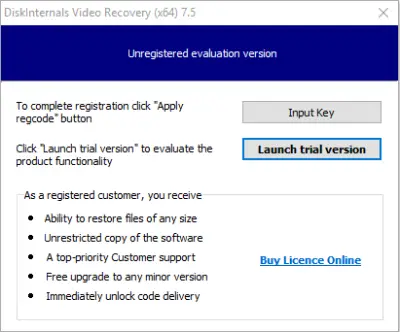
- 2. Open DiskInternals Photo & Video Recovery and click the Wizard button.
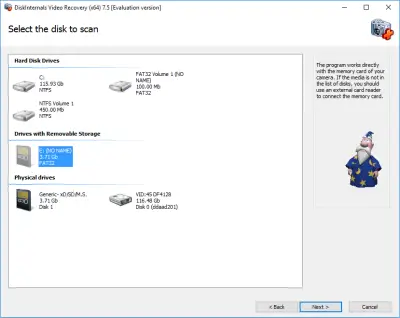
- 3. Select a disk to scan.
- 4. Scan. Select a quick or full scan. Press "Next".

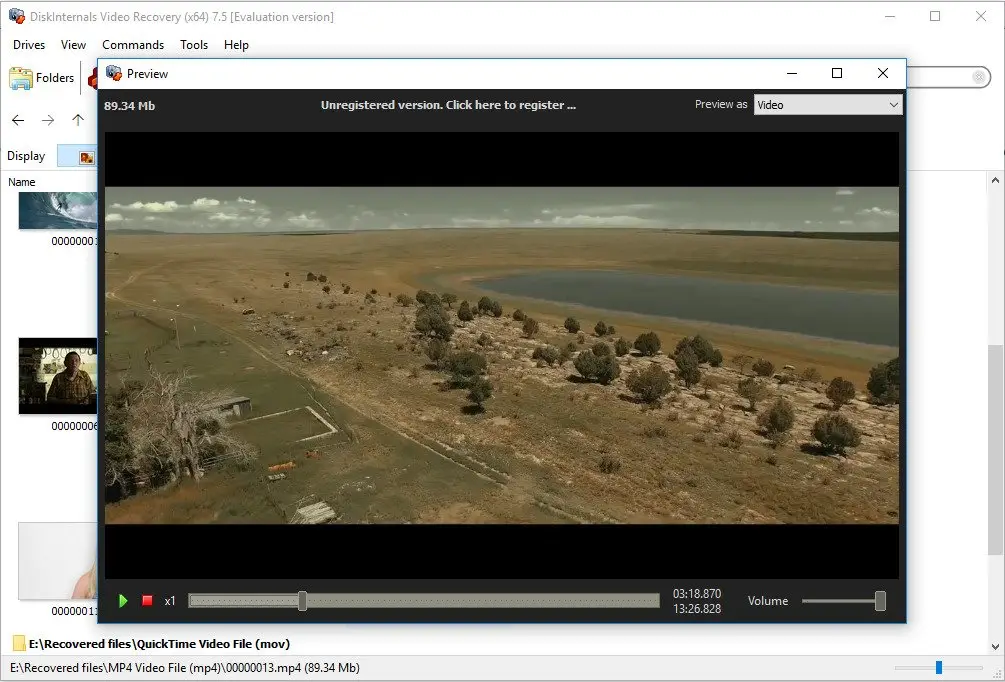
- 5. Now the option "Preview" is available. You just need to select the video and right-click on it - select Preview.
- 6. To save the recovered data you need to purchase a license. No reinstallation or rescanning need!
Related articles
- 4 Ways to Recover Deleted or Lost PS4 Video Games
- Adult Content Detection
- AVI Recovery: Recover AVI Files Right Now!
- How to Recover Deleted or Lost Movies
- How to Recover Deleted Videos from a Laptop
- How to recover deleted videos from Windows 7
- Mp4 Recovery: All that you need to repair Mp4 file
- Recover Deleted Videos from SD card
- Recover deleted videos YouTube
- [Solved] 4K Photo & Video Recovery and All You Need for It
- Recover .3gp Video Files Effortless!
- Video error 0xc00d36c4? Fix it today!
- The best methods on how to recover webcam videos!
- Recover FLV video files effortless and fast!
- How to perform MPG recovery? Find out it here!
- MOV vs MP4: what is more practical?
- WMV file recovery - all you need to know
- Deleted GoPro video? Recover GoPro Files Today!
- WebM file recovery - make it today!
- What is H.264 video files and how to restore it
- Recover Deleted MTS Video Files on Windows
- MXF Photo & Video Recovery: all you need to know
- If Your PS4 Won't Turn On
- How to recover files from DJI Drone
- What is an .swf file?
- What is the missing codec error 0xc00d5212?
- If you have video lagging
- How to Fix Music Video Error 0xc00d36b4 on Windows 10
- If you get Video memory management internal error
- If Audio and video going out of sync on Windows 10
- Mp4 repair: restore your favorite videos
- If you get 0xc10100be error
- How to edit your MP4 and prevent dealing harm to it?
- Workable guide on how to convert MKV to MP4?
- 0xc00d36e5 error occurs: your actions
- Windows Media Player encountered a problem while playing the file
- 0xc10100bf error occurs: your actions?
- How to extract audio from video. Top-3 services
- Convert MP3 to MP4
- Convert WebM to MP4
- Best iMovie Alternatives For Windows
- Editing MP3 files with the trimmers for Windows
- Deal with the Most Common Windows Movie Maker Problems
- Here is How to Remove Audio From Video
- How to rotate a video in Windows 10
- Here is How to Compress MOV File
- Here is How to Convert MKV Files
- Here is how to convert AVI to MP4 safely
- How to Recover TikTok Draft Videos or Deleted Videos?
- How to Recover Deleted Videos on your device [2026]
- How to Recover Deleted Videos - Best Ways [2026]