
How to perform MXF Photo & Video Recovery
Here you will find out:
- what is an MXF video file
- how to restore it
- how DiskInternals can help you
Are you ready? Let's read!
MXF video: what is it?
MXF is a video format for many camcorders (Canon XF, Panasonic P2, Sony XDCAM, etc.). It combines audio, video, and metadata, compressed into a single media file.
The key thing to remember is that files with the .mxf extension cannot be opened with standard tools. To play them on a computer or laptop, you need additional programs and codecs, or you need to convert them from this format to any other standard one, such as MP4, AVI, MOV, etc.
Maybe that's why the .mxf format is not so popular, and few people know what to do if these files are lost and whether it's possible to perform MXF Photo & Video Recovery.
This article is dedicated to the recovery of lost or deleted MXF videos. Here, you will find the optimal solution for this issue.
Why MXF video files can be damaged or lost
The reasons for the loss of this kind of file are very well known, but this does not affect the frequency of it happening. For example, there could be accidental deletion while cleaning a disk or formatting a disk (forced or voluntary). Also, quite often a .mxf file is lost during transfer from one device to another (if, say, during the transfer, one of the cameras was disconnected suddenly). Incorrect removal of the memory card can also cause file loss.
In other words, most often it is the human factor that plays a key role in the problem.
Improve chances for MXF recovery

Never use a camera or memory card after a file has disappeared.
This will always and everywhere lead to overwriting, after which MXF video file recovery will be impossible. And, as you already have figured out, immediately start MXF Photo & Video Recovery, no matter how difficult it is for you.
Delay and the file will not be able to be returned to you.
MXF file recovery with DiskInternals Photo & Video Recovery
Now, the best method for MXF file recovery is using DiskInternals Photo & Video Recovery.
From the name, it is clear that this is a specialized application and will be able to restore even common video formats. You can be sure that the missing MXF file will be found and restored to its original form without distortion or loss of image quality. First, open the free version of the program, test it and then acquire a license when you are confident of its quality. The Recovery Wizard will show all the stages of file recovery in a friendly manner; you will be surprised how simple it is.
Start the exciting Photo & Video Recovery process with DiskInternals Photo & Video Recovery.
Now, in order:
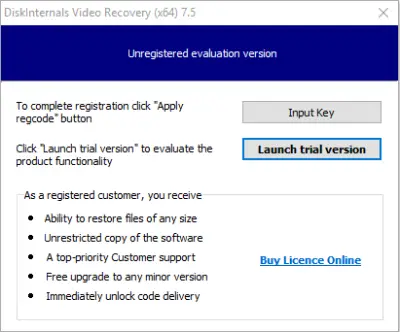
- Select the repository that contained the MXF file.
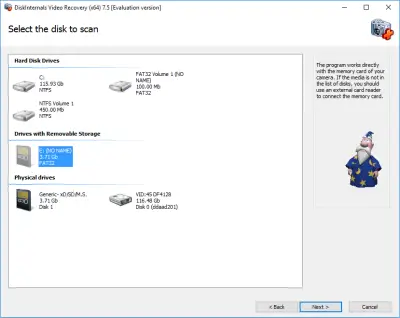
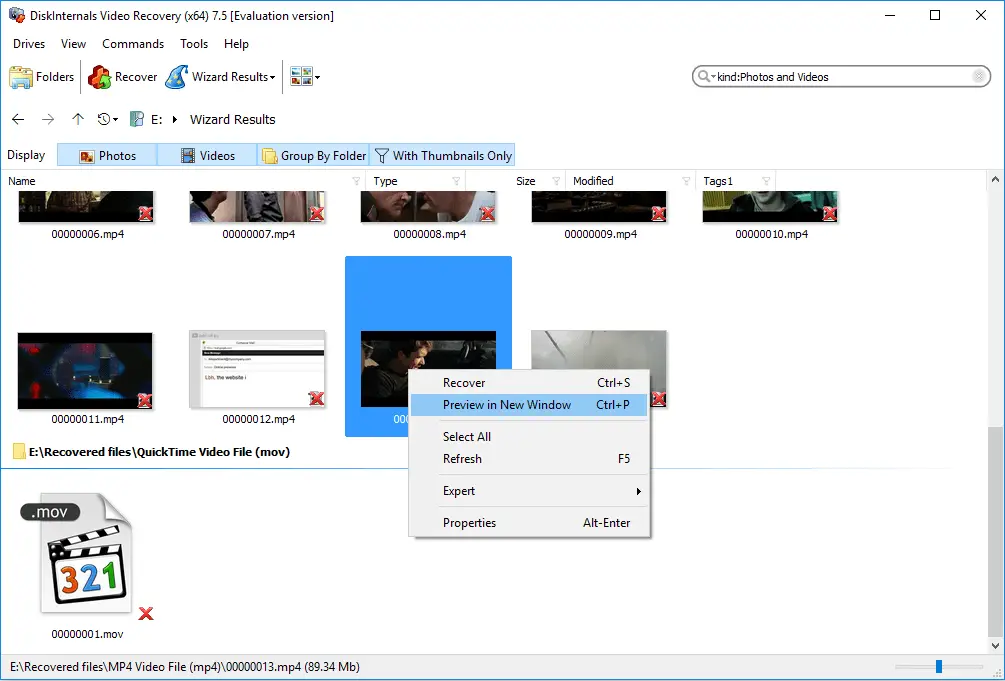
- Click Next and wait for a new window with search results.
- Right-click on the selected file and choose Preview.
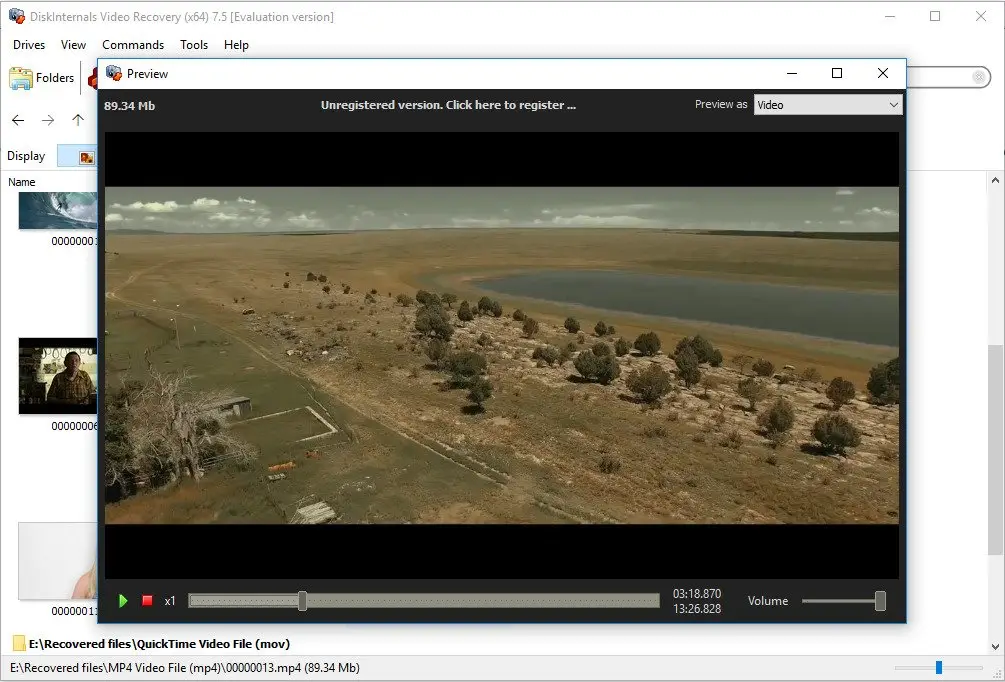
- Buy a license, and then enter the key in a special window. Now you are able to save the recovered files.
All this will not take long at all and before you know it, the video that was lost forever is back.
Frequently Asked Questions
- DiskInternals Photo & Video Recovery software can restore any video file to its previous version, including compressed video files. It is fast and efficient.
- First, open DiskInternals Photo & Video Recovery and follow the steps recommended by the Recovery Wizard. This software restores the original version of your video, which includes the metadata.
- When you launch DiskInternals Videos Recovery, follow the prompts of the Recovery Wizard, which will come on automatically, and you’ll be able to get back your files.
Related articles
- 4 Ways to Recover Deleted or Lost PS4 Video Games
- Adult Content Detection
- AVI Recovery: Recover AVI Files Right Now!
- How to Recover Deleted or Lost Movies
- How to Recover Deleted Videos from a Laptop
- How to recover deleted videos from Windows 7
- Mp4 Recovery: All that you need to repair Mp4 file
- Recover Deleted Videos from SD card
- Recover deleted videos YouTube
- [Solved] 4K Photo & Video Recovery and All You Need for It
- Recover .3gp Video Files Effortless!
- Video error 0xc00d36c4? Fix it today!
- The best methods on how to recover webcam videos!
- Recover FLV video files effortless and fast!
- How to perform MPG recovery? Find out it here!
- MOV vs MP4: what is more practical?
- WMV file recovery - all you need to know
- Deleted GoPro video? Recover GoPro Files Today!
- Recover MKV files: everything you need to know
- WebM file recovery - make it today!
- What is H.264 video files and how to restore it
- Recover Deleted MTS Video Files on Windows
- If Your PS4 Won't Turn On
- How to recover files from DJI Drone
- What is an .swf file?
- What is the missing codec error 0xc00d5212?
- If you have video lagging
- How to Fix Music Video Error 0xc00d36b4 on Windows 10
- If you get Video memory management internal error
- If Audio and video going out of sync on Windows 10
- Mp4 repair: restore your favorite videos
- If you get 0xc10100be error
- How to edit your MP4 and prevent dealing harm to it?
- Workable guide on how to convert MKV to MP4?
- 0xc00d36e5 error occurs: your actions
- Windows Media Player encountered a problem while playing the file
- 0xc10100bf error occurs: your actions?
- How to extract audio from video. Top-3 services
- Convert MP3 to MP4
- Convert WebM to MP4
- Best iMovie Alternatives For Windows
- Editing MP3 files with the trimmers for Windows
- Deal with the Most Common Windows Movie Maker Problems
- Here is How to Remove Audio From Video
- How to rotate a video in Windows 10
- Here is How to Compress MOV File
- Here is How to Convert MKV Files
- Here is how to convert AVI to MP4 safely
- How to Recover TikTok Draft Videos or Deleted Videos?
- How to Recover Deleted Videos on your device [2026]
- How to Recover Deleted Videos - Best Ways [2026]