
Learn how to perform MPG recovery!
Here you will find out:
- what is MPG and MPEG file format
- reasons, why the MPG file can be absent
- how to restore deleted MPG video
- how to avoid MPEG loss in the future
Are you ready? Let's read!
Let's talk about the MPG file format
An MPG file is a video and audio file format that is designed to quickly compress files. This is necessary to speed up the boot process. Yes, the picture quality is slightly reduced, but this format is still useful because of its versatility. MPG video files can be used in different operating systems and on different players.
MPEG file format and its differences
MPEG (Moving Picture Experts Group) is also a video format where compression occurs, using either MPEG-1 or MPEG-2 compression.
This video file format is used more for large-scale purposes; for example, for making films (most often in the United States). As you can see, MPEG and MPG formats have the same goal; only the quality and methods for achieving this goal are different.
Reasons for MPG or MPEG video file loss
Like any other file, MPG/MPEG files can be lost. Here is a list of the main reasons for this:
- Accidental deletion of files; for example, when you clean a disk, you may not notice that you have selected and deleted the desired MPG/MPEG video file.
- Formatting a disk or other storage media.
- Encoding of the file with a virus or other malware.
- Error in file transfer (e.g., a power surge).
- System failures and errors.
You have seen that losing an important file is very easy, but is MPG/MPEG recovery so easy? You will learn the correct answer to this question in the article below.
Raise your chances for successful MPG/MPEG recovery
First, do nothing with the disk where the lost files were stored; i.e., you can not copy files, delete, paste, save, etc. All this is necessary in order to avoid data overwriting. So you will have more of a chance for safe MPG/MPEG file recovery.
Perform MPG/MPEG Photo & Video Recovery
To recover deleted or lost MPG/MPEG files, a special software tool can help you: DiskInternals Photo & Video Recovery.
No need to invent anything: just download this application and install it on your computer. After downloading it, the built-in Wizard will do all the work for you. This is especially nice if you do not have free time and you do not have special technical skills. You can also use the free trial version of this application, which is also available on the website.
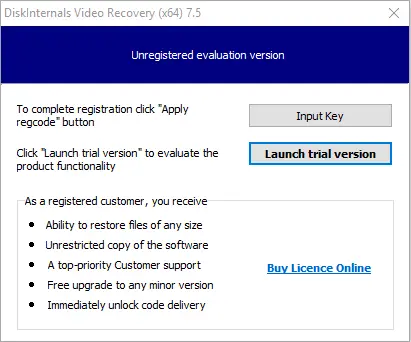
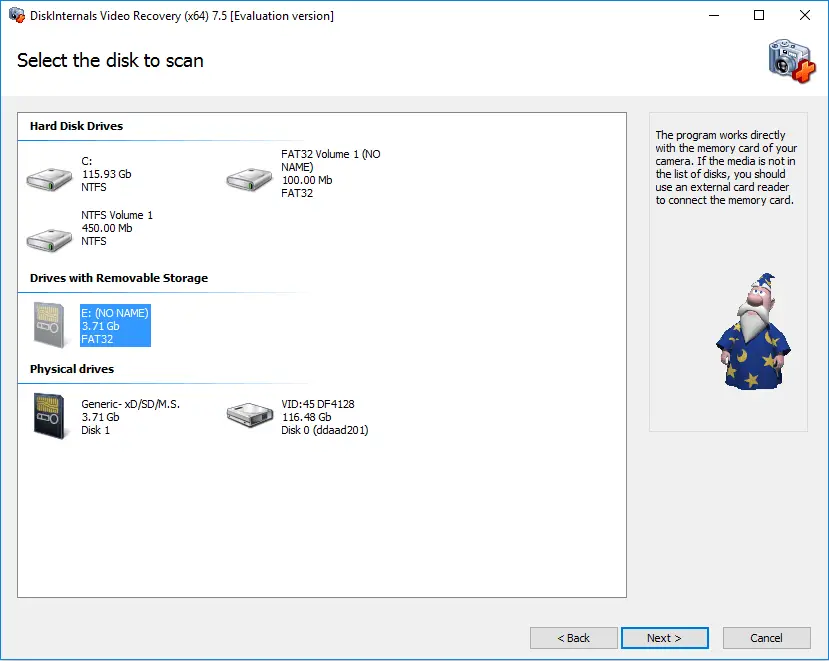
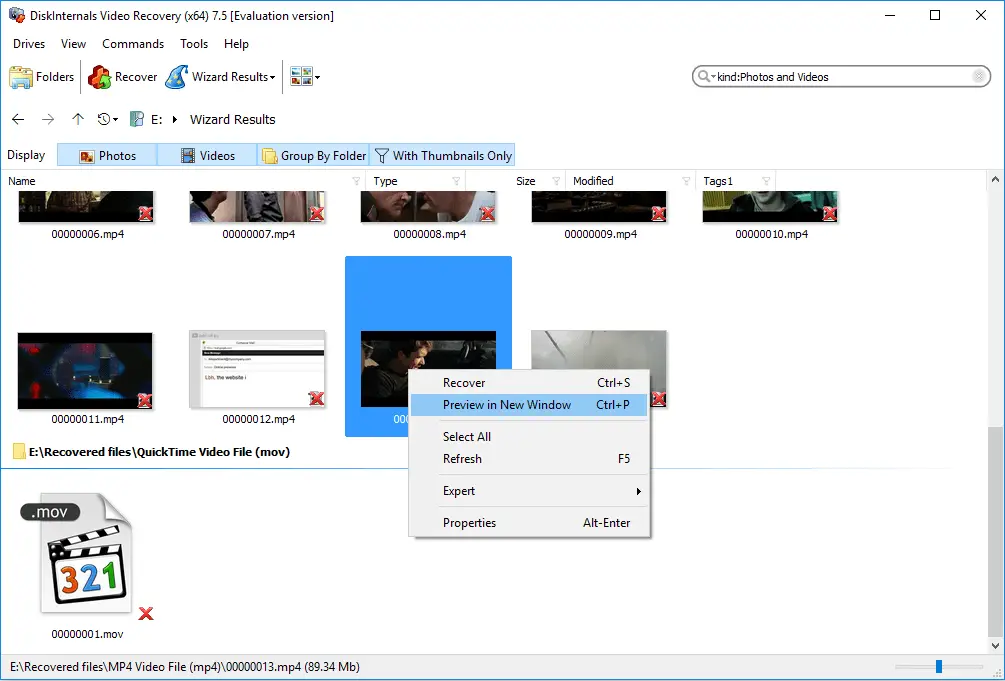
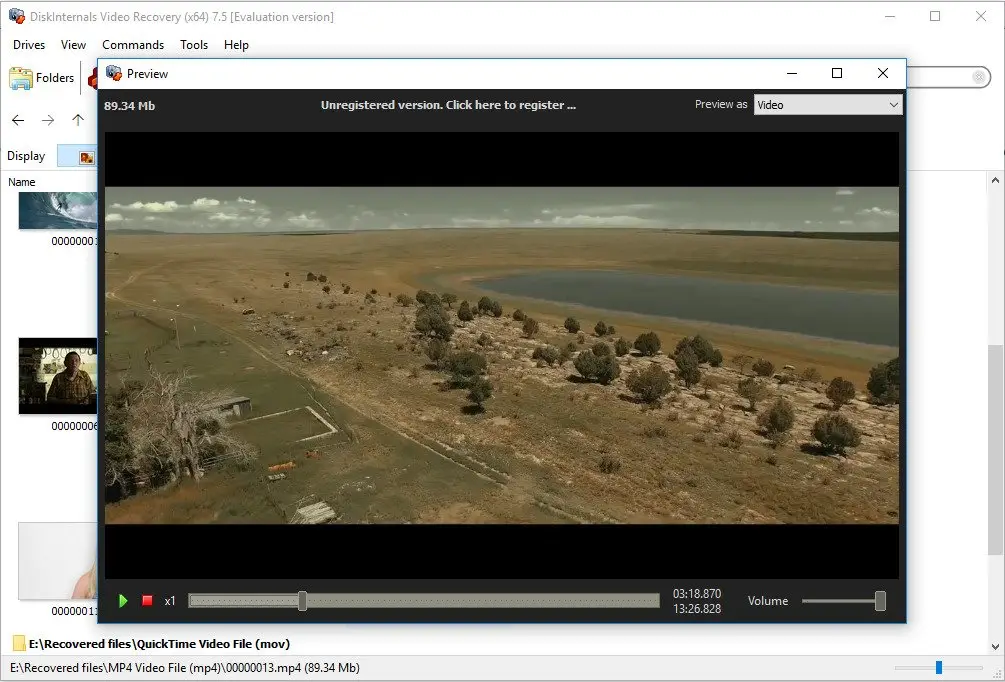
DiskInternals Photo & Video Recovery will return files of any size, regardless of the cause of data loss (accidental deletion, formatting, problems with the file system, etc.). You can also use the free Preview function before recovery to check the quality of recoverable files.
In general, do not hesitate with MPG recovery, especially since with DiskInternals Photo & Video Recovery it will take quite a bit of time.
How to avoid MPG/MPEG file loss
In the end, here is a couple of good tips so that you do not run into such situations anymore:
- Before you delete something, make sure that you delete an unnecessary file.
- Always back up your data. That never hurts.
- Use external storage devices correctly (remove them in a safe way, check for viruses, etc.).
Related articles
- 4 Ways to Recover Deleted or Lost PS4 Video Games
- Adult Content Detection
- AVI Recovery: Recover AVI Files Right Now!
- How to Recover Deleted or Lost Movies
- How to Recover Deleted Videos from a Laptop
- How to recover deleted videos from Windows 7
- Mp4 Recovery: All that you need to repair Mp4 file
- Recover Deleted Videos from SD card
- Recover deleted videos YouTube
- [Solved] 4K Photo & Video Recovery and All You Need for It
- Recover .3gp Video Files Effortless!
- Video error 0xc00d36c4? Fix it today!
- The best methods on how to recover webcam videos!
- Recover FLV video files effortless and fast!
- MOV vs MP4: what is more practical?
- WMV file recovery - all you need to know
- Deleted GoPro video? Recover GoPro Files Today!
- Recover MKV files: everything you need to know
- WebM file recovery - make it today!
- What is H.264 video files and how to restore it
- Recover Deleted MTS Video Files on Windows
- MXF Photo & Video Recovery: all you need to know
- If Your PS4 Won't Turn On
- How to recover files from DJI Drone
- What is an .swf file?
- What is the missing codec error 0xc00d5212?
- If you have video lagging
- How to Fix Music Video Error 0xc00d36b4 on Windows 10
- If you get Video memory management internal error
- If Audio and video going out of sync on Windows 10
- Mp4 repair: restore your favorite videos
- If you get 0xc10100be error
- How to edit your MP4 and prevent dealing harm to it?
- Workable guide on how to convert MKV to MP4?
- 0xc00d36e5 error occurs: your actions
- Windows Media Player encountered a problem while playing the file
- 0xc10100bf error occurs: your actions?
- How to extract audio from video. Top-3 services
- Convert MP3 to MP4
- Convert WebM to MP4
- Best iMovie Alternatives For Windows
- Editing MP3 files with the trimmers for Windows
- Deal with the Most Common Windows Movie Maker Problems
- Here is How to Remove Audio From Video
- How to rotate a video in Windows 10
- Here is How to Compress MOV File
- Here is How to Convert MKV Files
- Here is how to convert AVI to MP4 safely
- How to Recover TikTok Draft Videos or Deleted Videos?
- How to Recover Deleted Videos on your device [2026]
- How to Recover Deleted Videos - Best Ways [2026]