
AVI Recovery: recover AVI files right now!
Do you have lost AVI video? Or, maybe you have deleted it?
The solution exists!
Here you will find out all about AVI video recovery.
Are you ready? Let's read!
Introduction to AVI video files

AVI is probably the most common video&audio format, despite the fact that it was developed in 1992. The abbreviation stands for Audio Video Interleave, which means synchronous playback of audio from video. Its success is due to its accessibility and versatility, as it is supported by all known operating systems and media players. In addition, the quality of the reproduced sound and pictures AVI format is not inferior to newer video formats.
The best AVI recovery tips
It's obvious that due to its universality, the AVI video file can be deleted or lost on any storage device: SD card, internal hard drive, external SSD, USB drive, etc. And AVI recovery will be easier if you know some of the subtleties of the process:
- 1. Never install recovery software in the same place with removed AVI files (for example, if AVI files were lost on logical drive D, install the recovery program on partition E).
- 2. Never restore AVI files (or any other) in the place where they were deleted.
- 3. Restore AVI files as soon as possible. For this, you should not delay.
You should know that in all these cases, new data may overwrite lost files and AVI recovery will be difficult or even impossible.
AVI Recovery: The Most Powerful Software
DiskInternals Video Recovery is a powerful video recovery software tool.

This tool is designed specifically for recovering all kinds of video formats. It will help you to recover AVI files if you accidentally deleted them from any data storage device, cleared the Recycle Bin, formatted the disk, suffered viral damage to video files, or if any other misfortune occurred.
DiskInternals Video Recovery supports all versions of Windows.
It has a free built-in feature letting you preview the found files before recovering them.
Only after you see the high-quality video recovery in action do you need to purchase a license and get a license key for this product.
Another helpful feature is a recovery wizard, which will accompany you at all stages of the recovery process.
All you need to do is to launch a trial version of DiskInternals Video Recovery and follow the step-by-step instructions that are included below.
AVI Video File Recovery: Step-by-Step Guide
Step 1.Download and install DiskInternals Video Recovery software.
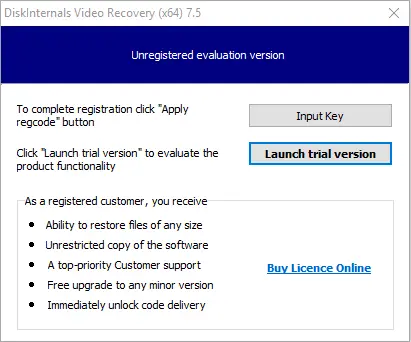
Step 2.The recovery wizard will start automatically.
Step 3.Select the disk where the AVI files were deleted.
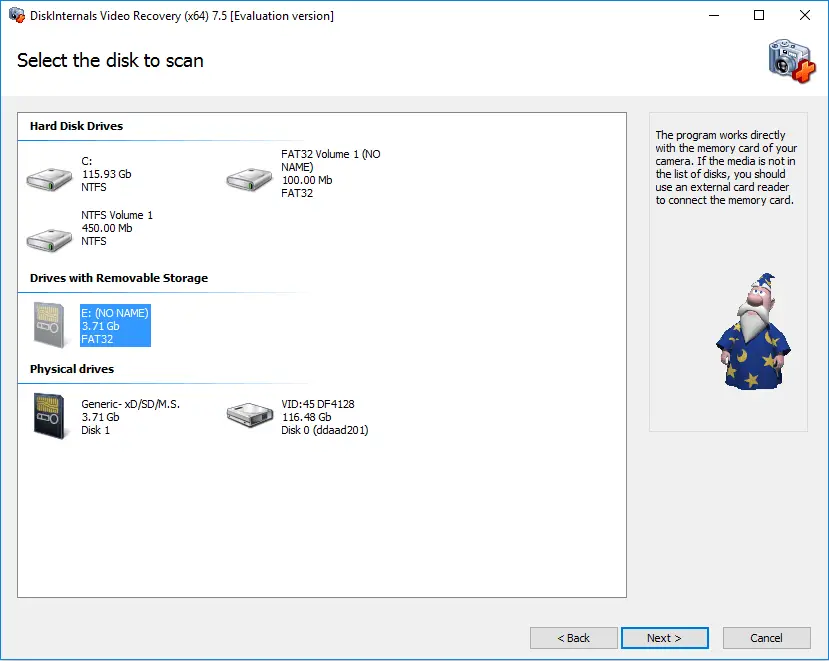
Step 4.Scanning. Scanning may take some time, depending on the storage size.
Step 5.Preview and restore. All found files, including AVI files, will be displayed as a list in a new window. Right-click on the desired video file and select Preview. If you can perform this action successfully, you will definitely be able to recover your lost data.
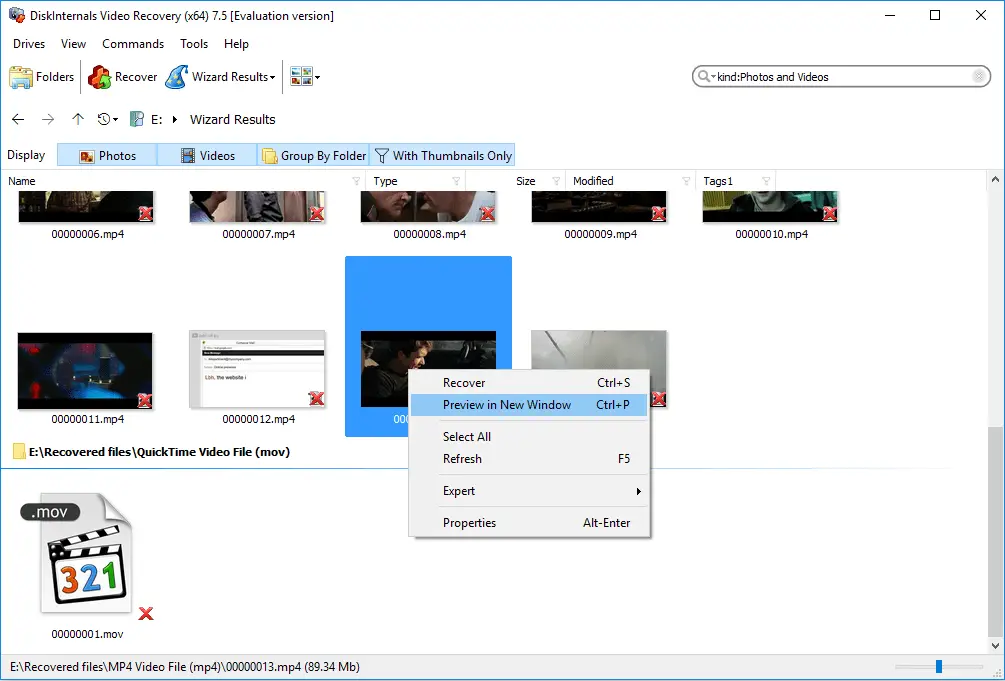
Step 6.Saving. To do this, you just need to purchase a license and enter the license key. Then the program will automatically ask you to choose a place where you want to save your recovered video files.