
How to recover deleted videos from Windows 7
Unlike our ancestors, you live in the information world. And it is wonderful when any happy, and maybe even important, moment in your life can be captured on camera. After all, this is a memory that can be held for many years. However, not everything is so rosy.
What if you deleted the video? How do you recover deleted videos from Windows 7?
You start to panic, because this is a big loss. Don't worry; read this article and all your anxiety will go away. You will understand that it is not so hard to recover deleted videos from Windows 7.
Why is the video absent on Windows 7?
First, you need to figure out the reasons you lost the video. In fact, there may be a lot of reasons. Let's touch on some of them.

- No one is immune from accidentally deleting video files from Windows 7. However, this action can be done intentionally, without thinking that you will ever need these video files again. Most often, deletion occurs when you press the shift + delete key combination or when the Recycle Bin is empty. Check if you have the option "Do not move deleted files to the Recycle Bin" selected. This may also be the reason for the permanent removal of the video. You can also delete video files from Windows 7 using the command line.
- Virus attacks or corruption by malware happen quite often to videos.
- Another common cause is disk formatting. This will result in the removal of all content without exception.
- When you delete large files, they are not stored in the Recycle Bin, but bypass it.
Recover deleted videos from Windows 7
Recovering deleted videos from Windows 7 is the easiest thing with special software. DiskInternals Video Recovery is the best application for video recovery on Windows 7.
The program is simple and powerful at the same time. DiskInternals Video Recovery has a nice interface, equipped with a recovery wizard. It, in turn, allows both technical and non-technical users to recover deleted videos from Windows 7. You can preview the recover deleted videos from Windows 7 before saving. Use the free trial version and you will see that it is a pleasure to work with DiskInternals Video Recovery. The way the program works is quite simple. You set the parameters and location of the disk; then a scan occurs; then a list of files that can be recovered appears.
This software recognizes and extracts all popular video formats: AVI, MP4, MOV, MPEG, MPG, M4V, 3GP, RM, etc.
The program has a wide range of additional functions that you can learn about by downloading DiskInternals Video Recovery. Just follow the step-by-step instructions that are described below, and you will learn how to recover deleted videos from Windows 7 quickly.
Step-by-step instructions for DiskInternals Video Recovery
This section describes in detail the steps that will help you to recover deleted videos from Windows 7 using the free version of DiskInternals Video Recovery for recovering video files from Windows 7 software.
Step 1. Download the file and run the software. When the download is complete, immediately begin the process of recovering video files from Windows 7.
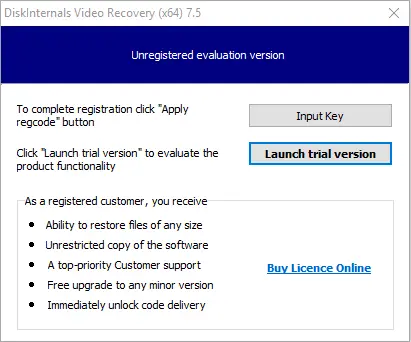
Step 2. Select the wizard icon. A new window will open where you will need to select a folder or drive in the video that you want to restore. Then click the Next button.
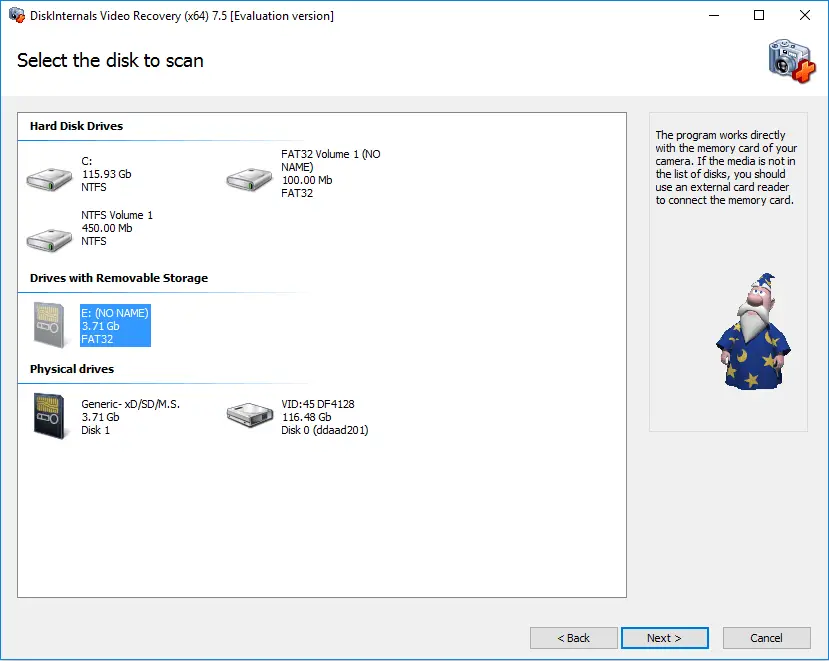
Step 3. Scan. This process may take some time. After that, you will see a list of recovered video files from Windows 7, and you can recover the deleted files.
Step 4. Preview and restore. Before you restore your documents, you can use the “Preview” function. It is very convenient and besides, you will be sure that your videos will be recovered correctly. Then click on the “Recovery” button. This process is automatic.

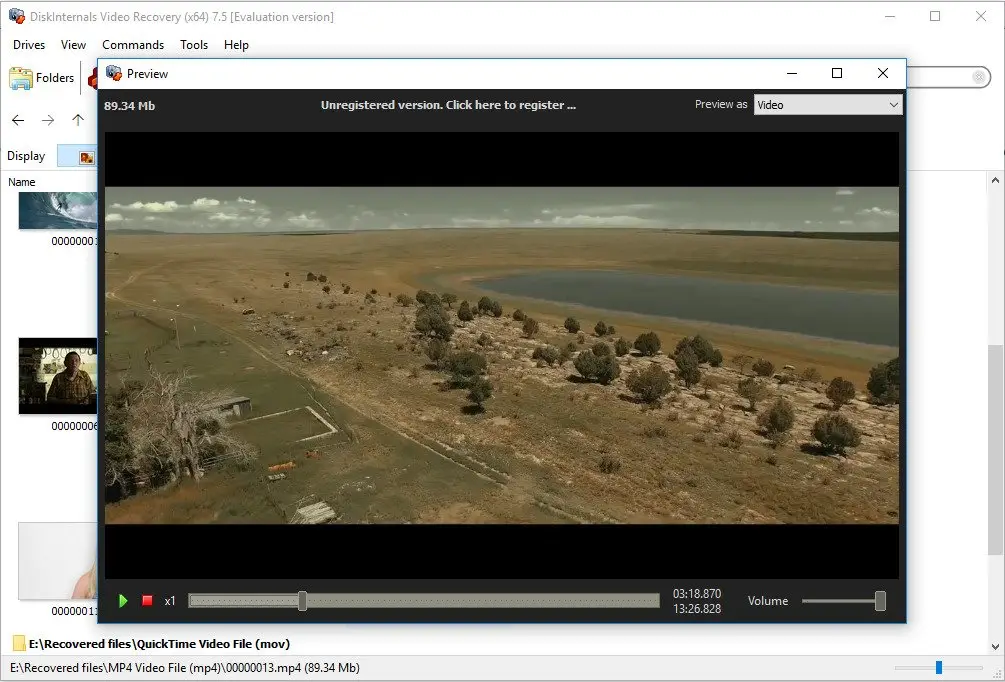
Step 5. Save the recovered video files from Windows 7. For this action, you just need to purchase a license for this software and enter the license key. It is best to save the recovered documents in a place other than the original.
As you can see, video recovery on Windows 7 is not so difficult if you have excellent software like DiskInternals Video Recovery. You do not even need to leave the house to get your videos back.
Good luck with DiskInternals Video Recovery!
Frequently Asked Questions
- 🔷How to restore a video from desktop windows 7?Launch DiskInternals Video Recovery and follow the Wizard (which launches automatically) to restore your video files.