
EFS Data Recovery
for Encrypted Files and Folders
Recover encrypted files and folders from healthy or damaged NTFS disks and RAID arrays. Whether you simply moved a disk with protected files to another PC, deleted an encrypted file or folder, formatted the partition, or experienced a hard disk corruption, Diskinternals EFS Recovery will help you get back your encrypted information quickly and easily.
EFS Recovery supports NTFS/EFS partitions created by Windows 11, 10, Windows 7 and 2008 Server R1/R2, as well as Windows 2000, XP, 2003 Server, and Windows Vista
Fully Automated Operation
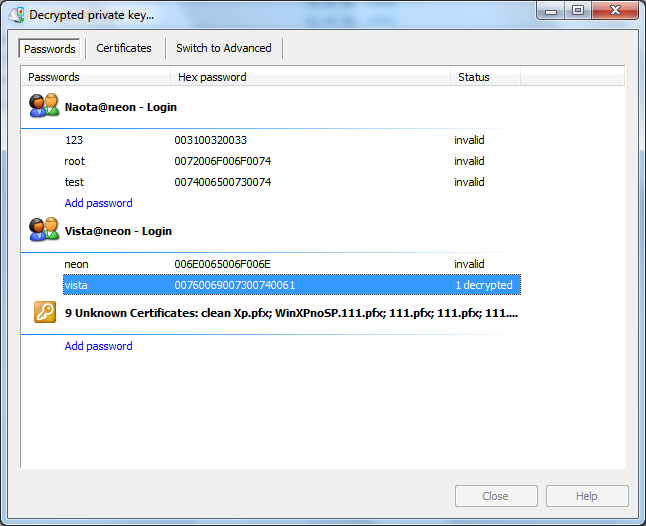
Diskinternals EFS Recovery works completely automatically, locating and recovering encrypted files and folders from healthy, damaged, deleted or inaccessible disks and partitions. The EFS data recovery tool will help if you moved the disk into another PC, upgraded or downgraded Windows, or are trying to access encrypted files located on an external disk from a different PC or user account (*). Just specify the disk or partition and enter your Windows account password (*) to begin!
Access Encrypted File System from Any Windows Version
Diskinternals EFS Recovery enables you to read protected files and folders stored on the Encrypted File System (EFS) partitions from all versions of Windows, even if they don’t support the original EFS version natively. You can encrypt files and folders in Windows 7, move the disk to a Windows XP computer, and still have access to protected information.
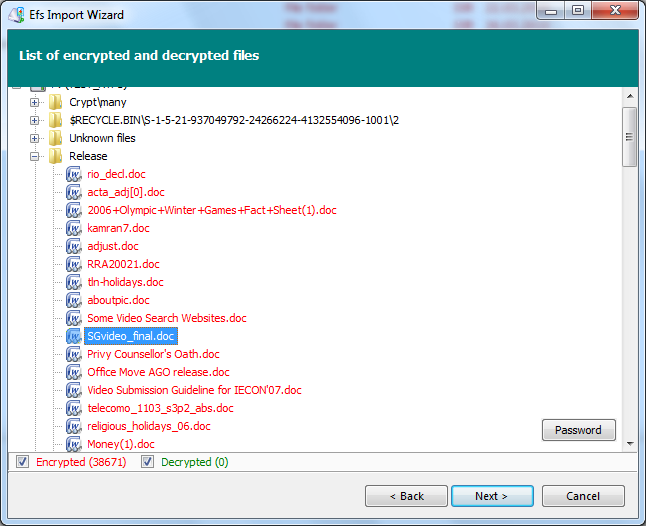
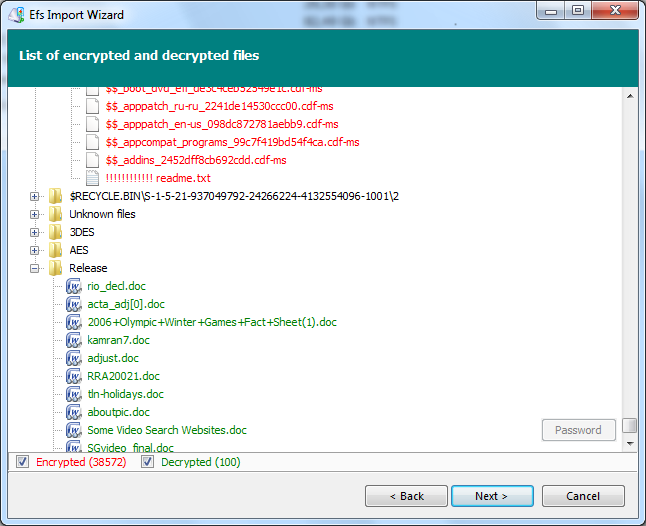
Recover Protected Information from RAID Arrays
Recovering encrypted files and folders is easy no matter what media you use. Healthy or damaged hard drives, SSD and flash memory cards, as well as RAID arrays and Dynamic Disks of all types and configurations are supported. Diskinternals EFS Recovery does not require you to have the original RAID controller installed, accessing individual drives directly and re-constructing the original RAID array if needed.
PowerSearch and Pre-Recovery Preview
Diskinternals EFS Recovery supports all the features of other data recovery products released by DiskInternals, including the company’s signature PowerSearch and pre-recovery preview algorithms.
PowerSearch allows the tool to locate and recover files that are no longer present in the file system. Diskinternals EFS Recovery will scan the entire disk or partition, reading the data sector by sector in order to locate the exact beginning and end of more than 200 supported file types. PowerSearch allows recovering important files such as office documents, compressed archived, pictures, video and other types of data from partitions with corrupted or missing file systems, damaged and inaccessible disks.
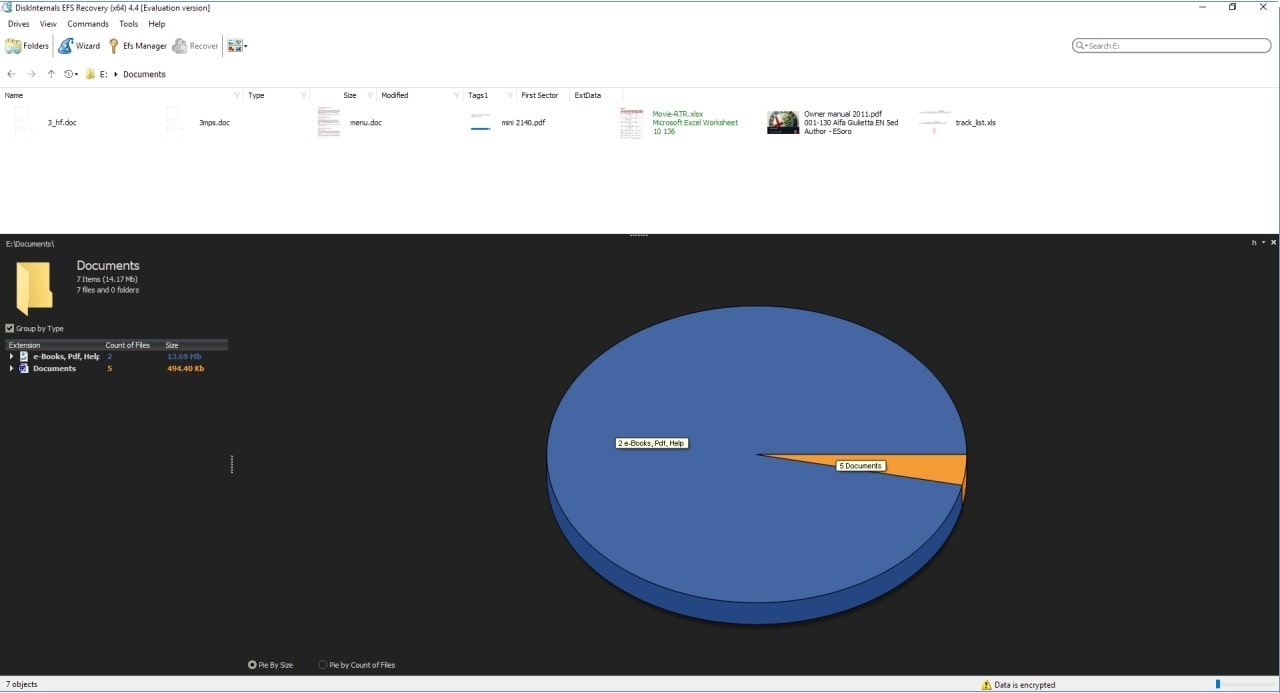
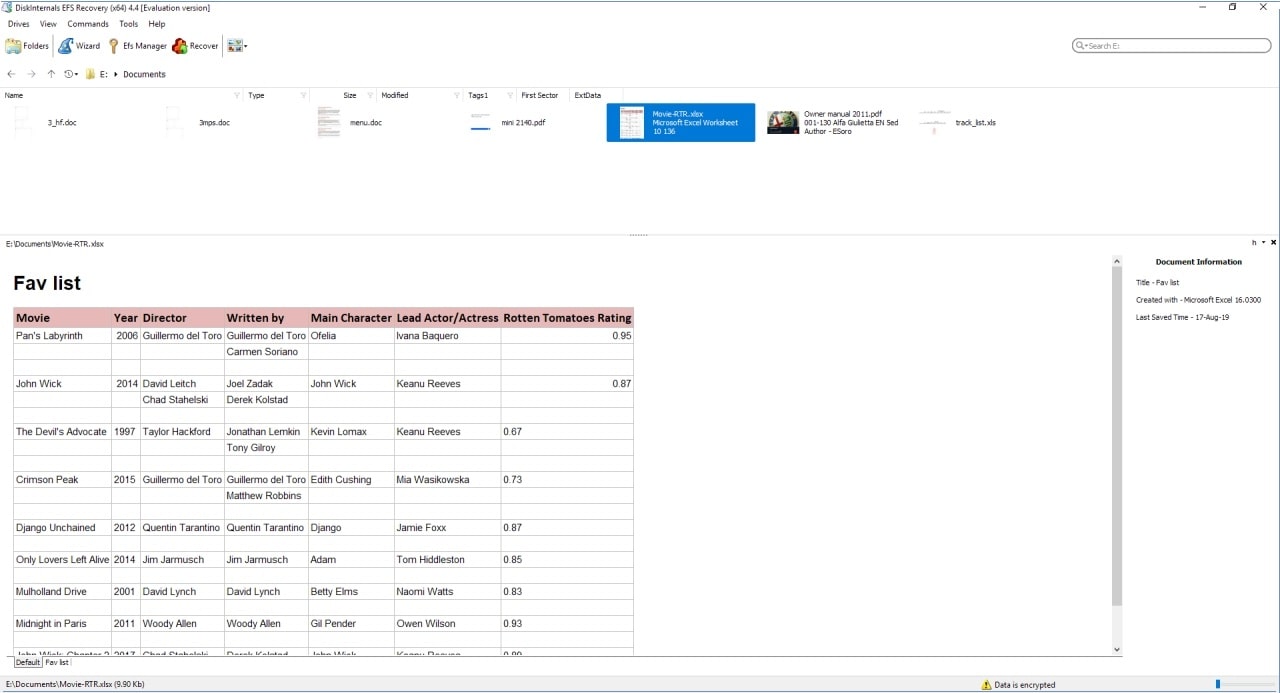
Pre-recovery preview will display the content of recoverable files in live mode. You’ll see Word documents shown as documents complete with text formatting and images. Pre-recovery preview can enter compressed archives, display pictures, and play back video and audio files. The preview is available in full and free versions of Diskinternals EFS Recovery.
Bitlocker Recovery. Restoring Encrypted NTFS Volumes
DiskInternals can recover files and folders from damaged volumes using BitLocker encryption. To recover files and folders from the encrypted drive, launch EFS Recovery and enter your volume Recovery Key. If the key matches, the product will automatically scan the BitLocker volume to locate any recoverable files and folders, detecting and fixing file system errors if that option is selected. Everything happens completely automatically; all you need to do is selecting which files to recover.
Compatibility
EFS Data Recovery works for NTFS/EFS partitions created by Windows 7 and 2008 Server R1/R2, as well as Windows 2000, XP, 2003 Server, and Windows Vista. All types of internal and external hard drives, SSD drives, flash memory, RAID arrays and Dynamic Disks are supported, with or without the original RAID controller. Diskinternals EFS Recovery can read encrypted files and folders even of you downgraded your version of Windows from Windows 7 to Windows XP or 2000.
Free Download
Diskinternals EFS Recovery is available as a free evaluation download with pre-recovery preview. Get your copy here.
Frequently Asked Questions
- How do I restore EFS with DiskInternals EFS Recovery?Launch EFS Recovery™. Select the system disk that contain Windows where the keys were created. If an EFS key is found, you'll be prompted for a password. Enter the user's password that was used for encryption. Use the EFS Recovery™ preview feature to check if all your files are available.
- Which disk should I scan with EFS Recovery: C or D?You need to scan the disk where Windows is installed.
- Do I need to perform a rescan after purchasing the EFS Recovery license?No, you don’t need to rescan or reinstall EFS Recovery™ after you’ve entered the license key.
- Is EFS Recovery™ able to create a disk image?Yes. To do that, you need to run EFS Recovery™ and skip the Recovery Wizard. Click on the desired disk and press Ctrl + C. Enter the name for the disk image and click Save.
Related articles
FREE DOWNLOADVer 5.14, WinBUY NOWFrom $149
(*) The correct user account password or Backup Certificate is required to access encrypted files and folders. If the password has been changed, one of the previously used passwords can be used.